 PC Health Advisor is one of the better registry cleaners on the market. Bang for buck this client has more features then most registry cleaners and gets the job done. You will be able to fully clean the registry, manage start-up items, scan for malware, defrag your computer as well as several other things. All in all it’s one of the better programs on the market in the registry cleaning niche.
PC Health Advisor Download Here
PC Health Advisor Features:
- Repairs and cleans windows registry
- Manage Star-up programs
- Scans for Active Malware
- Monitors Active Running Processes
- Schedule cleaning times
- Manage Windows Restore Points
- Cleans Junk Files from Computer
- Built in Defrag
The free trial version of PC Health Advisor is a limited trial. Like with most programs out there you will need to purchase the product in order to get all the above features. The Cost of PC Health Advisor is generally under $30 USD.
PC Health Advisor Overview Video Review
PC Health Advisor Review
The install process is straight forward. Should only take a few minutes. No real effort here. Just hit the next button a few times. We recommend you just follow the default prompts. Once installed you will be at the main overview of the program. At this time you should hit the scan button to run a scan on the program. Once the scan is done you can hit the “Fix All” button and you are done cleaning the registry.
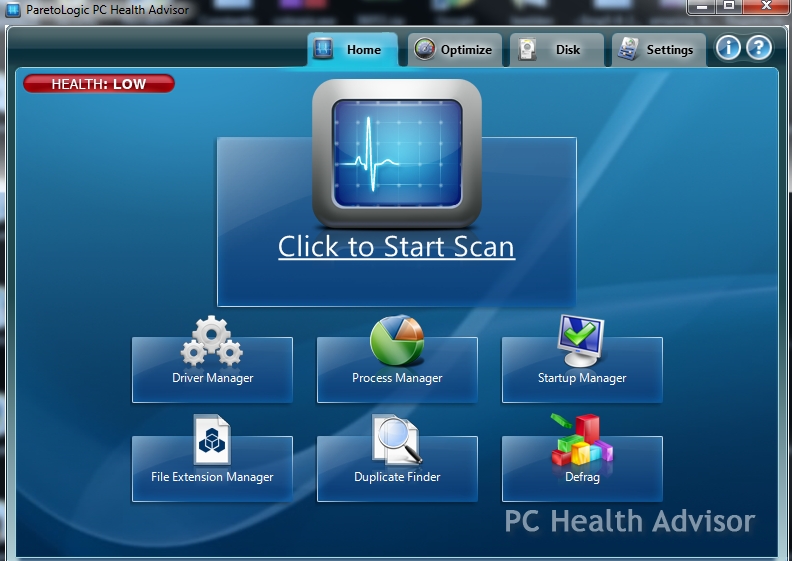
The Driver Manager is were you can find any missing or outdated drivers for your computer’s hardware. While you can often find these drivers on the manufacturers site you are not always told when a device is out of date. It’s not uncommon for devices to become unstable as you install all the latest Windows updates. Bugs and flaws are found so having the latest hard drivers for your devices is always nice. This will help to ensure your computer runs smoothly.
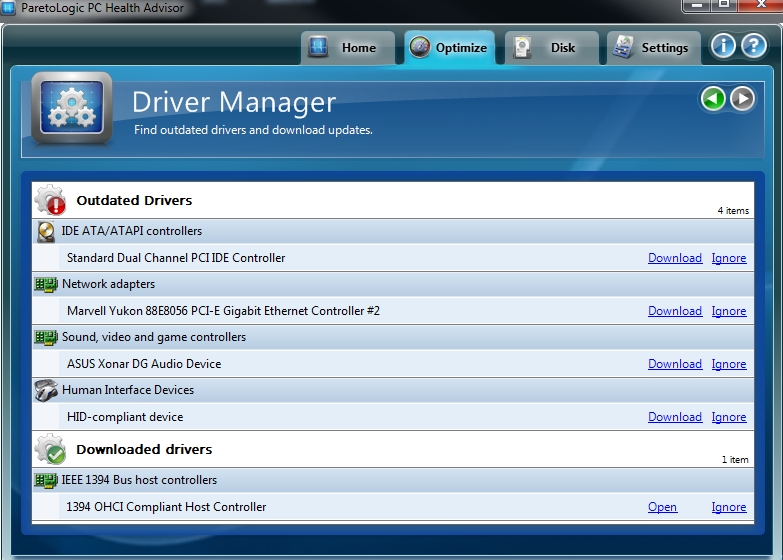
The Start-Up Manager is a great feature that most other registry cleaners also have. In this section you can manage all the programs that run when you first turn on your computer. Eliminating many of these programs can boost your overall computer speed greatly. I encourage everyone to pay close attention to this section and eliminate any program you know that you don’t use every day. It will not delete the program from your computer. It simply does not pre-load the program.
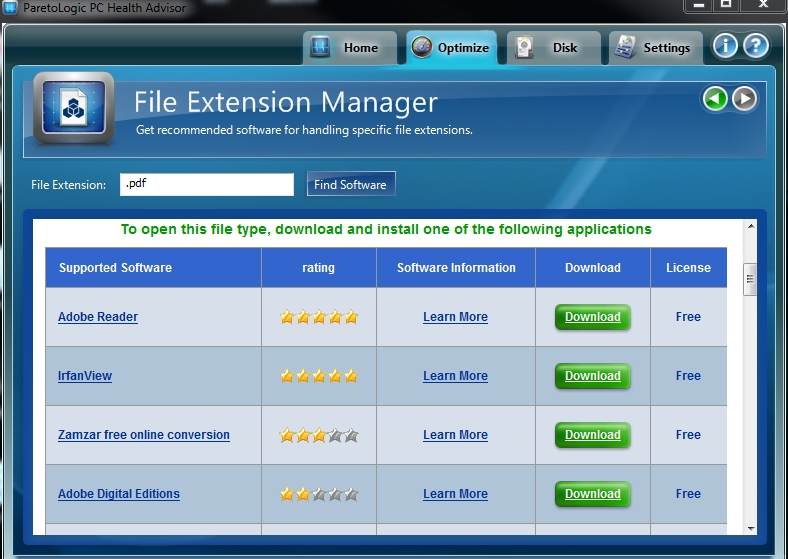
The File Extention Manager is something many registry cleaners do not have. If you have ever had an issues opening a file some sent you this program can help. It basically tells you what programs can open what files and were you can download the program so you can open the file you have. An example is the .pdf file extention I typed in here. I can now see Adobe is what opens the files and I can download that program. While this tool is something you will not use often it’s still nice to have on hand.
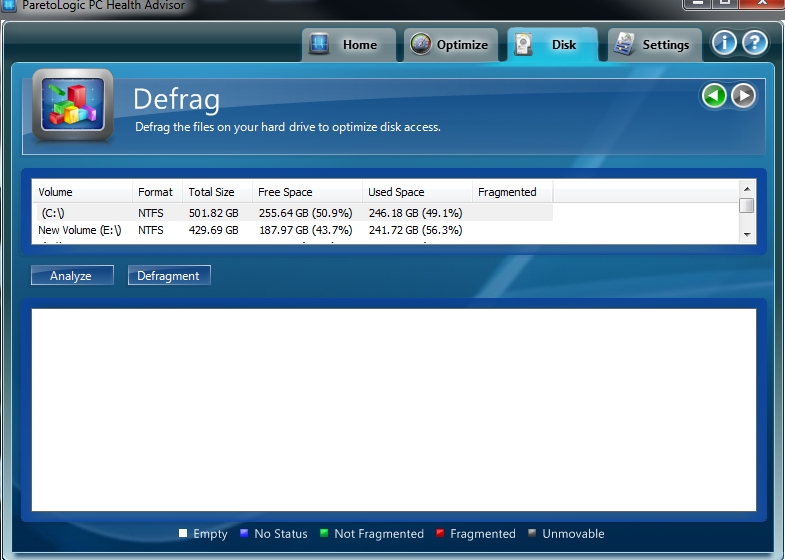
Defrag is not as important as it used to be. Our computer hard drives are much faster then several years back. Still it’s a good idea to defrag your computer. This basically organizes all your files into a centralized location on the hard disc so when you access the file it can be pulled quicker.
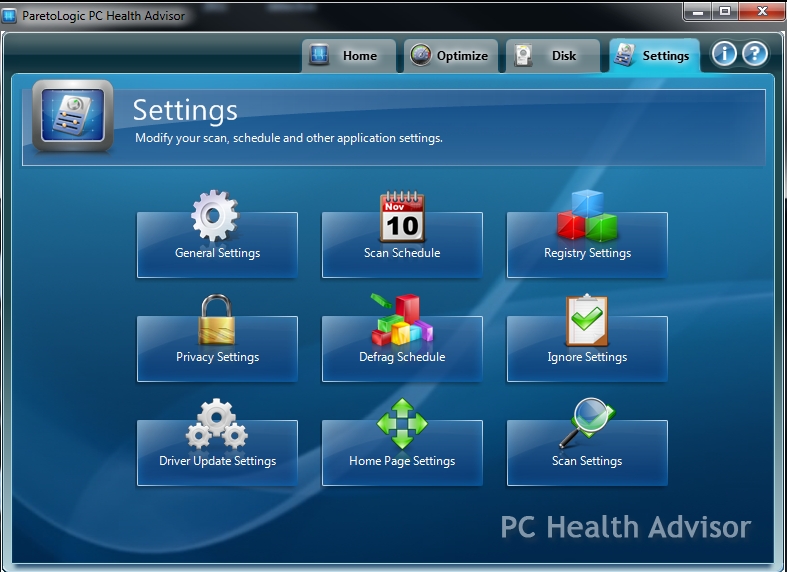
You can see from the below that you have many options to customize PC Health Advisor. This is where you will be setting the scan schedules so it automatically repairs the registry and does tasks like defrag on a monthly basis or whenever you want the program to run.
Does PC Health Advisor Work?
PC Health Advisor is one of the better registry cleaners on the market. It offers some of the most features for the lowest price and is very simple to use. It will get the job done and combined with the startup manager, you will see a nice boost in overall computer performance. The price starts at around $29.97. This is comparable and with in the price range of most other registry cleaning products. However with PC Health Advisor you get much more then a standard registry cleaner.

Looking for more registry cleaner reviews? Head to our Registry Cleaner Reviews section.
Here are the rest of the reviews
- PC Mechanic
- PC Health Advisor
- Registry Mechanic
- System Mechanic
- JV16 PowerTools
- Tune UP Utilities
- PC Speed Maximizer
- Disk Keeper
- RegGenie
