pctechguide.com

  • Home
  • Guides
  • Tutorials
  • Articles
  • Reviews
  • Glossary
  • Contact

Avira Premium Security Suite Review

[starreviewmulti id=7 tpl=20]

PROS: Internet Security including anti-virus, spam, malware, detection and personal identity theft protection.

CONS: Price tag seems a little steep.

OVERVIEW: Avira’s protection is comprehensive and covers all aspects of how computers get infected. Rest comfortably and know that your computer’s local drives, removable media, email, and web sessions are sealed tight from invasion with Avira.


Avira Premium Security Suite Review

Company: Avira

Supported OS: Windows 2000 SP4, XP, Vista, 7

Price: 1PC/1 Year License – $49.95

Overall Rating: 8 out of 10

What It Does:

Avira Premium Security Suite uses multiple types of technology to keep your system safe from the latest threats on the internet.

Installation:

The installation of Avira Premium Security Suite took about 5 minutes to complete and only required one reboot.

Details:

After installing and starting Avira Premium Security Suite, the user is presented with the home screen detailing which actions should be performed and how to go about doing them. The first and most important was to make sure that the latest updates were installed.

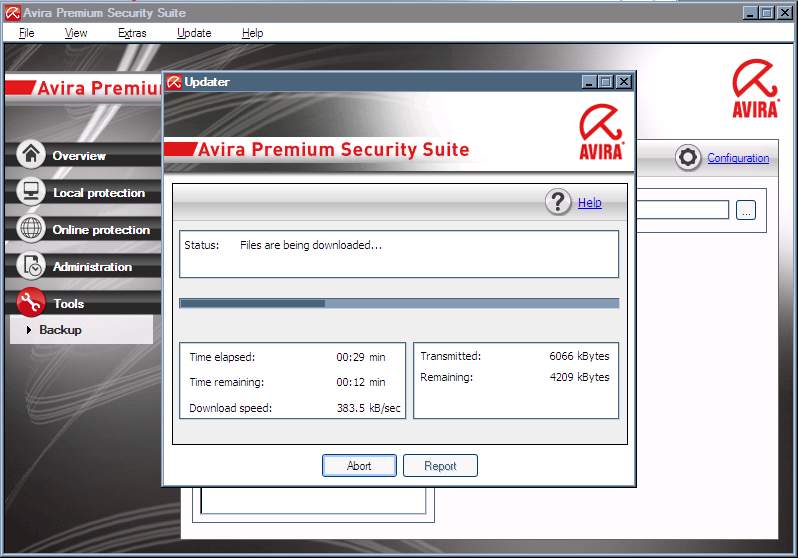
The update process took roughly 40 minutes to complete, as Avira Premium Security Suite downloaded and installed each individual update.
After the updates were installed, I initiated a full system scan. As can be seen, it starts by scanning the boot sectors of all available drives and progresses to a full system scan, checking for all types of malware.
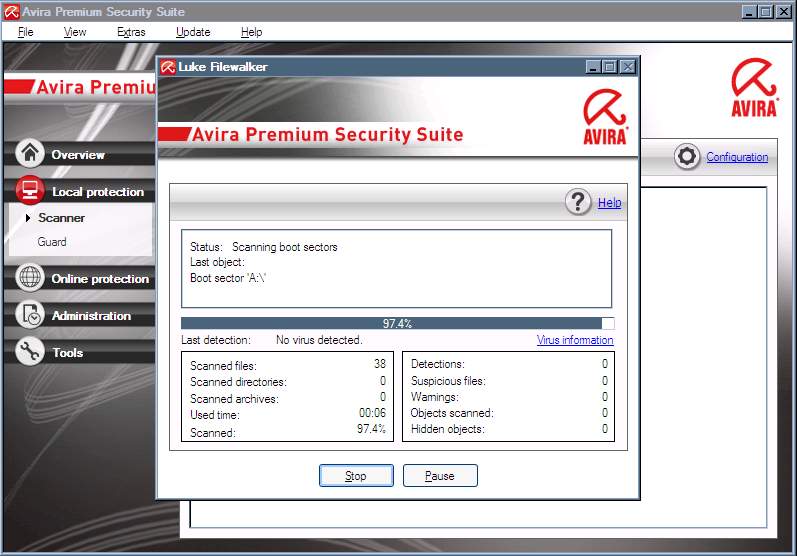
Avira took approximately 2 hours to complete a full system scan, and during that time the system experienced no lag or any other technical problems during the process.
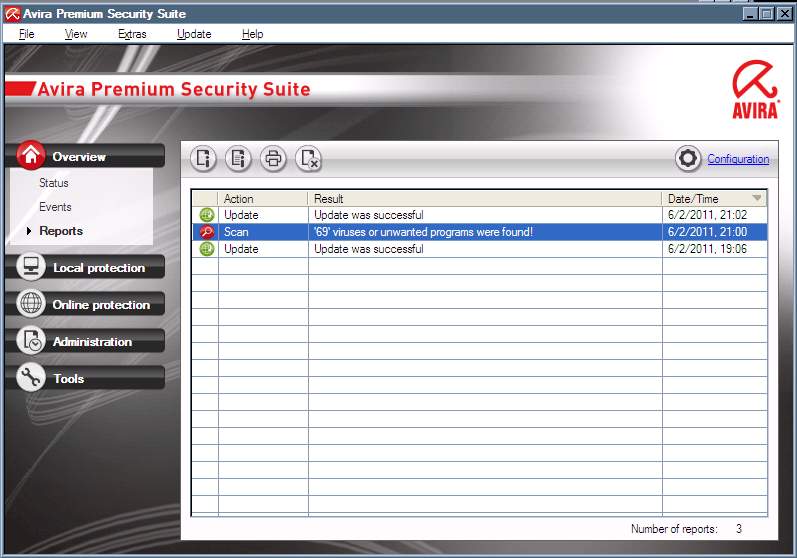
Like TrendMicro, Avira Premium Security Suite flagged the same files with false positives. Although it shows a total of 69 vulnerabilities, the same files were flagged multiple times with different heuristics according to the scan log. While false positives always bother me, the time it took to scan was at least moderately impressive, given how many files there are on my primary drive, and in comparison to how long it took other security applications to scan.

Ease Of Use:

Avira Premium Security Suite’s interface is simple and easy enough that a novice computer can use without worrying about getting lost or confused about what needs to be done to keep the system clean of threats.

Summary:

A handful of false positives aside, Avira Premium Security Suite performed amazingly well with the gauntlet I ran it through. It detected almost all of the wildlist samples that I also had TrendMicro Scan for. Even though the price is a bit more costly than other competitors, I believe that Avira Premium Security Suite is a commercial package I would definitely consider looking into if you’re looking for realtime protection software to keep your system safe from malware.

Filed Under: Internet Security Tagged With: Avira Premium Security, Avira Premium Security Suite, Avira Premium Security Suite Review

Latest Articles

Three Critical Tips for Keeping Your Company Intranet Safe & Secure

Keeping your business safe should be among your top priorities. The fact is, digital threats are more omnipotent than ever. A study from Panda Security found that there are around 230,000 new malware samples (software designed to penetrate security and damage a server or computer network) being … [Read More...]

FlexATX motherboard form factor

The FlexATX is a natural evolution of the Intel's microATX form factor which was first unveiled in late 1999. The FlexATX addendum to the microATX specification addresses the requirements of only the motherboard and not the overall system solution. As such, it does not detail the interfaces, … [Read More...]

Using the Windows Troubleshooting App To Repair Your PC

If you have been around computers for any length of time, then you may be familiar with the infamous/notorious blue screen of death (BSOD). This is the screen you would get when the computer would crash, and it was largely a screen full of undecipherable gibberish. You would have to write down any … [Read More...]

Gaming Laptop Security Guide: Protecting Your High-End Hardware Investment in 2025

Since Jacob took over PC Tech Guide, we’ve looked at how tech intersects with personal well-being and digital safety. Gaming laptops are now … [Read More...]

20 Cool Creative Commons Photographs About the Future of AI

AI technology is starting to have a huge impact on our lives. The market value for AI is estimated to have been worth $279.22 billion in 2024 and it … [Read More...]

13 Impressive Stats on the Future of AI

AI technology is starting to become much more important in our everyday lives. Many businesses are using it as well. While he has created a lot of … [Read More...]

Graphic Designers on Reddit Share their Views of AI

There are clearly a lot of positive things about AI. However, it is not a good thing for everyone. One of the things that many people are worried … [Read More...]

Redditors Talk About the Impact of AI on Freelance Writers

AI technology has had a huge impact on our lives. A 2023 survey by Pew Research found that 56% of people use AI at least once a day or once a week. … [Read More...]

11 Most Popular Books on Perl Programming

Perl is not the most popular programming language. It has only one million users, compared to 12 million that use Python. However, it has a lot of … [Read More...]

Guides

  • Computer Communications
  • Mobile Computing
  • PC Components
  • PC Data Storage
  • PC Input-Output
  • PC Multimedia
  • Processors (CPUs)

Recent Posts

Inbox Zero with Streak

Email is perhaps the most important communication medium we use in business. It can be used to keep tasks going, document tasks and procedures and … [Read More...]

Guide to SanDisk’s CompactFlash memory card

Memory manufacturer SanDisk introduced CompactFlash (CF) in 1994 as a small format memory card, which used the existing PCMCIA-ATA specification … [Read More...]

Installing a SCSI device – making the connections

Squeeze either side of the connector to connect the supplied SCSI cable to the SCSI host adapter card's external SCSI connector. Connect the … [Read More...]

[footer_backtotop]

Copyright © 2025 About | Privacy | Contact Information | Wrtie For Us | Disclaimer | Copyright License | Authors