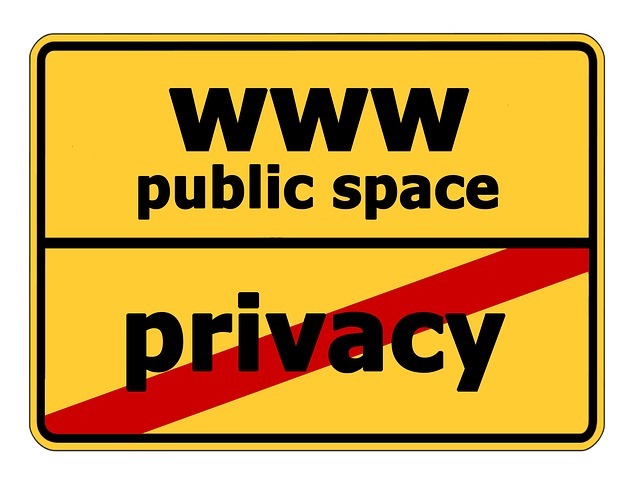
 Privacy is a big concern for people online these days. Everyday we seem to be hearing about some new invasion of privacy centered around the Internet. But, there are a few tools at your disposal to keep your data safe and your browsing secure. These come through add ons in your browser called extensions. This article will outline some of the top browser extensions available to you.
AdBlock Plus (Chrome/Firefox/Safari)
AdBlock Plus blocks ads, scripts and popups on your browser. It kills third-party scripts and widgets that send your data to who-knows-where. Be careful you use it properly, the extension can break the sites you read, which is why you have to first figure out what to allow and what to block. AdBlock Plus also stops you from visiting known malware-hosting domains, and it allows power users to play with different subscription lists while basic users can just enable it and walk away. Best of all, it is completely free.
Disconnect (Chrome/Firefox/Safari)
Disconnect Private Browsing protects you from tracking, malware and malvertising while offering secure Wi-Fi and bandwidth optimization features. Third party tracking cookies become a thing of the past, and you can enjoy total control over all site scripts and elements from a user-friendly toolbar menu. You’re completely guarded from ads injected by malware or ad networks that are hijacked by embedded malware.
Disconnect also protects you from tracking by social networks like Facebook, Twitter and Google, which use your browsing experience even when off-site in order to collect data about you. What’s more, you’ll never have to worry about sidejacking, which is where an attacker uses stolen cookies to access your personal data without having to know your password. Available in free version and Premium, the main difference is that Premium adds mobile malware blocking and tracking to its arsenal, too.
HTTPS Everywhere (Chrome/Firefox/Opera)
One of the must-have tools for your browsing experience, HTTPS Everywhere shunts your connection to SSL whenever possible, and will try to find secure versions of the sites you visit. This protects your browsing experience and online privacy without you really having to do anything. Updates have also just been rolled out to keep you safe on thousands more sites around the web, and this extension is free for download.
Tunnelbear (Chrome)
This Virtual Private Network (VPN) encrypts all of your internet traffic, secures your browser data, and offers robust protection from prying eyes. Best of all, this won’t cost you a dime. Unfortunately, though, Tunnelbear is only available on Chrome at the moment; Safari and Firefox users will have to wait a little longer for this extension to come their way.
Web of Trust (Chrome/Firefox/Safari/IE)
Web of Trust (WOT) is a free extension that ranks sites by reputation and shows you whether a specific site has been known to host malware, or is loaded with tracking cookies and scripts that could wreak malware or adware havoc on your system.