pctechguide.com

  • Home
  • Guides
  • Tutorials
  • Articles
  • Reviews
  • Glossary
  • Contact

Installing new Windows XP graphics card drivers

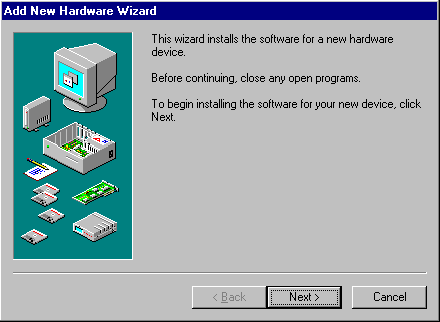
Power up the PC and the Add New Hardware Wizard should be launched.
Add

Make sure you’ve no other programs running and click Next.
Add

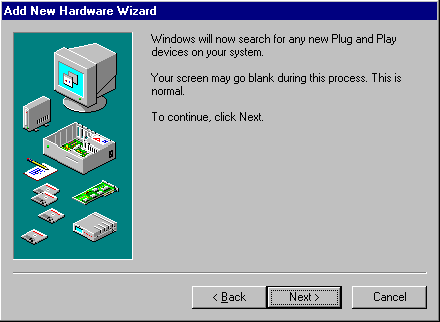
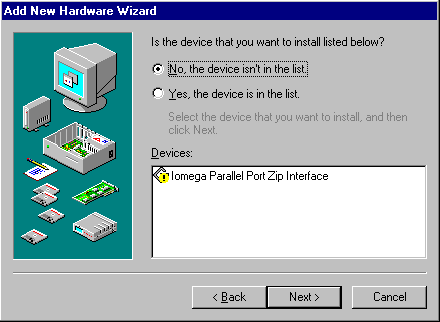
If both your new graphics card and motherboard are Plug and Play compatible, Windows may detect your new card automatically.

Click Next to see if it does.
Add

In this case it doesn’t, but don’t despair there’s lots yet to try!

Select No and click Next.
Add

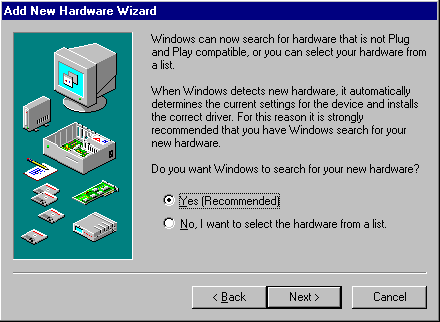
Windows offers to try to detect new non Plug and Play hardware.

Select Yes and click Next.
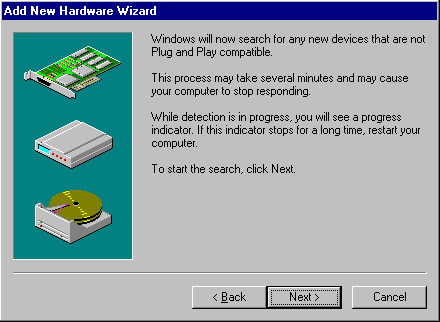
Add

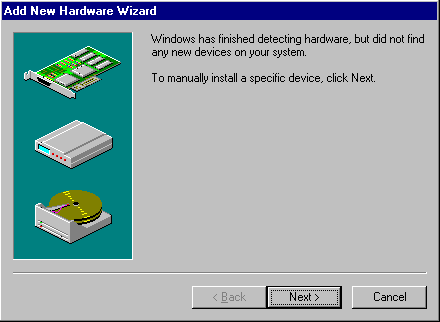
Click Next.

Add

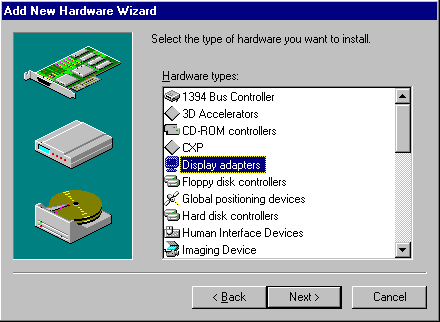
OK, so Windows still hasn’t had any luck.

Click Next and we’ll try giving it a little help!
Add

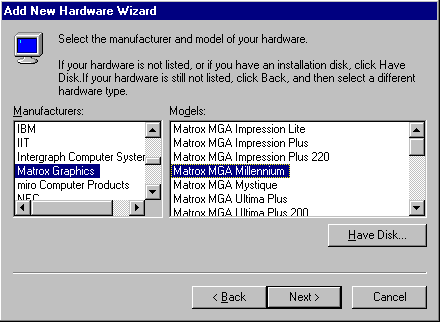
Select Display adapters and click Next.
Add

Thanks to our earlier research, we can now confidently identify the new hardware we want Windows to install as a Matrox MGA Millennium graphics card.

Click Next.
Add

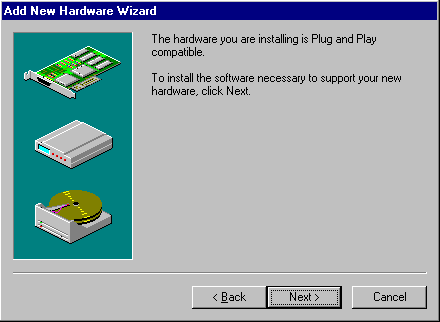
Windows decides that the new card is a Plug and Play device after all!

Click Next.
Add

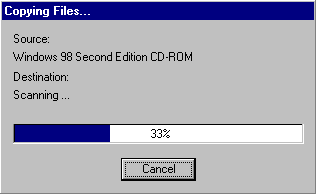
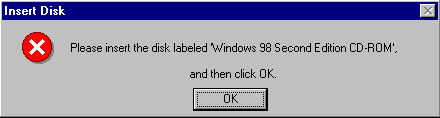
Load the CD-ROM and click OK.

Add

Progress! Windows signals that it has located and is copying the required drivers from the CD-ROM.
Add

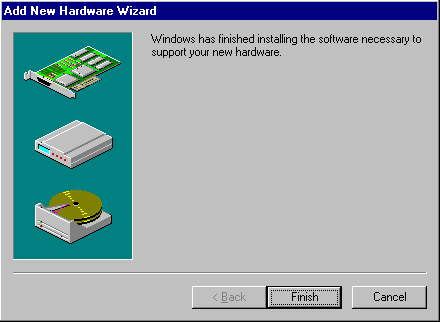
Success at last!

Well, click Next and we’ll double-check!


Having successfully found drivers for your new graphics card, you may now find that Windows also re-discovers your monitor. Just follow the screen prompts, restarting your system when requested.

Right-click anywhere on the desktop, select Properties and then Settings.

You’ll see confirmation that a device driver for the Matrox Millennium II PCI graphics card has been successfully installed.
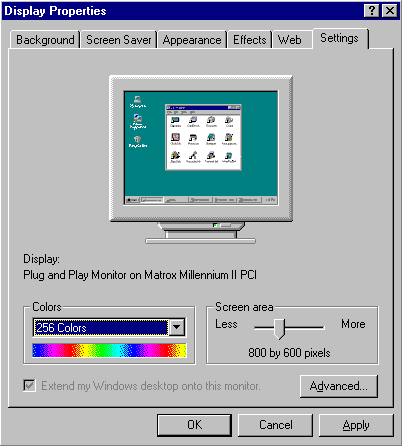
Display

Even if we hadn’t succeeded in getting Windows to find and install drivers for the new card, all would not have been lost because of the manufacturer’s driver downloaded earlier.

Indeed, we still have an interest in this, since it may be a later version than the driver that Windows has installed.

If you’re upgrading your graphics card to improve 3D graphics performance, now’s perhaps an appropriate time to check what version of DirectX you have installed.

First introduced in 1995, Microsoft’s DirectX is an advanced suite of multimedia application programming interfaces (APIs) built into Windows operating systems. It provides a standard development platform for Windows-based PCs by enabling software developers to access specialised hardware features without having to write hardware-specific code. The bottom line is that it enables higher performance in graphics and sound when you’re playing games or watching video on your PC.

You can check whether, and what version of DirectX you currently have installed via the System Information utility. To access this click Start > Programs > Accessories > System Tools > System Information. From the Tools menu select the DirectX Diagnostic Tool.

A modern-day graphics card typically comes with the following connectors:

  • an IBM Standard Analogue VGA Monitor jack
  • an S-Video Output connector
  • a DVI-I Monitor connector

The IBM Standard VGA OUT connector – also referred to as a DB-15 connector – uses three rows of pins and has, for many years, been the standard way of connecting an analogue CRT monitor to a display adapter. Some flat-panel devices (which incorporate an analogue-to-digital conversion) may also connect to the display adapter using this jack.

The 7-pin S-Video Output connector is used to connect devices such as Televisions and VCRs to the card for outputting the same image as being displayed on the monitor. It accepts either a 4-pin or 7-pin S-Video cable. Devices using composite connectors can also be connected, via an S-Video to Composite Adapter.

The DVI-I connector is used to connect a DVI capable monitor to the card. A standard VGA monitor can also be connected, via a DVI-I to VGA adapter.

Typically, two display devices may be connected concurrently, each having independent resolutions and refresh rates.

  • Graphics Card Upgrade Reasons
  • Graphics Card Driver Un-Installation
  • Graphics Card Identification
  • Graphics Card Removal
  • Graphics Card Installation
  • Installing new Windows XP graphics card drivers
  • Graphics Card Driver Upgrade
  • Graphics Card Adjustments
  • Graphics Card Installation – WinXP

Filed Under: How to Upgrade Your Graphics Card

Latest Articles

Find a Use for Your Old Laptop

Technology grows by leaps and bounds. And, because of this, our devices get outdated rather quickly. They either get outdated because they are not supported any longer, or they get outdated because we want the newest gadget coming out and forget about the one we bought just recently. But, that does … [Read More...]

Reasons for Deleting Groups and Users on WhatsApp

WhatsApp is one of the most widely used applications globally and one of its main claims, beyond its democratization, is the end-to-end encryption with which it protects conversations. However, the fact that, on paper, the platform does not know what the user writes does not mean that it does not … [Read More...]

Hard Disk Millipede

In late 1999, IBM's Zurich Research Laboratory unveiled a concept which suggests that micro- and nanomechanic systems may be able to compete with electronic and magnetic devices in the mass storage arena. Instead of writing bits by magnetising … [Read More...]

Comments

  1. Hassan says

    June 24, 2015 at 2:17 am

    control panel

Importance of Inbound Marketing in the Digital Age

A couple of months ago, Zacks reported that Hubspot was starting to make some major changes to its inbound marketing strategy. They talk a lot about … [Read More...]

Damage Control Strategies for Resolving Online PR Crises

Last July, Astrologer faced a major crisis after its CEO went viral at a ColdPlay concert when having an affair. This was just one of the many times a … [Read More...]

AI is Not Killing Computer Jobs Like Doomers Projected

There is no denying the reality that AI technology has played a massive role in disrupting our lives. A growing number of people claim that AI … [Read More...]

Everything You Need to Know About Sourcing Circuit Boards From U.S. Suppliers

In This Article This article includes: Why Source PCBs From the United States?How to Get a Quote From a U.S.-Based PCB ManufacturerThe Top U.S. … [Read More...]

Top Taplio Alternatives in 2025 : Why MagicPost Leads for LinkedIn Posting ?

LinkedIn has become a strong platform for professionals, creators, and businesses to establish authority, grow networks, and elicit engagement. Simple … [Read More...]

Shocking Cybercrime Statistics for 2025

People all over the world are becoming more concerned about cybercrime than ever. We have recently collected some statistics on this topic and … [Read More...]

Guides

  • Computer Communications
  • Mobile Computing
  • PC Components
  • PC Data Storage
  • PC Input-Output
  • PC Multimedia
  • Processors (CPUs)

Recent Posts

Flashing the BIOS

The traditional procedure for flashing your BIOS from within DOS using a floppy disk is similar for all motherboard manufacturers. It starts by … [Read More...]

How To Export Office 365 To PST

Emailing has become an indispensable part of our lives. Often, many of us use it even more on our mobile phones, for professional and personal use. … [Read More...]

Goodbye Bitcoin: the 3 alternative cryptocurrencies that have great upside potential, according to experts

Bitcoin has been a very lucrative investment for people that got into it early. One report from The Motley Fool pointed out that $10 of bitcoin … [Read More...]

[footer_backtotop]

Copyright © 2026 About | Privacy | Contact Information | Wrtie For Us | Disclaimer | Copyright License | Authors