pctechguide.com

  • Home
  • Guides
  • Tutorials
  • Articles
  • Reviews
  • Glossary
  • Contact

A Cool Computer– Case Closed and Location, Location, Location

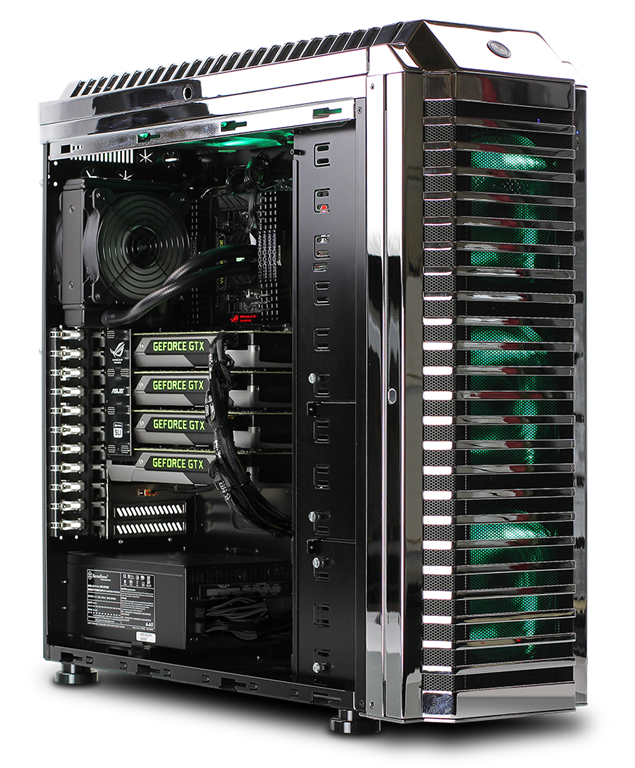
cool-computerWe have been writing a series of articles on how to keep your PC running cool and efficiently. Keeping a computer running cool is important because heat will actually slow a computer down and cause damage to the computer over the long term. Therefore, it is important to do what you can to keep the computer as cool as possible.

In this article we will be talking about the importance of the PC location and keeping your case closed when running. These are some really simple things you can do to keep your computer running cool.

Keep Your case Close When running the PC

There is some people that say running the computer with the case open will help it run cooler. It kind of makes sense because it seems like more air can get inside the computer and this will keep it cool. Some would think this would increase air flow which, in turn, keeps the computer cooler than if the PC was closed up.

But, what is missing in this equation is the dirt that can more easily get inside the computer. Leaving a panel off makes it way easier for dirt and dust to get inside the compute rand coat all the components on the inside. This dust gets on fans and components and actually can slow down the fans. In fact, it can even clog up a fan. And, if the fans are not running well that means that there is no air flow even with the case open.

In the short run, leaving a case open may have some benefit to keeping your compute running cooler. But, over the long haul leaving a case open is actually a bad idea. It can result in more dust inside your computer, less fan power and possible damage to your components.

Location Can Be Important

Many people do not think about the location of their PC and how important it can be. If your PC is in a location that is dirty or confined then it may be time to move it.

For example, if your computer is in a location that has a lot of dirt around then you are increasing the chance the computer will get a lot of dust inside. Your choices would be to clean up some or move the computer to a more clean environment.

You will also want to make sure that where the PC is placed has enough space around it to properly ventilate. If you have the case wedged between a wall and desk then it may not be able to properly move air around. This lack of ventilation can cause the computer to overheat and cause damage to the PC.

As you can see these two tips are pretty easy when it comes to keeping your computer running at a good temperature. These two tips, along with the other ones in this series, can help make sure that your computer is able to keep cool and running at an ideal temperature.

Filed Under: Computer Maintenance

Latest Articles

A Cool Computer– Case Closed and Location, Location, Location

We have been writing a series of articles on how to keep your PC running cool and efficiently. Keeping a computer running cool is important because heat will actually slow a computer down and cause damage to the computer over the long term. Therefore, it is important to do what you can to keep the … [Read More...]

kaspersky password manager

Kaspersky Password Manager Review

[starreviewmulti id=3 tpl=20] PROS: Kaspersky Password Manager saves all your computer passwords into one database. CONS: You will still have to know your other passwords if you use computers other than your own. OVERVIEW: This is a computer utility to assist with organizing and … [Read More...]

How to Create a Secure Password

Users are hugely important on a Linux system. We'll look at how to create a new user, and how and when to use super user privileges, to help make sure that our Linux use is safe. Creating a New User The first thing we're going to do is create a new user account for ourselves. Running Linux as the … [Read More...]

Everything You Need to Know About Sourcing Circuit Boards From U.S. Suppliers

In This Article This article includes: Why Source PCBs From the United States?How to Get a Quote From a U.S.-Based PCB ManufacturerThe Top U.S. … [Read More...]

Top Taplio Alternatives in 2025 : Why MagicPost Leads for LinkedIn Posting ?

LinkedIn has become a strong platform for professionals, creators, and businesses to establish authority, grow networks, and elicit engagement. Simple … [Read More...]

Shocking Cybercrime Statistics for 2025

People all over the world are becoming more concerned about cybercrime than ever. We have recently collected some statistics on this topic and … [Read More...]

Gaming Laptop Security Guide: Protecting Your High-End Hardware Investment in 2025

Since Jacob took over PC Tech Guide, we’ve looked at how tech intersects with personal well-being and digital safety. Gaming laptops are now … [Read More...]

20 Cool Creative Commons Photographs About the Future of AI

AI technology is starting to have a huge impact on our lives. The market value for AI is estimated to have been worth $279.22 billion in 2024 and it … [Read More...]

13 Impressive Stats on the Future of AI

AI technology is starting to become much more important in our everyday lives. Many businesses are using it as well. While he has created a lot of … [Read More...]

Guides

  • Computer Communications
  • Mobile Computing
  • PC Components
  • PC Data Storage
  • PC Input-Output
  • PC Multimedia
  • Processors (CPUs)

Recent Posts

Hard Disk (hard drive) Operation

The disc platters are mounted on a single spindle that spins at a typical 10,000rpm. On EIDE and SCSI drives the disk controller is part of the drive … [Read More...]

RAID tutorial – preparing for the installation

You'll need first to complete a couple of preparatory steps: 1. Create a floppy disc containing the relevant RAID Controller drivers Locate the … [Read More...]

Web Searches-Browser Hijacker Infection

The adware Web Searches are made to carry out multiply task not to benefit the users, but its sponsors and gain revenue. This is the sad reality of a … [Read More...]

[footer_backtotop]

Copyright © 2026 About | Privacy | Contact Information | Wrtie For Us | Disclaimer | Copyright License | Authors