pctechguide.com

  • Home
  • Guides
  • Tutorials
  • Articles
  • Reviews
  • Glossary
  • Contact

Preparing Installation – How to do a clean installation of Windows XP

Tools

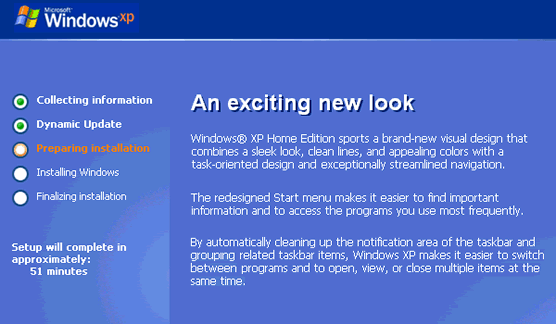
In the Preparing installation phase, more files are copied to your computer in preparation for installation.

After a while, the computer restarts with Setup identifying the existing partitions and unpartitioned space on the PC.

Partitioning and formatting your hard drive

Proceed as follows:

  1. Select the partition on which Windows XP is to be installed – the D: partitionin this case.

    Press Enter.

  2. Setup invites you to select a file system for the chosen partition.

    If you want the Windows XP environment to be accessible from the Windows 98 environment, select FAT and press Enter.

  3. Setup displays a caution that you’re about to delete all the files in the selected partition.

    Press ESC to select a different partition or F to proceed with the format.

  4. If FAT was selected as the file system and the drive is larger than 2048MB, Setup informs you that it will format the partition with the FAT32 file system.

    Press Enter to continue.

  5. Setup formats the partition.
  6. After the formatting has been completed, Setup examines the disk space and copies files from the CD-ROM to the Windows installation folders.
  7. Setup then initialises your Windows XP configuration and restarts the computer.
  • WinXP Installation Planning
  • Windows XP Upgrade Advisor
  • WinXP Installation Information Collection
  • WinXP Installation
  • How To Do a Clean Installation of Windows XP – Phase 1
  • Dynamic Update – How to do a clean installation of Windows XP
  • Preparing Installation – How to do a clean installation of Windows XP
  • WinXP Installation Phase 4
  • WinXP Installation Phase 5
  • WinXP Windows Update
  • WinXP Driver Installation
  • WinXP Installation Tuning
  • Files and Settings Transfer – How to do a clean installation of Windows XP

Filed Under: How To Do a Clean Installation of WinXP Tagged With: disk format options for Windows XP, disk paritions for WinXP, where should I install Windows XP, WinXP format options

Latest Articles

Working with Dim, Public, Private and Static Variables in VBA

VBA is a powerful application that offers a lot of versatility in Microsoft Office applications such as Word and Excel. In this article, we are going to the scope of the variables. The scope refers to where our variables apply once they are defined. It is important to know that the scope of a … [Read More...]

Grow your Instagram reach by adding real value

Over 1 billion people use Instagram each month, 81% of people use it to research products and services, and 90% of Instagram users currently follow a business. What does this mean? The platform offers constant opportunity for brands and businesses. However, many are still failing to get the … [Read More...]

CoupMania Removal

CoupMania is another in a long list of annoying adware products. It is not a serious or malicious piece of software, but like other forms of adware, it can open up doors to other infection and be an overall nuisance. Therefore, it is best to remove CoupMania as soon as you are aware of its … [Read More...]

Why Internet Bundles Are the Next Battleground for Gamers

A weak internet connection can turn seamless gaming sessions into frustrating experiences filled with lag, buffering or sudden disconnects. For … [Read More...]

Importance of Inbound Marketing in the Digital Age

A couple of months ago, Zacks reported that Hubspot was starting to make some major changes to its inbound marketing strategy. They talk a lot about … [Read More...]

Damage Control Strategies for Resolving Online PR Crises

Last July, Astrologer faced a major crisis after its CEO went viral at a ColdPlay concert when having an affair. This was just one of the many times a … [Read More...]

AI is Not Killing Computer Jobs Like Doomers Projected

There is no denying the reality that AI technology has played a massive role in disrupting our lives. A growing number of people claim that AI … [Read More...]

Everything You Need to Know About Sourcing Circuit Boards From U.S. Suppliers

In This Article This article includes: Why Source PCBs From the United States?How to Get a Quote From a U.S.-Based PCB ManufacturerThe Top U.S. … [Read More...]

Top Taplio Alternatives in 2025 : Why MagicPost Leads for LinkedIn Posting ?

LinkedIn has become a strong platform for professionals, creators, and businesses to establish authority, grow networks, and elicit engagement. Simple … [Read More...]

Guides

  • Computer Communications
  • Mobile Computing
  • PC Components
  • PC Data Storage
  • PC Input-Output
  • PC Multimedia
  • Processors (CPUs)

Recent Posts

SugarSync Review

PROS: SugarSync is very easy to use and install. CONS: Not all phones will be able to download SugarSync at this time. OVERVIEW: SugarSync is by … [Read More...]

Kapersky IS – Full Review

[starreviewmulti id=7 tpl=20] PROS: Kapersky Internet Security 2011 Software merges internet security and virus protection for computer … [Read More...]

FED Flat Panels

Some believe FED (field emission display) technology will be the biggest threat to LCD's dominance in the panel display … [Read More...]

[footer_backtotop]

Copyright © 2026 About | Privacy | Contact Information | Wrtie For Us | Disclaimer | Copyright License | Authors