pctechguide.com

  • Home
  • Guides
  • Tutorials
  • Articles
  • Reviews
  • Glossary
  • Contact

Files and Settings Transfer – How to do a clean installation of Windows XP

Now’s the time to transfer the files and settings preserved from your previous version of Windows to the new Windows XP environment.

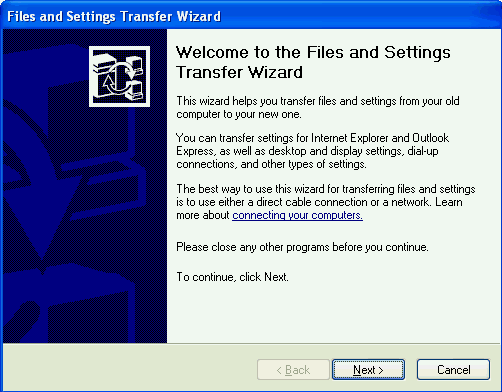
Do this by logging-in to the latter and clicking Start > All Programs > Accessories > System Tools and selecting the Files and Settings Transfer Wizard.
Tools

Click Next.

Tools

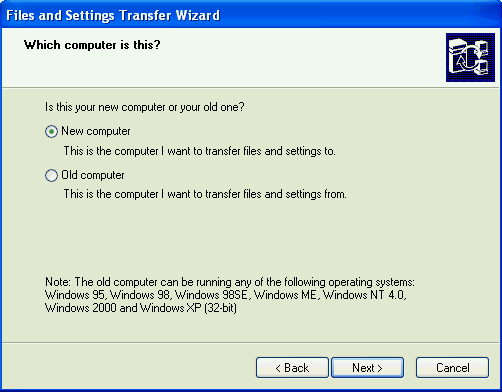
On the Which computer is this? screen, select the New computer option and then Next.
Tools

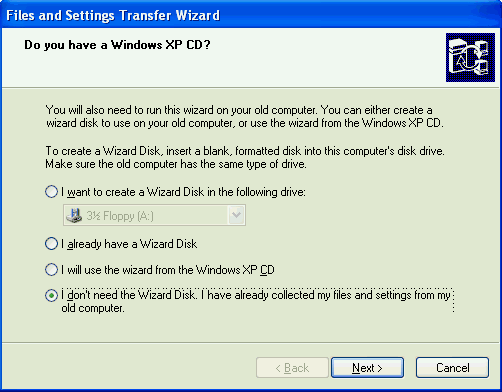
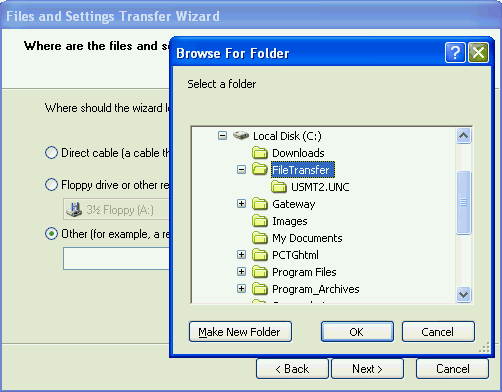
Select the I don’t need the Wizard Disk. I have already collected my files and settings from my old computer option and then Next.
Tools

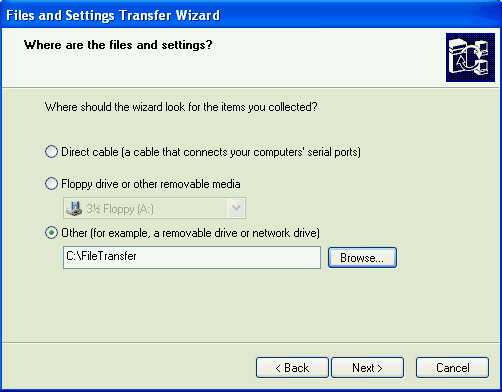
Select the I don’t need the Wizard Disk. I have already collected my files and settings from my old computer option and then Next.
Tools

Click Next.

Tools

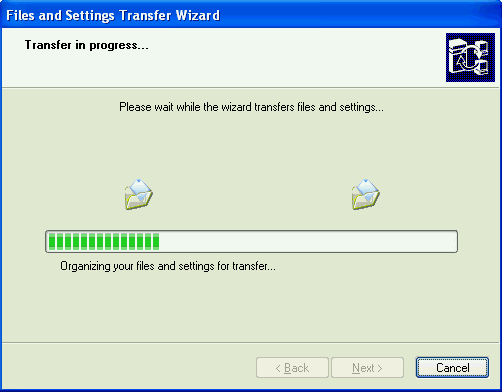
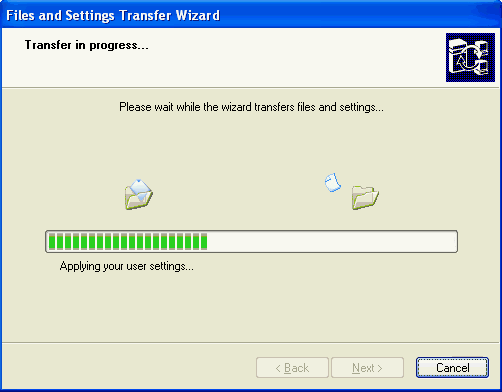
The Wizard organises your preserved files and settings for the transfer …
Tools

… then transfers the files and applies the settings.
Tools

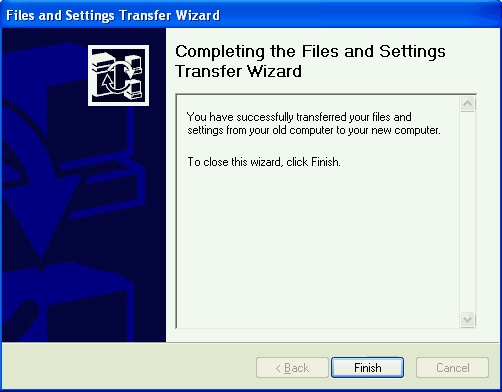
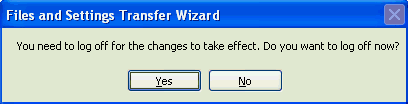
The Wizard then indicates that it is finished…
Tools

… and invites you to restart your system to effect the changes.

Useful Microsoft links:

  • Windows XP Home Page.
  • Windows XP Solution Centre.
  • Windows XP Expert Zone.
  • Maintain Security with Windows XP.
  • Windows 98 Second Edition Solution Center.
  • WinXP Installation Planning
  • Windows XP Upgrade Advisor
  • WinXP Installation Information Collection
  • WinXP Installation
  • How To Do a Clean Installation of Windows XP – Phase 1
  • Dynamic Update – How to do a clean installation of Windows XP
  • Preparing Installation – How to do a clean installation of Windows XP
  • WinXP Installation Phase 4
  • WinXP Installation Phase 5
  • WinXP Windows Update
  • WinXP Driver Installation
  • WinXP Installation Tuning
  • Files and Settings Transfer – How to do a clean installation of Windows XP

Filed Under: How To Do a Clean Installation of WinXP Tagged With: how to move to a new computer, transfer Windows files, transfer Windows settings, transferring files

Latest Articles

Network Switches

LAN switches are an expansion of the concept in LAN bridging. They operate at Layer 2 (link layer) of the OSI reference model, which controls data flow, handles transmission errors, provides physical (as opposed to logical) addressing, and manages … [Read More...]

Remove the Recycle Bin from Windows Desktop

I like a minimal desktop. The search features in Windows are better so I like using that to find what I need. Or, I will organize commonly used shortcuts into the bar at the bottom of the desktop. I have seen people's desktops with dozens of shortcuts on their desktops. They will clutter it up with … [Read More...]

Wi-Fi

Wi-Fi Branding that denotes products that have been certified as being interoperable. The scheme was originally operated by WECA - the Wireless Ethernet Compatibility Alliance - and applied to products conforming to the IEEE 802.11b wireless networking standard. WECA was … [Read More...]

Why Internet Bundles Are the Next Battleground for Gamers

A weak internet connection can turn seamless gaming sessions into frustrating experiences filled with lag, buffering or sudden disconnects. For … [Read More...]

Importance of Inbound Marketing in the Digital Age

A couple of months ago, Zacks reported that Hubspot was starting to make some major changes to its inbound marketing strategy. They talk a lot about … [Read More...]

Damage Control Strategies for Resolving Online PR Crises

Last July, Astrologer faced a major crisis after its CEO went viral at a ColdPlay concert when having an affair. This was just one of the many times a … [Read More...]

AI is Not Killing Computer Jobs Like Doomers Projected

There is no denying the reality that AI technology has played a massive role in disrupting our lives. A growing number of people claim that AI … [Read More...]

Everything You Need to Know About Sourcing Circuit Boards From U.S. Suppliers

In This Article This article includes: Why Source PCBs From the United States?How to Get a Quote From a U.S.-Based PCB ManufacturerThe Top U.S. … [Read More...]

Top Taplio Alternatives in 2025 : Why MagicPost Leads for LinkedIn Posting ?

LinkedIn has become a strong platform for professionals, creators, and businesses to establish authority, grow networks, and elicit engagement. Simple … [Read More...]

Guides

  • Computer Communications
  • Mobile Computing
  • PC Components
  • PC Data Storage
  • PC Input-Output
  • PC Multimedia
  • Processors (CPUs)

Recent Posts

Video Aspect Ratios: Everything You Need to Know

In the modern world, video has become one of the most popular ways of communicating with users and providing a high-quality description of services or … [Read More...]

Transferring Image Files from Your Cell Phone Without Cables or Email

You don't have a cable available to transfer the photos from your cell phone to your computer? You don't feel comfortable sending them through your … [Read More...]

Power-line Networks

Powerline networking is another technology to take advantage of unused bandwidth on an existing system of home circuitry. It … [Read More...]

[footer_backtotop]

Copyright © 2026 About | Privacy | Contact Information | Wrtie For Us | Disclaimer | Copyright License | Authors