pctechguide.com

  • Home
  • Guides
  • Tutorials
  • Articles
  • Reviews
  • Glossary
  • Contact

WinXP Installation

Unlike with earlier versions, provided your BIOS allows it, Windows XP Setup can be initiated by booting from the Windows XP CD-ROM. However, since in this tutorial we're installing Windows XP onto a second hard drive, we're going to initiate the … [Continue reading]
Filed Under: How To Do a Clean Installation of WinXP

WinXP Installation Information Collection

In common with people who effectively upgrade to a new version of Windows by purchasing a new system, users who go the clean install route have traditionally been faced with the difficulty of somehow replicate configurable aspects of their previous … [Continue reading]

Filed Under: How To Do a Clean Installation of WinXP

Windows XP Upgrade Advisor

If you're smart, installing Windows XP will involve less guesswork and less nasty surprises than has traditionally been the case when upgrading to a subsequent version of Windows. The Upgrade Advisor is a tool that checks system-level software … [Continue reading]

Filed Under: How To Do a Clean Installation of WinXP Tagged With: upgrading from Windows 98, what is the upgrade advisor, windows 98 upgrade advice

WinXP Installation Planning

It's likely that you're going to want to replicate much of your existing Windows 98 environment under Windows XP. This will require consideration of two types of software, device drivers and applications: Device drivers: Make sure you have the … [Continue reading]

Filed Under: How To Do a Clean Installation of WinXP

Files and Settings Transfer – How to do a clean installation of Windows XP

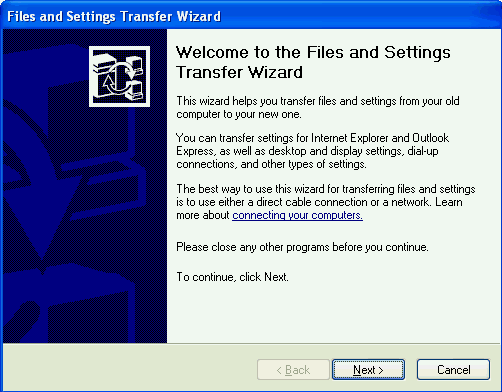
Now's the time to transfer the files and settings preserved from your previous version of Windows to the new Windows XP environment. Do this by logging-in to the latter and clicking Start > All Programs > Accessories > System Tools and … [Continue reading]

Filed Under: How To Do a Clean Installation of WinXP Tagged With: how to move to a new computer, transfer Windows files, transfer Windows settings, transferring files

Win98 Driver Installation

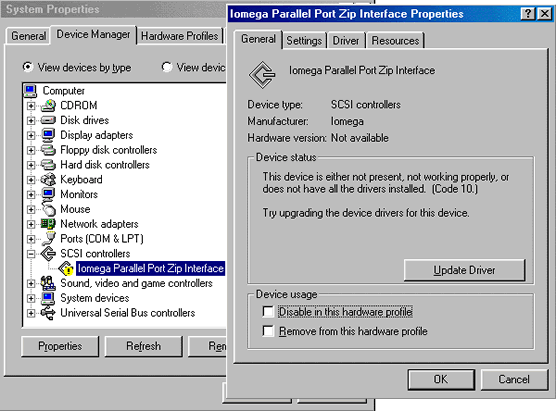
Windows 98 Setup will have attempted to load drivers for the hardware it recognised. However, there is no guarantee that the default drivers loaded are the latest available, or - if you're re-building what had previously been an operational system … [Continue reading]

Filed Under: How To Do a Clean Installation of Win98

How to Update Microsoft Windows with Patches and Service Packs

With previous versions of Windows, tracking down system patches and updated drivers was difficult. However, Microsoft streamlined the process in Windows 98 by including Windows Update on the Start menu, effectively providing an online extension … [Continue reading]

Filed Under: How To Do a Clean Installation of Win98

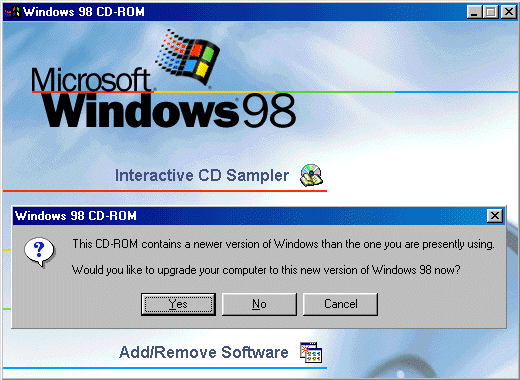
Installing Windows 98 – Upgrading to Win98SE

In 1999 Microsoft released an upgrade to the original version of Windows 98, known as Windows 98 Second Edition. This included many improvements and enhancements not present in the original version of Windows 98, notably: Support for … [Continue reading]

Filed Under: How To Do a Clean Installation of Win98 Tagged With: upgrade windows, win98, win98SE upgrade, windows 98 upgrage

How To Do a Clean Installation of Win98 – Phase 5: Setting Up Hardware and Finalising

Windows 98 Setup now commences its fifth and final phase. During this phase, Setup configures the following: Control Panel Programs on the Start menu Windows Help MS-DOS program settings Tuning Up Application Start Time zone System … [Continue reading]

Filed Under: How To Do a Clean Installation of Win98 Tagged With: installing windows 98, setting up hardware in windows 98, system hang installing windows 98

Win98 Installation Tuning

The final task is to fine-tune your Windows installation, especially if you elected to Install the most common components during the course of the installation. You can do this by clicking Start > Settings > Control Panel > Add/Remove … [Continue reading]

Filed Under: How To Do a Clean Installation of Win98

« Previous Page
Next Page »

Why Internet Bundles Are the Next Battleground for Gamers

A weak internet connection can turn seamless gaming sessions into frustrating experiences filled with lag, buffering or sudden disconnects. For … [Read More...]

Importance of Inbound Marketing in the Digital Age

A couple of months ago, Zacks reported that Hubspot was starting to make some major changes to its inbound marketing strategy. They talk a lot about … [Read More...]

Damage Control Strategies for Resolving Online PR Crises

Last July, Astrologer faced a major crisis after its CEO went viral at a ColdPlay concert when having an affair. This was just one of the many times a … [Read More...]

AI is Not Killing Computer Jobs Like Doomers Projected

There is no denying the reality that AI technology has played a massive role in disrupting our lives. A growing number of people claim that AI … [Read More...]

Everything You Need to Know About Sourcing Circuit Boards From U.S. Suppliers

In This Article This article includes: Why Source PCBs From the United States?How to Get a Quote From a U.S.-Based PCB ManufacturerThe Top U.S. … [Read More...]

Top Taplio Alternatives in 2025 : Why MagicPost Leads for LinkedIn Posting ?

LinkedIn has become a strong platform for professionals, creators, and businesses to establish authority, grow networks, and elicit engagement. Simple … [Read More...]

Guides

  • Computer Communications
  • Mobile Computing
  • PC Components
  • PC Data Storage
  • PC Input-Output
  • PC Multimedia
  • Processors (CPUs)

Recent Posts

ADSL Sharing

Sharing your broadband Internet across multiple computers is simply a matter of connecting the other PCs to the local network and setting up their … [Read More...]

What Is the Difference Between Antivirus and Antimalware?

Did you know that cybercrime is projected to cost over $10.5 trillion by 2025? Sadly, many people still don't take the precautions to deal with it. … [Read More...]

How It Works: The Idea and Technology Behind USB

In early 2001 the battle between IEEE 1394 and USB advanced another step with the 1394 Trade Association's approval of … [Read More...]

[footer_backtotop]

Copyright © 2026 About | Privacy | Contact Information | Wrtie For Us | Disclaimer | Copyright License | Authors