pctechguide.com

  • Home
  • Guides
  • Tutorials
  • Articles
  • Reviews
  • Glossary
  • Contact

ADSL Network

This is a three-stage process, as follows:

  • installing the network card
  • Connecting the network cables
  • installing the network card drivers.

installing the network card:

Note, it’s important that you free yourself of static electricity before you handle your network card. You can do this by touching a grounded metal object. Better still, you should wear an anti-static wrist strap whenever you touch any of your PC’s components, whether already installed or not.
lan

  1. Turn the power off and unplug the power cord from your PC.
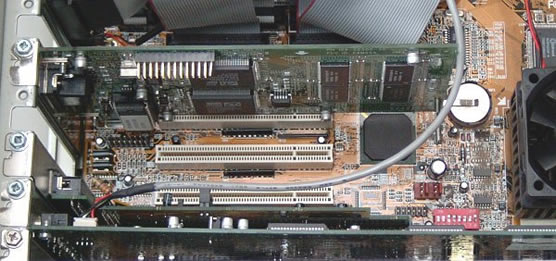
  2. Remove the PC cover, select an available PCI slot and remove the corresponding back plate from the PC chassis.
  3. Available

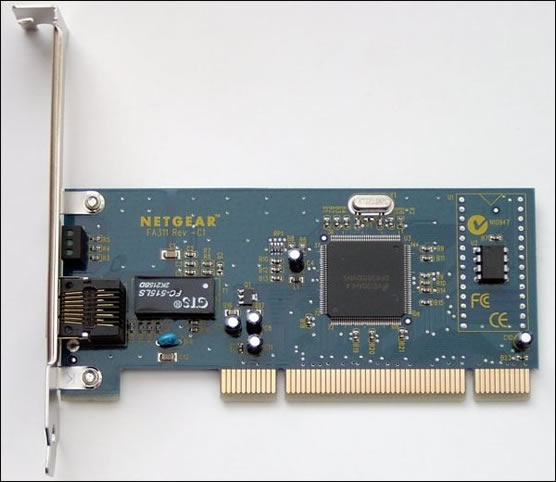
  4. Insert the network card into the PCI expansion slot.
  5. To avoid damaging any components on the network card, handle it by its edges, using your thumbs to push it securely into the PCI slot. Make sure its fully inserted into the slot, otherwise Windows is likely to freeze-up at system startup.

  6. Fasten the network card to the rear of the PC chassis by tightening the screw into the card’s backplate.
  7. Replace the PC cover and reconnect the power cord.
Connecting the network cables:

Using an appropriate unshielded twisted pair (UTP) cable, connect any port on the ADSL modem/router to the port on the network card.

installing the network card drivers:

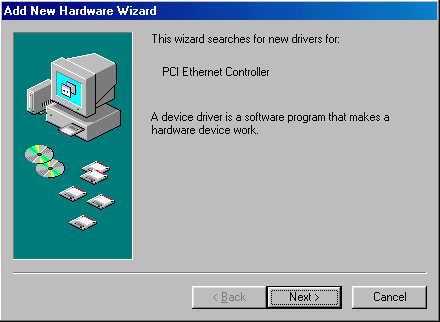
Turn on the power to the PC. When Windows starts, it’ll signal that its found new hardware and launches the Add New Hardware Wizard.

The steps in the procedure are illustrated below, in the context of Windows 98:

  1. Click Next.
  2. Add

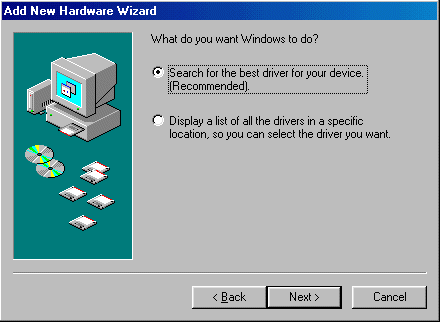
  3. Select Search for the best driver for your device and click Next.
  4. Driver

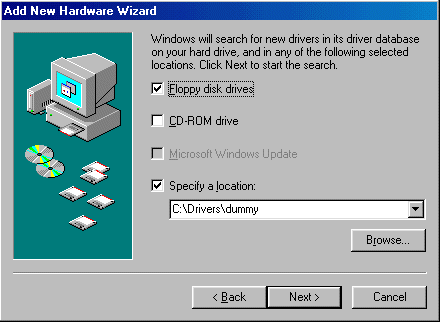
  5. Select Floppy disk drives, insert the floppy disk supplied with the network card into the floppy drive and click Next.
  6. Driver

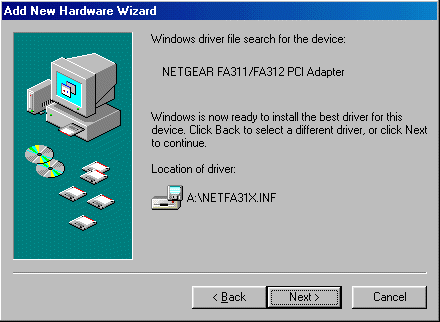
  7. Windows signals that it has located and is ready to install the network card’s driver. Click Next.
  8. Driver

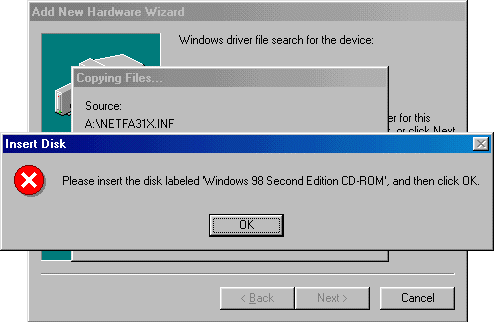
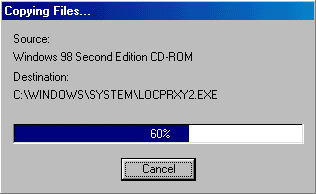
  9. Windows requests access to the Windows 98 Second Edition CD-ROM.
  10. Insert

    Insert the disc in the CD-ROM drive and click OK.

  11. Windows extracts the necessary files from the CD-ROM.
  12. Copying

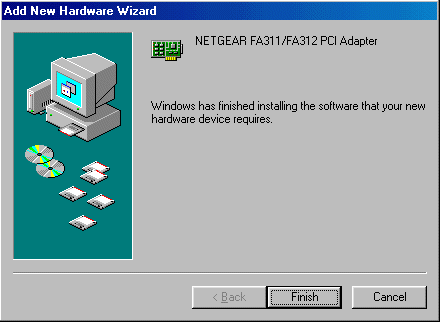
  13. The wizard then signals that the installation of the drivers is complete. Click Finish.
  14. Driver

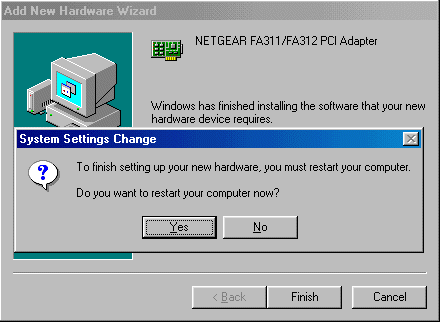
  15. You must then restart your PC for the installed drivers to become effective.
  16. Driver

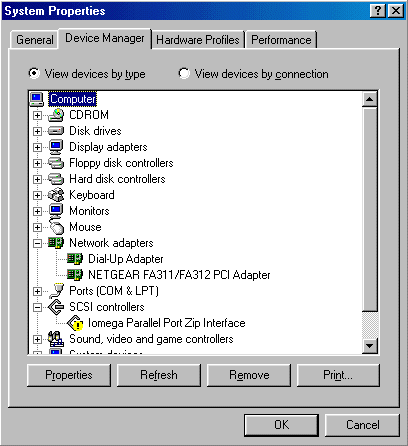
You can verify that your network card’s drivers have been properly installed as follows. From the Start button, select Settings, Control Panel and System. Select the Device Manager tab and double-click on Network adapters.

If there is a problem with the installation of the driver, an exclamation mark in a yellow circle will be displayed next to the appropriate network adapter.
Device

If that’s the case, double-click on the adapter entry. The Properties window opens and a message regarding the status of the device is displayed.

The Microsoft Knowledge Base Article entitled Explanation of Error Codes Generated by Device Manager provides a listing of error codes and associated error messages, together with explanations and possible resolutions.

  • ADSL Network
  • ADSL Setup
  • Testing the IP configuration – how to share a broadband Internet connection
  • ADSL Filters
  • How to connect an ADSL modem/router
  • ADSL Connect
  • ADSL Configuration
  • ADSL Sharing

Filed Under: Sharing ADSL broadband Internet

Latest Articles

13 Funky Images of Laptops

In our digital age, laptops have become our faithful companions, indispensable tools for work, leisure, and everything in between. They've evolved from clunky machines into sleek, powerful devices that enable us to connect, create, and explore the world at our fingertips. In this blog post, we … [Read More...]

Bluetooth technology

Named after a tenth-century Danish king, Bluetooth is a specification for a small form-factor, low-cost radio solution providing links between mobile computers, mobile phones and other portable handheld devices, and connectivity to the … [Read More...]

Five applications of artificial intelligence in agriculture

Machine learning has affected many industries and agriculture is no exception. In this post, we are going to analyze the advantages of its implementation, as well as the factors that discourage farmers from implementing it. Artificial intelligence creates new possibilities for generating value in … [Read More...]

Why Internet Bundles Are the Next Battleground for Gamers

A weak internet connection can turn seamless gaming sessions into frustrating experiences filled with lag, buffering or sudden disconnects. For … [Read More...]

Importance of Inbound Marketing in the Digital Age

A couple of months ago, Zacks reported that Hubspot was starting to make some major changes to its inbound marketing strategy. They talk a lot about … [Read More...]

Damage Control Strategies for Resolving Online PR Crises

Last July, Astrologer faced a major crisis after its CEO went viral at a ColdPlay concert when having an affair. This was just one of the many times a … [Read More...]

AI is Not Killing Computer Jobs Like Doomers Projected

There is no denying the reality that AI technology has played a massive role in disrupting our lives. A growing number of people claim that AI … [Read More...]

Everything You Need to Know About Sourcing Circuit Boards From U.S. Suppliers

In This Article This article includes: Why Source PCBs From the United States?How to Get a Quote From a U.S.-Based PCB ManufacturerThe Top U.S. … [Read More...]

Top Taplio Alternatives in 2025 : Why MagicPost Leads for LinkedIn Posting ?

LinkedIn has become a strong platform for professionals, creators, and businesses to establish authority, grow networks, and elicit engagement. Simple … [Read More...]

Guides

  • Computer Communications
  • Mobile Computing
  • PC Components
  • PC Data Storage
  • PC Input-Output
  • PC Multimedia
  • Processors (CPUs)

Recent Posts

Acronis True Image Home Review

PROS: Acronis True Image is one of the best data backup programs for those that want a full image backup CONS: A bit confusing for many novice … [Read More...]

Reset and recover administrator password in Windows 10

IT Security is one aspect that computer companies take most into account, because maintaining the privacy of user data is one of the main concerns … [Read More...]

LCD Resolution and Scaling

LCDs follow a different set of rules than CRT displays offering advantages in terms of bulk, power consumption and flicker, as well as … [Read More...]

[footer_backtotop]

Copyright © 2026 About | Privacy | Contact Information | Wrtie For Us | Disclaimer | Copyright License | Authors