PROS: Acronis True Image is one of the best data backup programs for those that want a full image backup
CONS: A bit confusing for many novice users. People are unsure if their data is being backed up the way they want it.
OVERVIEW: Overall this product is rate a buy. While other data backup programs are simpler to use, Acronis True Image Home does deliver on quality and reliability.


Acronis True Image Review
Company: Acronis
Supported OS: Windows XP, Windows Vista, Windows 7
Price: $49.99 per license
Purpose:
(Taken directly from the developer’s site) Acronis True Image Home 2011 assures that all your important data, including photos, videos, music, documents and applications, are fully protected and can be recovered quickly in the event of any disaster.
Installation:
The installation went smoothly with no problems, although it wasn’t the quickest installation I’ve encountered. However, given the size of the install package (159MB) this is to be expected. The only thing that was required after the installation was a reboot.
Details:
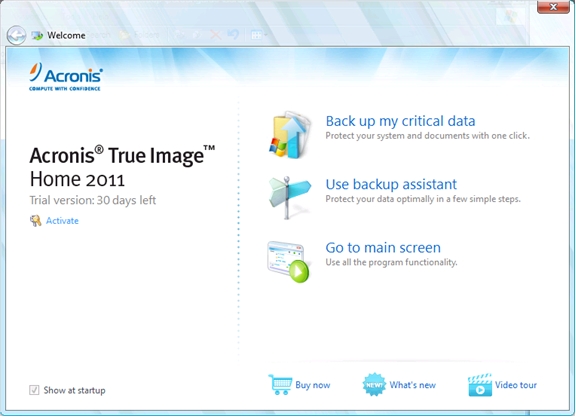
The home screen of Acronis True Image 2011 is designed with the novice user in mind, or for those users who simply want to back up their data with one or two clicks. Shown below is the One-Click Backup option. The user is given the choice (both can be selected) to back up the operating system and/or personal data.
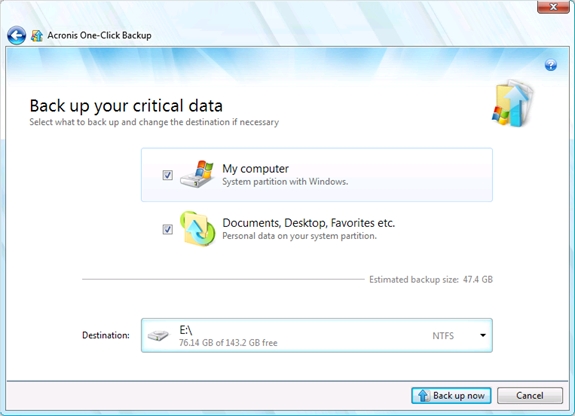
The first two features of the “Backup Assistant” are essentially the same two options given to the user under “Acronis One-Click Backup”. The third choice allows the user to specifically save emails stored in Microsoft Outlook, Outlook Express, and Windows Mail.
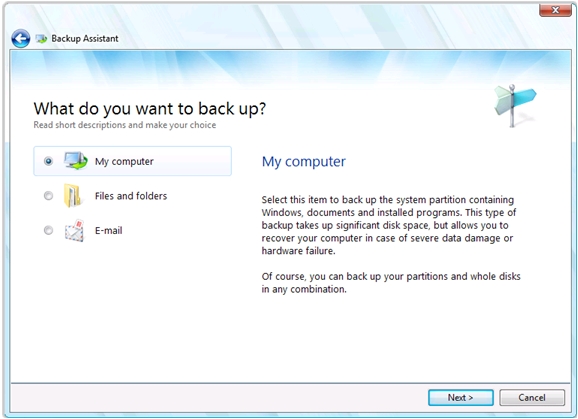
The third option on the home screen is “Go To Main Screen”. The options are pretty much the same, with three exceptions:
Online Backup – Allows the user to save files online for later retrieval.
Create Bootable Media – Allows the user to create bootable media, such as floppy disks, CD/DVDs, and ISO’s.
Browse For Backup – Allows the user to browse and search for any and all Acronis True Image Backup files.
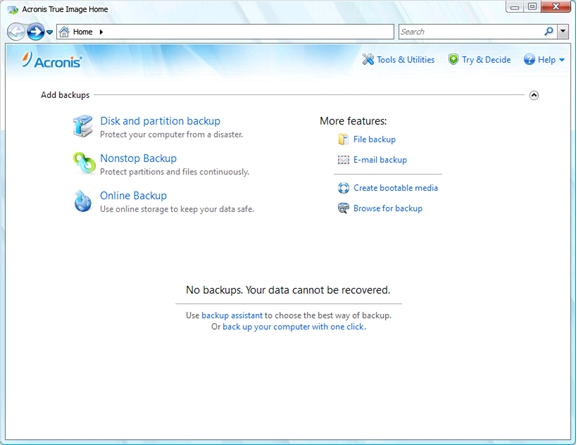
Towards the top, there’s an option to try out “Tools & Utilities”. For the advanced user, here’s where the real fun begins, and the respective screen is shown below. Each section not covered previously (or aren’t entirely self-explanatory) are given a quick overview.
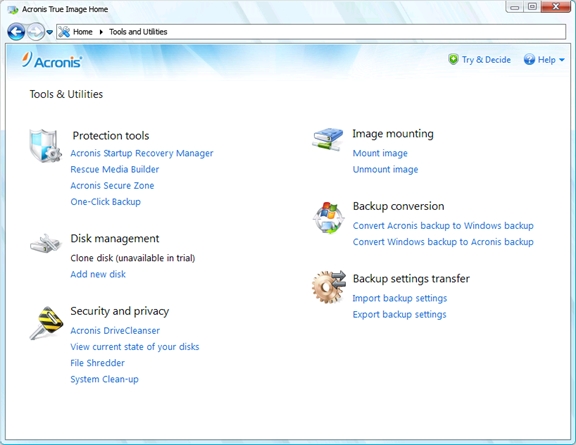
Acronis Startup Recovery Manager – Boot-Time recovery tool.
Acronis Secure Zone – Creates a “safe” partition on a disk designed for storing Acronis True Image data.
Clone Disk – Designed to copy partitions/data between disks.
Add New Disk – Standard hard disk management tool for formatting and installing new hard drives.
Acronis DriveCleanser – Designed for securely wiping/erasing an entire hard drive of its previous contents.
File Shredder – Designed to completely erase files from your hard drive.
System Cleanup – Eliminate any personally identifiable data from your system, allowing a layer of anonymity and security.
Image Mounting – Explore any drive image made with Acronis True Image.
Backup Conversion – Convert various savepoints between Acronis and Windows Backup formats.
Backup Settings Transfer – Allows settings between two or more computers to be transferred for Acronis True Image.
Ease Of Use:
Acronis True Image 2011 was fairly easy and intuitive to use. The only issue I encountered with this piece of software was how the backups were handled. After creating a backup, I was unable to find a reliable way to remove/delete previous backups from within the program itself. However, I don’t believe this is an extremely important issue to be concerned with, as once True Image is shut down entirely, the backup folder can be deleted with ease. Other than that, I have no complaints.
Summary:
There are many freeware applications available on the internet that perform most of the tasks listed here with comparable speed and efficiency. While the eye candy is a definite plus, what makes Acronis True Image 2011 a worthwhile investment is the option of storing files online. This pretty much eliminates the need for keeping track of backup media and the need to meticulously sort them accordingly. In the event of complete hardware failure, the option of retrieving backups online will certainly save a lot of hard drive space and the headache involved in manually searching through a stack of CDs or DVDs for an important file.