As soon as POST starts, you'll be invited to hit a key - generally DEL - to enterBIOS Setup. You've already set the system time, but now's the time to go through the various functions in detail and make sure they're set up in accordance with … [Continue reading]
Motherboard IDE Connections
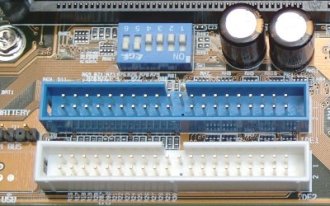
IDE connectors, like floppy drive and other connectors, are keyed to ensure proper connection. Connect your IDE devices to the motherboard IDE connectors, taking care to assign these to give optimal performance for your particular system … [Continue reading]
Motherboard Floppy Connections
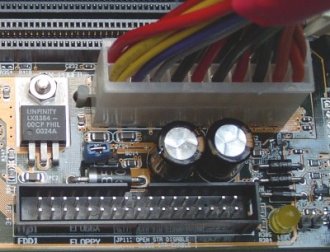
Note that the floppy drive connector ... ... and cable are keyed, to ensure proper connection. … [Continue reading]
Motherboard Testing
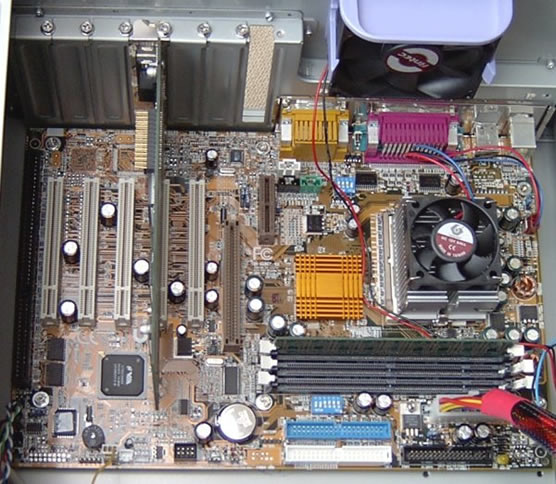
At this point we've almost done enough to be able to do some initial testing of the motherboard installation. However, to give some visibility to what happens when we power the system up, we first need to install a graphics card so that we can … [Continue reading]
Motherboard Audio
Finally, some motherboards provide a pin header that allows connection to a front-mounted audio connector, designed to support stereo audio output (headphone or amplified speakers) and a monochrome microphone input. The Intel Front Panel … [Continue reading]
Motherboard FireWire Ports
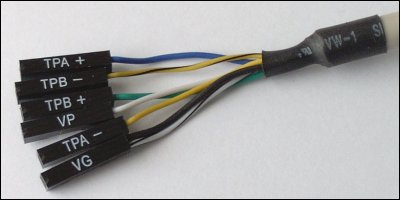
Similarly, many modern-day motherboards provide a pin header that allows connection to a front-mounted IEEE-1394 port. With this system case, there are six wires coming from its front-mounted IEEE-1394 port. These consist of two sets of … [Continue reading]
Motherboard USB Ports
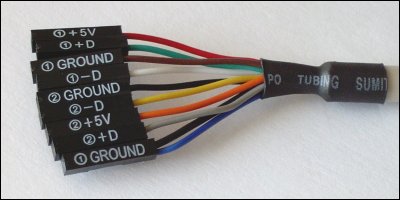
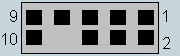
Many modern-day motherboards provide a number of USB pin headers that allow connection to USB ports mounted on the front of the system case. A header will generally contain 10 pins arranged in two rows of five. On some motherboards one or two pins … [Continue reading]
Motherboard Fan
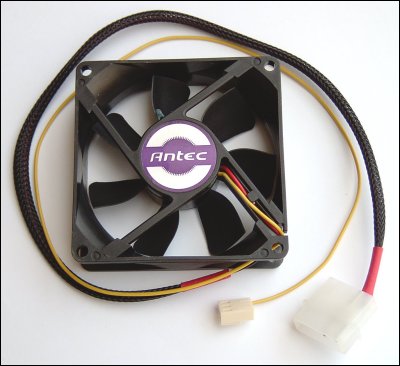
In this case, the motherboard has two fan pin headers in addition to the CPU fan, designated as follows: JP2: System fan JP15: Power fan Connect your fans via their 3-pin connectors, as appropriate. Motherboard Upgrade Reasons … [Continue reading]
Motherboards and WinXP
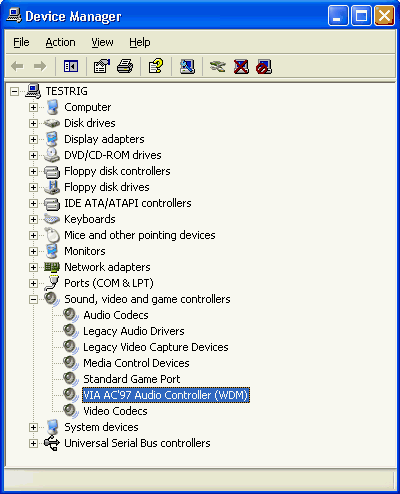
Having looked at the installation of a new motherboard with Windows 98, at time of writing Windows XP was found to cope less well. In fact, the system refused to boot to the Windows XP environment, even in Safe Mode. This is not entirely … [Continue reading]
Motherboard Panel
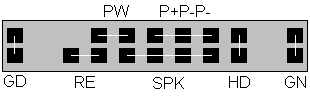
The motherboard User's Manual will contain a layout diagram showing its various components and connectors. In this case, the pin header for electrical connection to the front panel switches and LEDs is identified as J2. This comprises two rows … [Continue reading]