pctechguide.com

  • Home
  • Guides
  • Tutorials
  • Articles
  • Reviews
  • Glossary
  • Contact

Motherboard Power

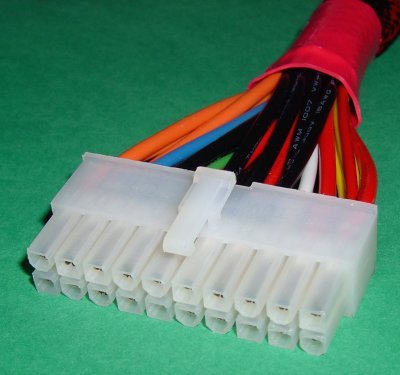
Power supply units can have up to three power connectors: a 20-pin main power connector; the standard ATX power connector. a 4-pin +12V power connector; required for all Pentium 4 processor-based systems. a 6-pin AUX power connector; … [Continue reading]
Filed Under: How to Upgrade Your Motherboard

Motherboard Fit

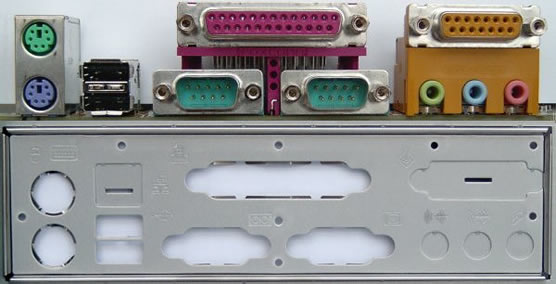
The first thing you need to do is compare the I/O shield on the system case with your motherboard's I/O ports, both to check how well these match up and to identify any cutouts that need to be punched out. In this case, the cutout to … [Continue reading]

Filed Under: How to Upgrade Your Motherboard

Motherboard Memory Installation

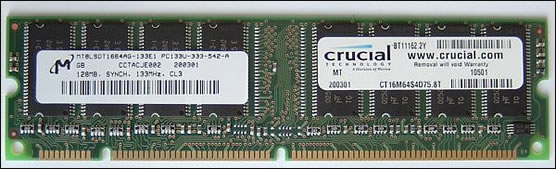
Different types of memory need to be installed in different ways, so it's safest to refer to both your motherboard User's Manual and the documentation that came with the memory itself when doing this. In this case the memory is SDRAM packaged in a … [Continue reading]

Filed Under: How to Upgrade Your Motherboard

Motherboard Memory Identification

Your motherboard User's Manual will give a clue as to what type of memory you need to use. However, such is the complexity and variation of memory specifications these days that it may still not be obvious precisely what you require. No need to … [Continue reading]

Filed Under: How to Upgrade Your Motherboard

Motherboard Heatsinks

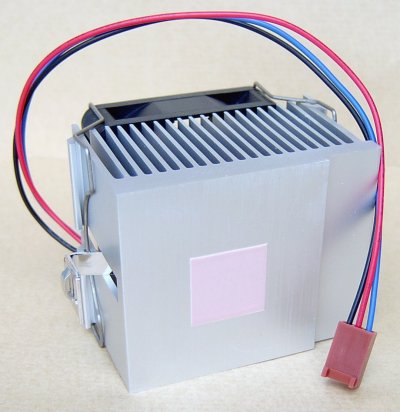
It's important to fit your CPU with some form of processor cooling device. In the case of a conventional heat sink and fan assembly, be aware that just because a fan says it's suitable for a given CPU form factor, it's no guarantee that it'll fit … [Continue reading]

Filed Under: How to Upgrade Your Motherboard

Motherboard CPU

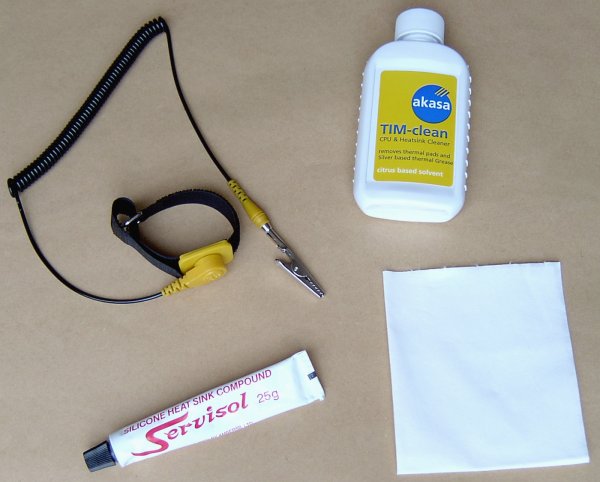
As indicated above - and this is not uncommon - the motherboard upgrade is being accompanied by a switch to a new processor and main memory. In this case the CPU has been used before, and hence the need for the CPU & Heatsink Cleaner. You'll … [Continue reading]

Filed Under: How to Upgrade Your Motherboard

Motherboard Removal

Disconnect and remove your existing motherboard as follows: First, take the precaution of entering Setup and checking your current system's BIOS settings. You normally do this by hitting the DEL key immediately after your system has performed … [Continue reading]

Filed Under: How to Upgrade Your Motherboard

Motherboard Upgrade Reasons

A motherboard is the backbone of a PC system, connecting all its various components and peripherals and influencing your choice of precisely what these might be. It is, of critical importance both in terms of system performance and … [Continue reading]

Filed Under: How to Upgrade Your Motherboard

Graphics Card Adjustments

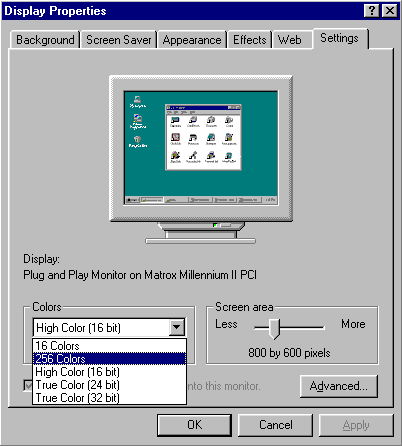
When we checked Display Properties earlier, to confirm drivers for the new card had been installed successfully, you may have noticed that they indicated a colour resolution of 256 colours. Now's the time to adjust both this and display … [Continue reading]

Filed Under: How to Upgrade Your Graphics Card

Graphics Card Driver Upgrade

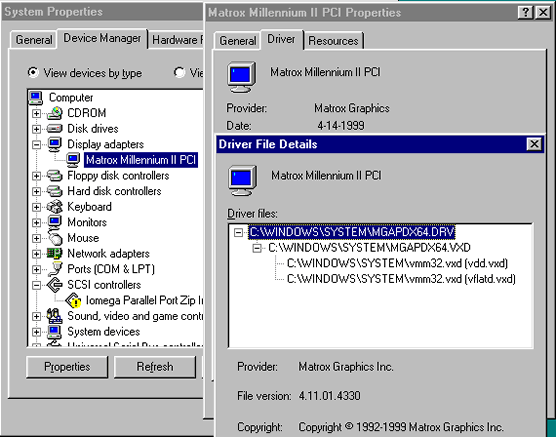
To find out, start by right-clicking My Computer, Properties and the Device Manager tab. Expand the Display adapters entry, select Matrox Millennium II PCI and click Properties. Select the Driver tab and click Driver File Details to … [Continue reading]

Filed Under: How to Upgrade Your Graphics Card

« Previous Page
Next Page »

Why Internet Bundles Are the Next Battleground for Gamers

A weak internet connection can turn seamless gaming sessions into frustrating experiences filled with lag, buffering or sudden disconnects. For … [Read More...]

Importance of Inbound Marketing in the Digital Age

A couple of months ago, Zacks reported that Hubspot was starting to make some major changes to its inbound marketing strategy. They talk a lot about … [Read More...]

Damage Control Strategies for Resolving Online PR Crises

Last July, Astrologer faced a major crisis after its CEO went viral at a ColdPlay concert when having an affair. This was just one of the many times a … [Read More...]

AI is Not Killing Computer Jobs Like Doomers Projected

There is no denying the reality that AI technology has played a massive role in disrupting our lives. A growing number of people claim that AI … [Read More...]

Everything You Need to Know About Sourcing Circuit Boards From U.S. Suppliers

In This Article This article includes: Why Source PCBs From the United States?How to Get a Quote From a U.S.-Based PCB ManufacturerThe Top U.S. … [Read More...]

Top Taplio Alternatives in 2025 : Why MagicPost Leads for LinkedIn Posting ?

LinkedIn has become a strong platform for professionals, creators, and businesses to establish authority, grow networks, and elicit engagement. Simple … [Read More...]

Guides

  • Computer Communications
  • Mobile Computing
  • PC Components
  • PC Data Storage
  • PC Input-Output
  • PC Multimedia
  • Processors (CPUs)

Recent Posts

Motherboard FireWire Ports

Similarly, many modern-day motherboards provide a pin header that allows connection to a front-mounted IEEE-1394 port. With this system case, … [Read More...]

DRAM – Dynamic Random Access Memory

DRAM chips are large, rectangular arrays of memory cells with support logic that is used for reading and writing data in the arrays, and refresh … [Read More...]

What is the Intel E7205 Chipset? What Features Does it Have?

At the end of 2002, Intel announced the launch of a dozen Intel Xeon processor family products, including new processors, chipsets and platforms … [Read More...]

[footer_backtotop]

Copyright © 2026 About | Privacy | Contact Information | Wrtie For Us | Disclaimer | Copyright License | Authors