pctechguide.com

  • Home
  • Guides
  • Tutorials
  • Articles
  • Reviews
  • Glossary
  • Contact

Remo Recover Windows Pro Review

Remo Recover (Windows)Remo Recover (Windows)  Pro Review

Remo Recover Pro for Windows is a good product. It is very easy to use and does get a decent recovery rate. It takes up a little more space than their competitors, but with all the options, like recovery for files, media and partitions, it is not hard to see why.

Purchase Remo Recover (Windows) Pro here

Remo Recover Pro Buy Now

Program: Remo Software Remo  Recover Pro

Company: Remo Software

Supported OS: Windows XP, 2003, 2008, Vista, 7

Price: $39 Basic Edition, $49 Media Edition, $99 Pro Edition

Overall Rating: 6 out of 10

What It Does:
Remo Recover Pro will help you recover data loss from a number of reasons, including deleted partitions and unintentional file deletion.

Installation:
This product does take up a little more space then that of its competitors. Installation time was about three minutes.

Details:
When you have the software installed, you will see three options for you to choose from.
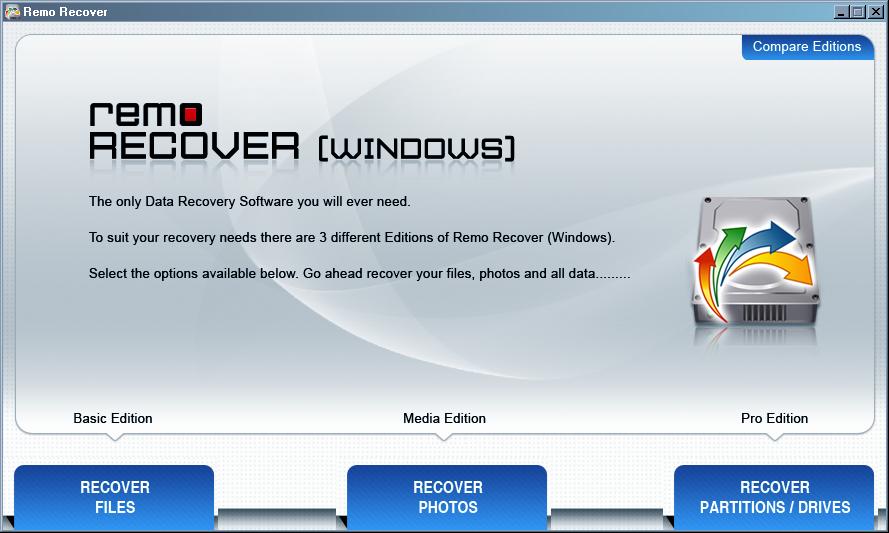
If choosing “Recover Files”, you will then see two more options available for you. Since they both seemed to do the very same things on the test I performed, I wonder why they even give you two options.
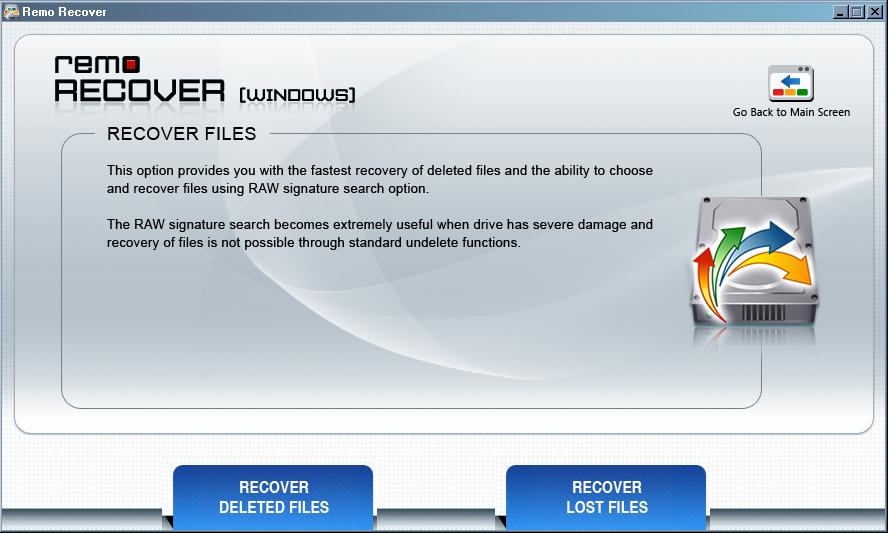
The only difference I found was that the “Recover Lost Files” option allows you to select what it is you want to scan for.
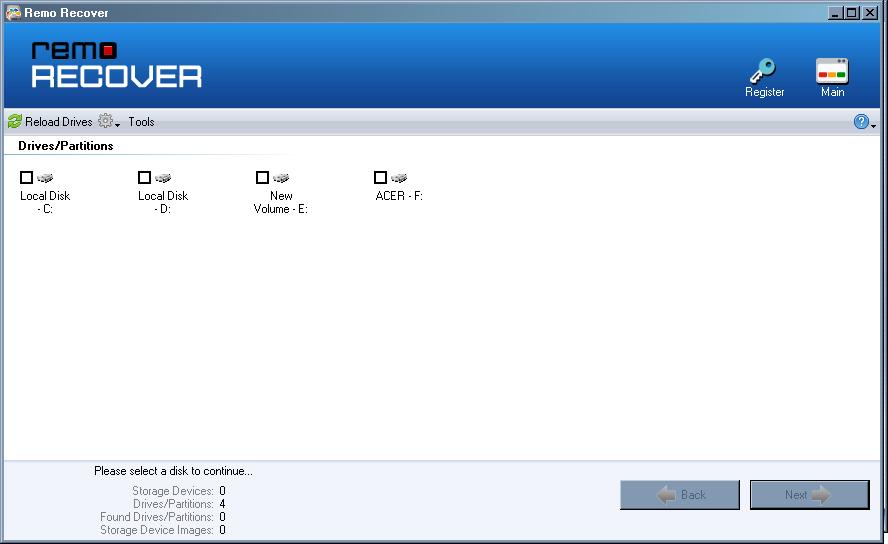
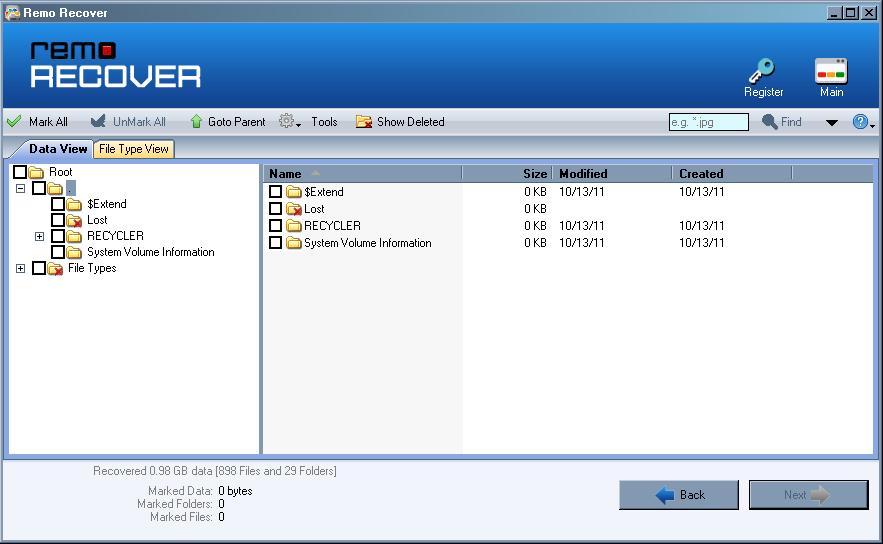
This was the result I received at the end of my scan.

You can go back to “Recover Lost Files” to select specific scans.
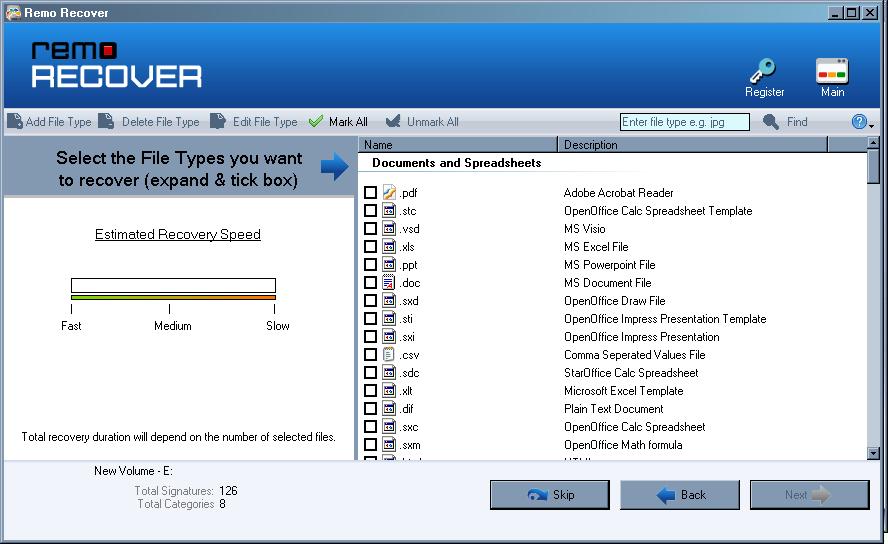
Since I knew what was missing on my drive, I scanned for the files I knew would be missing, which was mostly pictures.
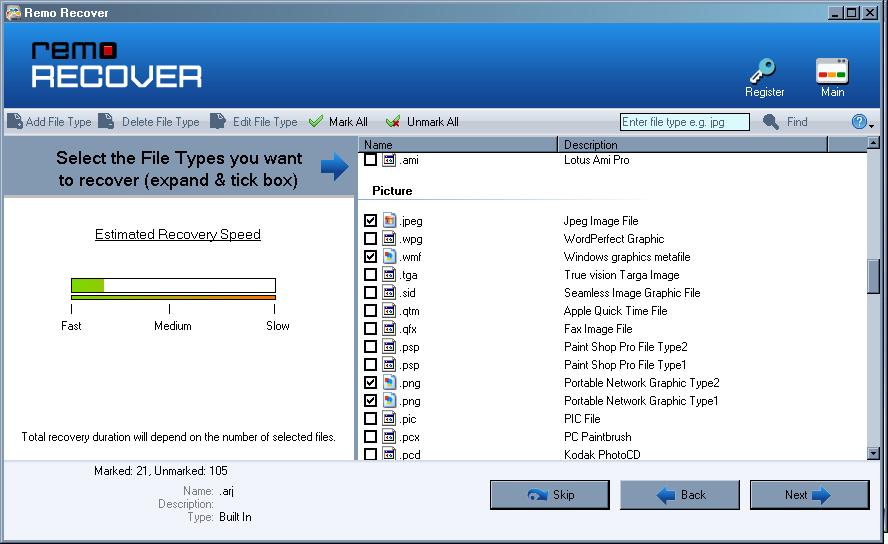
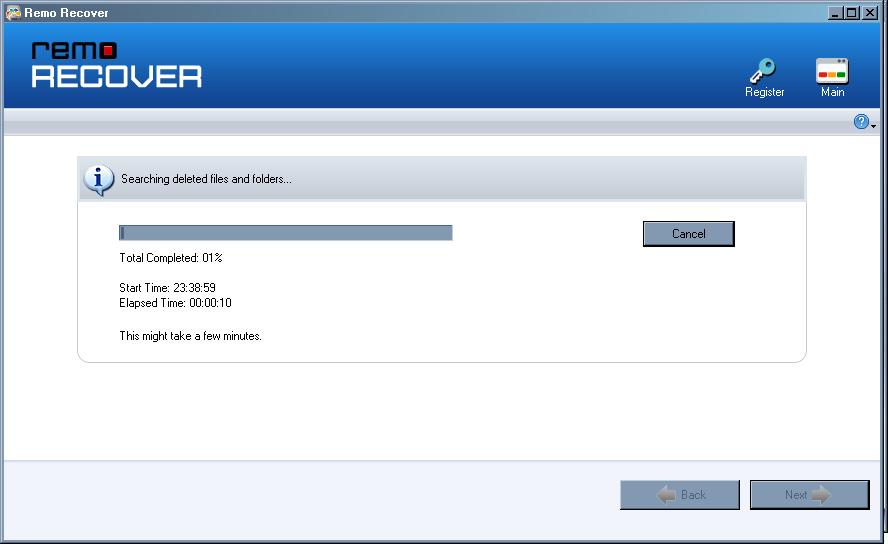
The scan was quick; it took under five minutes to complete.
I basically ended up with the same results.
The “Recover Deleted Photos” and “Recover Lost Photos” is very similar to searching for files, except that they look specifically for multimedia files.
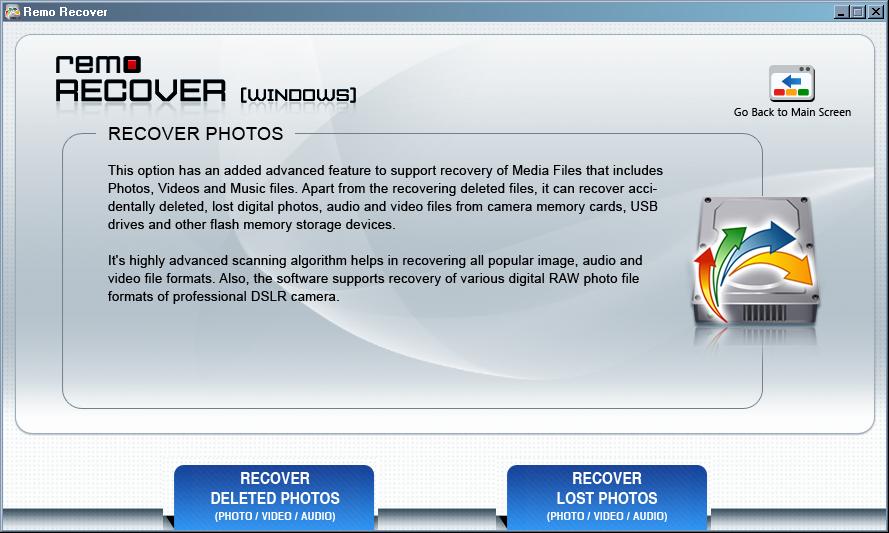
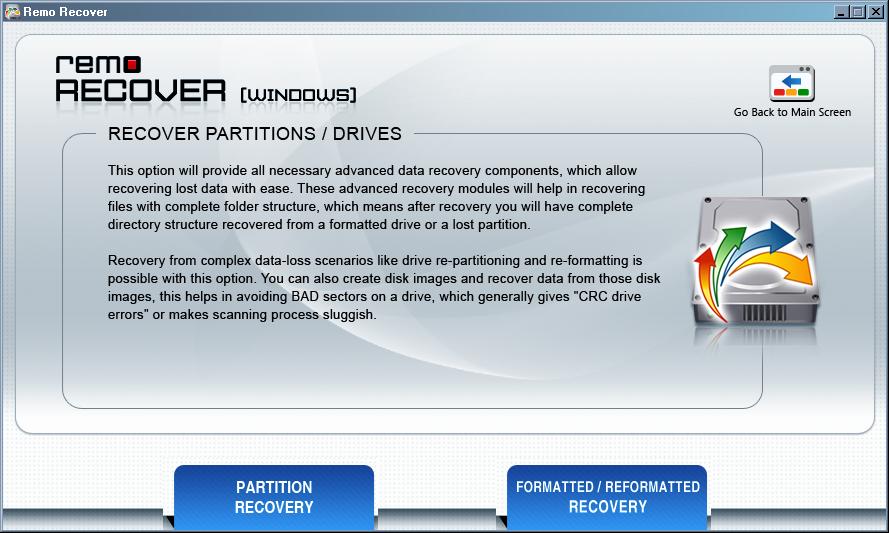
The last option on the first screen is that of the partition recovery.
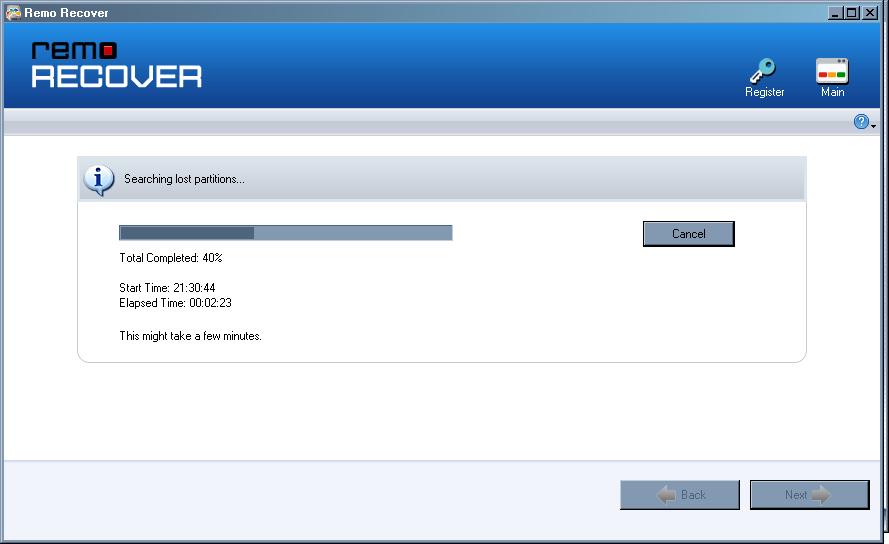
Below you will see a shot of Remo Recover looking for partitions.
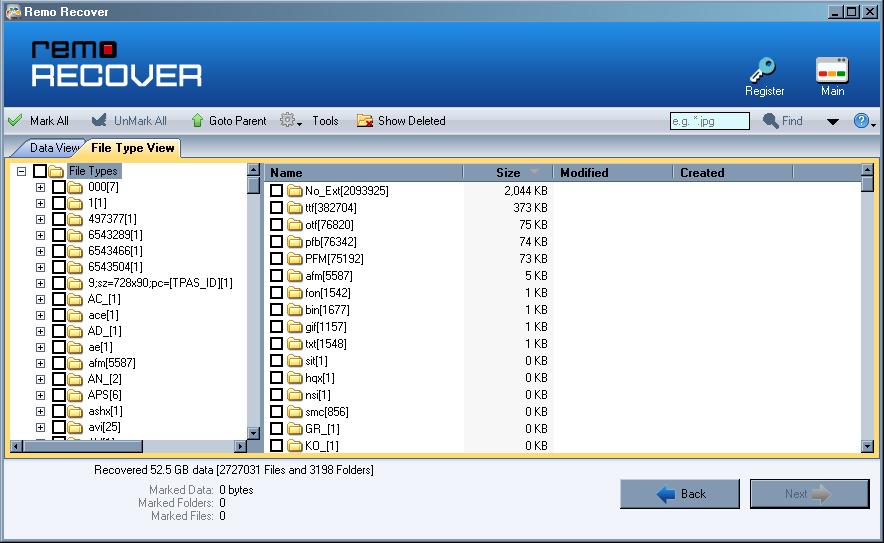
Once found, you will be asked which you actually want to be recovered. After you choose, the files will then be displayed.
Ease Of Use:
Remo Recover is very easy to use and even the most novice of users should be able to handle its interface.

Summary:
Remo Recover did take awhile longer to install than most recovery products, but that is mostly do to the larger size of its program. The interface is easy to use, and the recovery rate was right around 80% for photos and media options. While this is not great, it is much better than some of the other products available out there.

PROS:  Remo Recover recovered over 50% of files and over 80% for photos/media.

CONS:  Takes up considerably more space than its competitors.

Filed Under: Data Recovery Tagged With: Remo Recover Pro, Remo Recover Windows, Remo Recover Windows Pro, Remo Recover Windows Pro Review

Latest Articles

The Key Differences Between SmartDNS and VPN

If you like streaming content when overseas or want to protect your privacy while browsing the web, you may well have come across the terms Smart DNS or VPN. Depending on your requirements, one works better than the other. Choose the wrong one, and you’ll be disappointed at the very least. … [Read More...]

ADT Home Security Review

ADT is one of the oldest home security companies out there.  They have a proven track record of reliability on equipment and high marks for quality of service.  In an emergency ADT's live monitoring team knows what to do and goes to all lengths to ensure you and the police, fire department and … [Read More...]

Experts Find Germany Makes Unsatisfactory Progress on AI Development

A panel of experts should prepare Germany for the use of artificial intelligence. The final report is still pending. But there is already criticism of the results. Düsseldorf, Munich, Berlin It should control machines, steer cars and develop new drugs: Artificial intelligence (AI) is one of the … [Read More...]

Comments

  1. Daren says

    October 24, 2013 at 12:00 pm

    Great product. Helped my Dad recover his last christmas pics & videos. I would recommend it to my loved ones.

    Thanks a ton for reviewing it. 9.5/10.

  2. Violet Roberts says

    December 23, 2013 at 1:10 pm

    Pro edition is amazing. It covers almost every kind of file available. It helped me regain one whole partition within a couple of mins. Recovery of files is a possibility, now atleast I do believe! I already told my friends about this hot recovery software.

  3. Reeza Wilson says

    December 10, 2014 at 11:34 am

    I LOVE Remo Recover Pro it helped me to recover my wedding pic’s…….
    Remo Rock’ssss….

  4. Loris Mills says

    January 5, 2015 at 10:12 am

    AWESOME TOOL.. Really works…

  5. John Decker says

    January 7, 2015 at 12:39 pm

    I used this application and successfully recovered my childhood photos which I had deleted by mistake. It was great experience…Cool app, amazing layout, quick result…In all, it’s a top rated recovery App 10/10.

  6. Mark Henly says

    January 13, 2015 at 1:50 pm

    I committed a big mistake and lost 2 year old data stored on Laptop. Guided by my uncle I came to Remo Recover Windows, within 1 hour I successfully recovered all my important data. This tool completely surprised me… Fantastic Product!!!

  7. Joey Perry says

    January 21, 2015 at 1:29 pm

    I bought this software and it worked for me…Happy and Satisfied!!!

  8. Eathen Smith says

    January 23, 2015 at 1:56 pm

    Found this recovery app useful..It’s media edition recovered my photo files in perfect conditions….

  9. Neamun Stiller says

    February 10, 2015 at 3:22 pm

    Works perfectly….Thank you guy’s

  10. Andrew Nicol says

    April 13, 2015 at 11:44 am

    This software found my mistakenly deleted files in less than a minute…Awesome experience!!! It’s best app for data recovery

  11. Cristel Taylor says

    April 24, 2015 at 2:09 pm

    Initially I tried free version of this application which is limited to upto 1GB. My experience with free version was quite exciting so I decided to go for its pro version. Really useful product….I like it mechanism behind fast file searching. It’s user friendly design makes it simple for both any kind of users.

  12. Wagar says

    May 23, 2015 at 10:31 am

    Fast scan and super-fast recovery

Why Internet Bundles Are the Next Battleground for Gamers

A weak internet connection can turn seamless gaming sessions into frustrating experiences filled with lag, buffering or sudden disconnects. For … [Read More...]

Importance of Inbound Marketing in the Digital Age

A couple of months ago, Zacks reported that Hubspot was starting to make some major changes to its inbound marketing strategy. They talk a lot about … [Read More...]

Damage Control Strategies for Resolving Online PR Crises

Last July, Astrologer faced a major crisis after its CEO went viral at a ColdPlay concert when having an affair. This was just one of the many times a … [Read More...]

AI is Not Killing Computer Jobs Like Doomers Projected

There is no denying the reality that AI technology has played a massive role in disrupting our lives. A growing number of people claim that AI … [Read More...]

Everything You Need to Know About Sourcing Circuit Boards From U.S. Suppliers

In This Article This article includes: Why Source PCBs From the United States?How to Get a Quote From a U.S.-Based PCB ManufacturerThe Top U.S. … [Read More...]

Top Taplio Alternatives in 2025 : Why MagicPost Leads for LinkedIn Posting ?

LinkedIn has become a strong platform for professionals, creators, and businesses to establish authority, grow networks, and elicit engagement. Simple … [Read More...]

Guides

  • Computer Communications
  • Mobile Computing
  • PC Components
  • PC Data Storage
  • PC Input-Output
  • PC Multimedia
  • Processors (CPUs)

Recent Posts

Motherboard IDE Connections

IDE connectors, like floppy drive and other connectors, are keyed to ensure proper connection. Connect your IDE devices to the motherboard IDE … [Read More...]

SCSI Internal Configuration

Before mounting the device, you'll need to configure it via the jumper switch located on the rear of the drive. SCSI ID setting: The three … [Read More...]

IEEE 802.11n

Demand for wireless LAN hardware experienced phenomenal growth in the years following the ratification of the IEEE 802.11a standard in the … [Read More...]

[footer_backtotop]

Copyright © 2026 About | Privacy | Contact Information | Wrtie For Us | Disclaimer | Copyright License | Authors