pctechguide.com

  • Home
  • Guides
  • Tutorials
  • Articles
  • Reviews
  • Glossary
  • Contact

RAID tutorial – connecting the hard drives

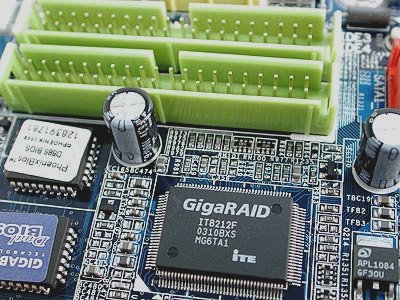
We're going to be setting up two identical hard disk drives as a single mirrored RAID 1 array. Power the system down, remove the case and fit and connect up the hard disk drives. Refer to the How to install a second hard disk drive tutorial for detailed instructions on how to go about … [Read more...]

Filed Under: How to Set Up a RAID Array

RAID tutorial – installing Windows on the RAID drive
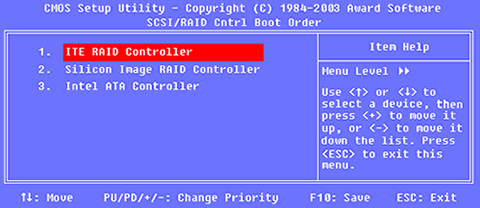
The Welcome to Setup screen offers the following options: To set up Windows XP now, press ENTER To repair a Windows XP installation using Recovery Console, press R To quit Setup without installing Windows XP, press F3 Press ENTER and then signal acceptance at the subsequent END USER … [Read more...]

Filed Under: How to Set Up a RAID Array Tagged With: install Windows XP on RAID, RAID Windows installation, Windows RAID installation

RAID tutorial – installing the drivers

Now is the time to use the previously prepared floppy disk containing the RAID Controller driver software. Proceed as follows: Press F6 when invited to do so, to ...... install third party SCSI or RAID driver. Press S when invited to do so, to specify additional SCSI adapters, CD-ROM drives, … [Read more...]

Filed Under: How to Set Up a RAID Array Tagged With: RAID drivers, Windows XP RAID installation

RAID tutorial – configuring a RAID array installation
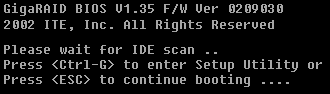
Having performed the preparatory tasks and physically connected the hard disk drives, we're now ready to configure the RAID array. Insert the Windows XP CD-ROM in the CD-ROM drive and power-on the system. Press Ctrl-G to enter the GigaRAID BIOS when so directed. The Setup Utility's … [Read more...]

Filed Under: How to Set Up a RAID Array Tagged With: configure RAID for Windows, how to configure a RAID array

RAID tutorial – preparing for the installation
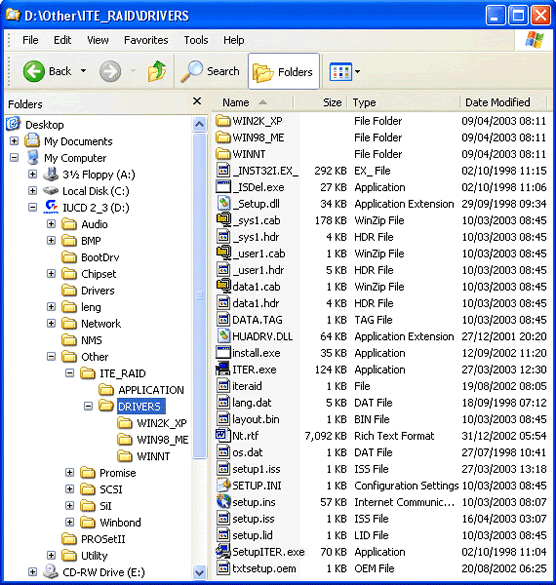
You'll need first to complete a couple of preparatory steps: 1. Create a floppy disc containing the relevant RAID Controller drivers Locate the relevant drivers on the supplied CD-ROM. In this case, they're labelled ITE_RAID drivers. Copy the files in that folder and the relevant … [Read more...]

Filed Under: How to Set Up a RAID Array Tagged With: access BIOS, boot from CD, Copying RAID drivers

RAID tutorial – the benefits of using RAID

RAID (Redundant Array of Inexpensive Disks) is a system developed whereby two or more disks are physically linked together to form a single logical, large capacity storage device that offers a number of advantages over conventional hard disk storage devices: superior performance improved … [Read more...]

Filed Under: How to Set Up a RAID Array Tagged With: benefits of RAID, RAID advantages, why use RAID

RAID tutorial – maintaining the RAID array
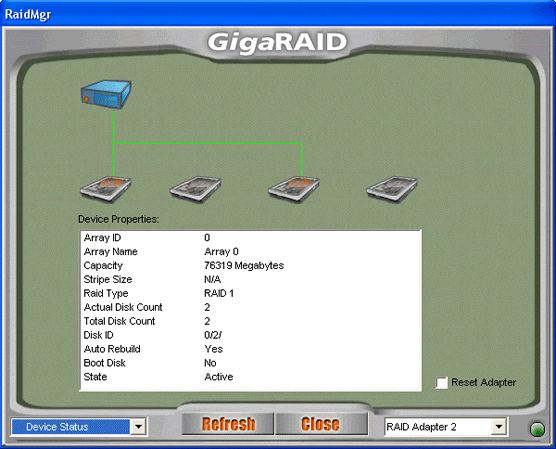
Since the context of this tutorial is a new system build, the configuration of of the RAID array was performed via the RAID Controller's BIOS Setup program. Subsequent maintenance of the array - and the initial set up in cases where it's being carried out in a fully operational environment - can … [Read more...]

Filed Under: How to Set Up a RAID Array Tagged With: RAID drivers, RAID maintenance

Why Internet Bundles Are the Next Battleground for Gamers

A weak internet connection can turn seamless gaming sessions into frustrating experiences filled with lag, buffering or sudden disconnects. For … [Read More...]

Importance of Inbound Marketing in the Digital Age

A couple of months ago, Zacks reported that Hubspot was starting to make some major changes to its inbound marketing strategy. They talk a lot about … [Read More...]

Damage Control Strategies for Resolving Online PR Crises

Last July, Astrologer faced a major crisis after its CEO went viral at a ColdPlay concert when having an affair. This was just one of the many times a … [Read More...]

AI is Not Killing Computer Jobs Like Doomers Projected

There is no denying the reality that AI technology has played a massive role in disrupting our lives. A growing number of people claim that AI … [Read More...]

Everything You Need to Know About Sourcing Circuit Boards From U.S. Suppliers

In This Article This article includes: Why Source PCBs From the United States?How to Get a Quote From a U.S.-Based PCB ManufacturerThe Top U.S. … [Read More...]

Top Taplio Alternatives in 2025 : Why MagicPost Leads for LinkedIn Posting ?

LinkedIn has become a strong platform for professionals, creators, and businesses to establish authority, grow networks, and elicit engagement. Simple … [Read More...]

Guides

  • Computer Communications
  • Mobile Computing
  • PC Components
  • PC Data Storage
  • PC Input-Output
  • PC Multimedia
  • Processors (CPUs)

Recent Posts

What is AGP and AGP Pro?

As fast and wide as the PCI bus was, there was one task that threatened to consume all its bandwidth: displaying graphics. Early in the era of the … [Read More...]

Copper Interconnect Architecture

Every chip has a base layer of transistors, with layers of wiring stacked above to connect the transistors to each other … [Read More...]

How to Update Microsoft Windows with Patches and Service Packs

With previous versions of Windows, tracking down system patches and updated drivers was difficult. However, Microsoft streamlined the process in … [Read More...]

[footer_backtotop]

Copyright © 2026 About | Privacy | Contact Information | Wrtie For Us | Disclaimer | Copyright License | Authors