 PROS: Our experts rated JV16 PowerTools as one of the best registry cleaners available on the market.
CONS: While there are options available for beginner and intermediate users, this is better equipped for the pros.
OVERVIEW: JV16 PowerTools is hands-down the most comprehensive, effective, and cost affordable system optimizer our expert has seen in a long time. It takes awhile to install, but overall it is a system worth using.


JV16 PowerTools Review
Company: Macecraft
Supported OS: Windows 2000, XP, Vista, 7 (32 and 64 bit)
Price: $5.95 (VIP), $39.95 (Platinum) per license
JV16 Power Tools Video Review
What It Does:
JV16 PowerTools is a full-featured system optimizer that allows the user to tweak and optimize every aspect of their Windows installation.
Installation:
JV16 PowerTools installation was somewhat of an extensive process, but was required due to various user options. Some of these options include malware scanning, optional user registration and multilingual support.
Details:
After the initial installation of JV16 PowerTools, the program gathers and collects important system data, and saves them as backups in case something bad happens when you’re editing Windows settings. While the user is notified that this process can take as much as 10 minutes, the initial setup only took about 3 minutes to complete. A full analysis of this application would take several dozen pages, so for the sake of brevity, we will give a quick overview of the main utilities and what tasks they are designed to handle.
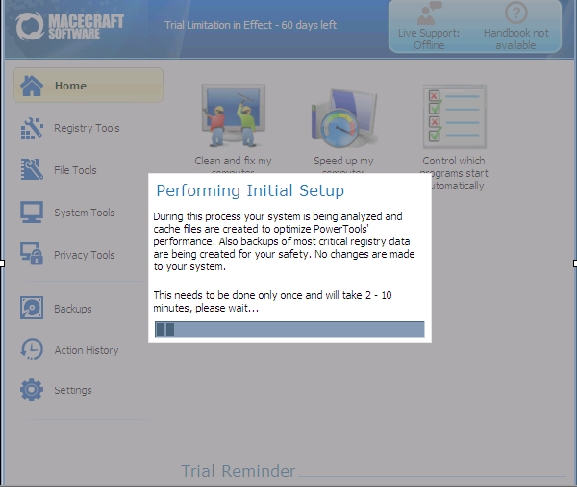
The Home screen has several features that are designed to automate most of the routines that you would otherwise do manually, which is also helpful for the less experienced or tech-savvy users on the market.
“Clean And Fix My Computer” searches for invalid registry settings and obsolete files that would otherwise take up space and slow down system performance.
“Speed Up My Computer” tweaks general system settings, such as 8.3 file support and NTFS Last Access Times, which are used to track timestamps and compatibility support for DOS applications, among other settings that can slow down system performance on more specialized systems.
“Control Which Programs Start Automatically” is similar to msconfig.exe, but allows the user to fully delete obsolete settings and add new programs to the startup configuration.
“Fully Remove Software And Leftovers” is an uninstaller tool that enables the user to more effectively remove programs and the files they leave behind.
“Verify My Downloads Are Safe To Run” is an optional security feature wherein JV16 PowerTools searches for commonly used download folders and scans them for any possible malware, which the user might not normally be aware of.
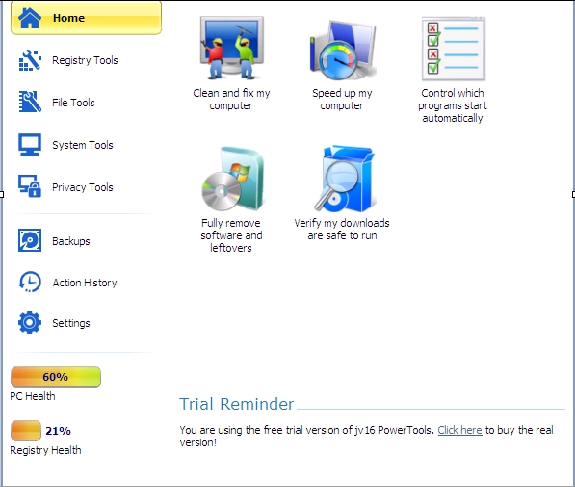
The Registry Tools tab has several utilities that allow the user to control every aspect of the windows registry. These include finding and replacing specific registry entries to monitoring, cleaning and compacting/defragging the Windows registry.
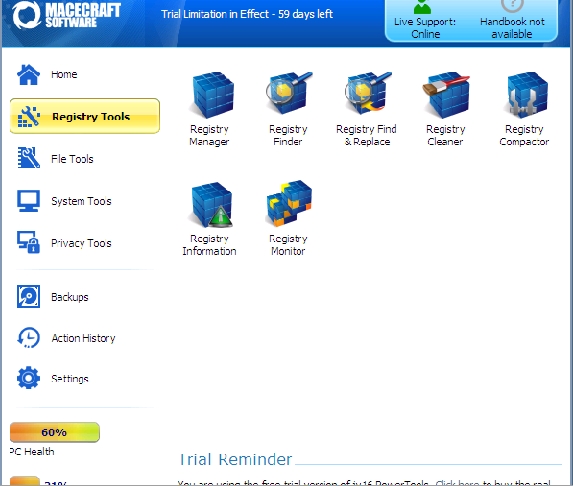
Under “File Tools”, we find several self-explanatory utilities that allow the user to not only find and edit files, but also delete files, recover deleted files and find duplicate files that should be deleted.
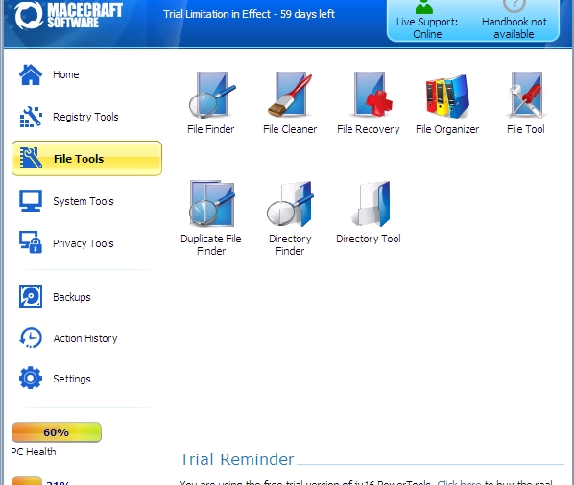
“System Tools” has a few features that are listed in previous categories, but also a few new ones. The “Start Menu Tool” allows the user to organize and edit the start menu with relative ease. “Automation Tool” is designed to facilitate the creation of new Windows tasks, whereas the “Service Manager” allows the user to edit and delete specific tasks that are currently running in the background.
“Privacy Tools” has three utilities that are crafted specifically to delete any personal data that the user does not want on their system. The three final tabs below “Privacy Tools” allow the user to restore any saved backups, monitor application history, and tweak specific settings that dictate how JV16 PowerTools should perform.
Ease Of Use:
JV16 PowerTools is clearly designed for more advanced users, although options do exist for novice to intermediate users.
Summary:
JV16 PowerTools is hands-down the most comprehensive, effective, and cost affordable system optimizer I have seen in a long time. The only utility that is somewhat lacking is the malware protection portion of JV16 PowerTools, but the rest of the features more than make up for it, as it’s specifically designed to be a system optimizer. I have seen a lot of system optimizers over the years, and only recommended a few, but after a few days of experimenting with this, I can tell you that is one offer that is simply too good to pass up.
I have used JV16 fo several days now and I agree with the reviewer – it is really one of the best I have used. Extensive options, backups, and quality results. My computer is clean and runs smoothly and fast. I have encountered NO problems whatsoever. Can’t say that with some other packages I have used. In my opinion JV16 is a very good value.