pctechguide.com

  • Home
  • Guides
  • Tutorials
  • Articles
  • Reviews
  • Glossary
  • Contact

Windows Backup Restoration

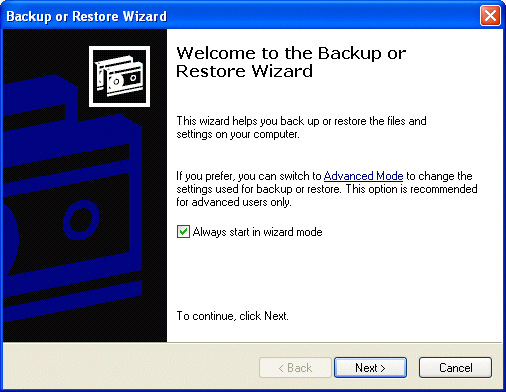
Click Start, point to All Programs > Accessories > System Tools, and then click Backup.

The Backup or Restore Wizard is launched.
Wizard

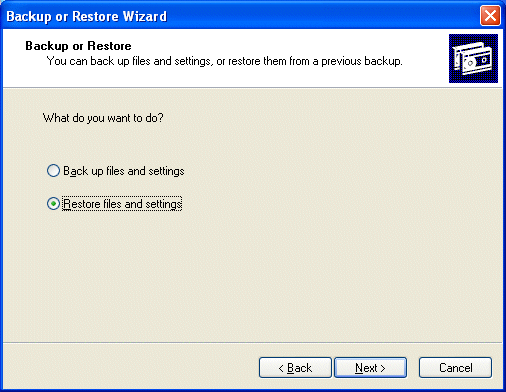
Select the Restore files and settings radio button.
Restore

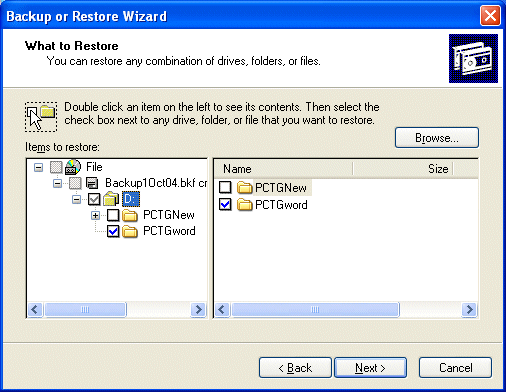
specify which files and folders from the backup you wish to restore.
Restore

Click Next.

Wizard

Click Advanced to restore to somewhere other than the original location.
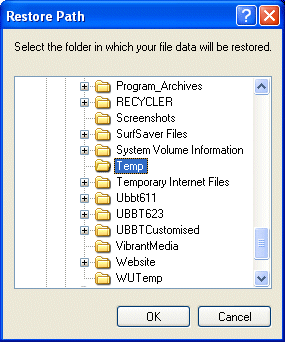
Restore

Specify where you want the backed-up data to be restored to and click OK.
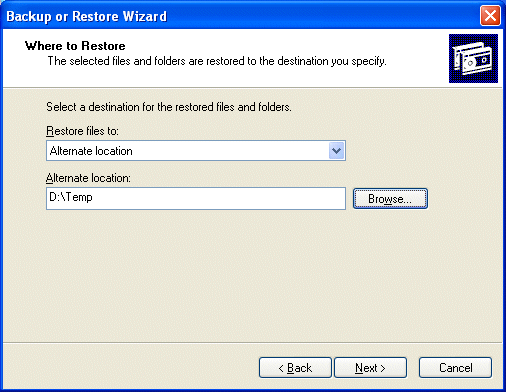
Restore

Click Next to confirm the indicated destination.
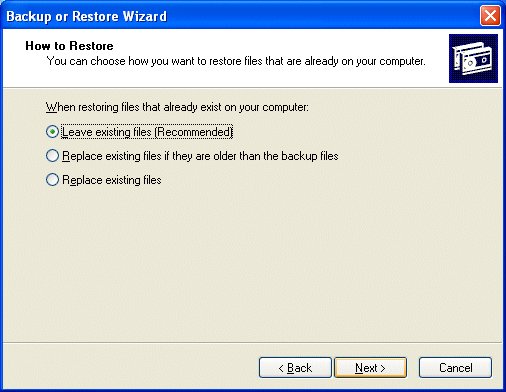
Restore

Indicate how you want to handle the situation where files being restored already exist in the destination location …
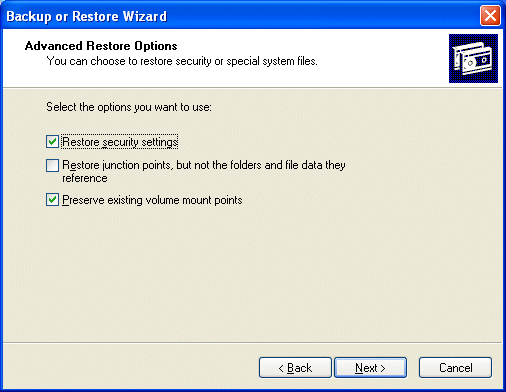
Advanced

… and how you want to handle security or special system files.
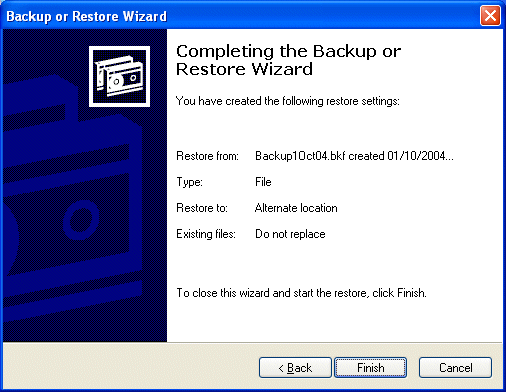
Wizard

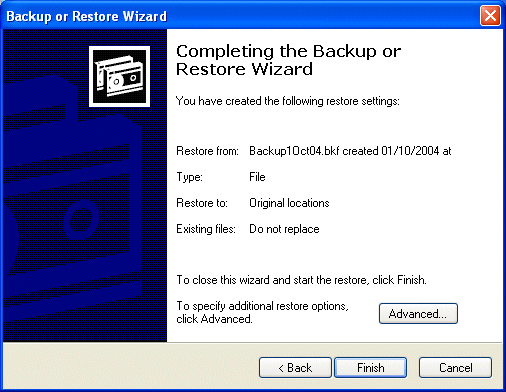
Click Finish to start the restore.

Restore

Progress is monitored through to completion.

You may then click Report to view an associated status report, followed by Close.
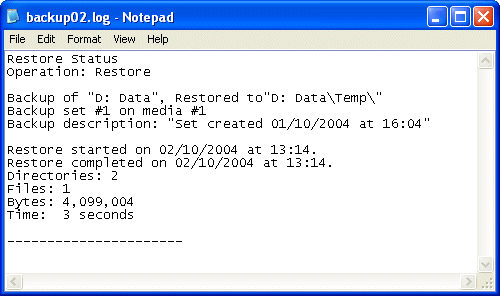
Restore

You may confirm the presence of the restored folders/files via Windows Explorer.

Confirm

  • Windows Backup Installation
  • Windows Backup In Action
  • Windows Backup Restoration
  • Advanced Windows Backup

Filed Under: How To Use the Windows Backup Utility

Latest Articles

Configuring BIOS for a Second Hard Drive – including SMART

Once the second hard drive is physically installed, you then need to let the computer\'s operating system and software know that it exists. Insert the MS-DOS startup disk in your floppy disk drive and power on your PC. After the POST (Power On Self Test) process has started enter the system\'s … [Read More...]

How To Kill A Running Process

How To Kill A Running Process Method #1: There are many ways to kill an active process, and in this article we will examine some of the most common and effective approaches to achieve this task. When deciding to end a process, especially during a time when your system is compromised with a … [Read More...]

Google Chrome Shortcuts

Google Chrome is a very popular Web browser. It is my browser of choice because it is fast and secure. It is also very flexible and comes with many safe plugins for you to install to expand its usefulness. But, perhaps one of the best things about Google Chrome is all of the shortcuts it has that … [Read More...]

Why Internet Bundles Are the Next Battleground for Gamers

A weak internet connection can turn seamless gaming sessions into frustrating experiences filled with lag, buffering or sudden disconnects. For … [Read More...]

Importance of Inbound Marketing in the Digital Age

A couple of months ago, Zacks reported that Hubspot was starting to make some major changes to its inbound marketing strategy. They talk a lot about … [Read More...]

Damage Control Strategies for Resolving Online PR Crises

Last July, Astrologer faced a major crisis after its CEO went viral at a ColdPlay concert when having an affair. This was just one of the many times a … [Read More...]

AI is Not Killing Computer Jobs Like Doomers Projected

There is no denying the reality that AI technology has played a massive role in disrupting our lives. A growing number of people claim that AI … [Read More...]

Everything You Need to Know About Sourcing Circuit Boards From U.S. Suppliers

In This Article This article includes: Why Source PCBs From the United States?How to Get a Quote From a U.S.-Based PCB ManufacturerThe Top U.S. … [Read More...]

Top Taplio Alternatives in 2025 : Why MagicPost Leads for LinkedIn Posting ?

LinkedIn has become a strong platform for professionals, creators, and businesses to establish authority, grow networks, and elicit engagement. Simple … [Read More...]

Guides

  • Computer Communications
  • Mobile Computing
  • PC Components
  • PC Data Storage
  • PC Input-Output
  • PC Multimedia
  • Processors (CPUs)

Recent Posts

Shared Hosting Issues – Shared Bandwidth and Server Resources

Most websites are hosted in a shared hosting environment, which means that there may be dozens, even hundreds of sites running on the same CPU, RAM, … [Read More...]

Why Internet Bundles Are the Next Battleground for Gamers

A weak internet connection can turn seamless gaming sessions into frustrating experiences filled with lag, buffering or sudden disconnects. For … [Read More...]

How To Remove Remove Internet Antivirus 2017

Internet Antivirus 2017 is a false security client and a clone of several other rogues. Like all fake security clients you are going to want to … [Read More...]

[footer_backtotop]

Copyright © 2026 About | Privacy | Contact Information | Wrtie For Us | Disclaimer | Copyright License | Authors