pctechguide.com

  • Home
  • Guides
  • Tutorials
  • Articles
  • Reviews
  • Glossary
  • Contact

EaseUS Data Recovery Wizard Review

EaseUS Data Recovery Wizard

I usually like EaseUS products. They have awesome partition programs and overall have some great products. Their Data Recovery Wizard program is not one of their best products. While it is easy to use and does do a nice job, it isn’t as good as Recover My Files or Remo Recover Pro.

» Purchase EaseUS Data Recovery Wizard Here


Program: EaseUS Data Recovery Wizard 5.5.1

Company: EaseUS

Supported OS: Windows 2000, XP, Vista, 2003, 2008 R2 SP1, Windows 7 SP1

Price: $69.95 USD

What It Does:

Data Recovery Wizard is designed to find/recover files and data in the unfortunate event of data loss, due to both human error and computer problems.

Installation:

It took under 60 seconds to install and takes up about 17MB of disk space.

Details:

Once I installed Data Recovery Wizard, I put it to use. I used and old hard drive, some old software and purposefully deleted a partition.
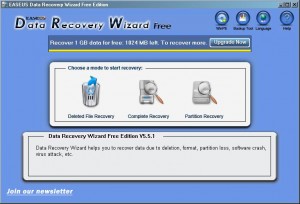
I had three options upon installation and went in order, from left to right.
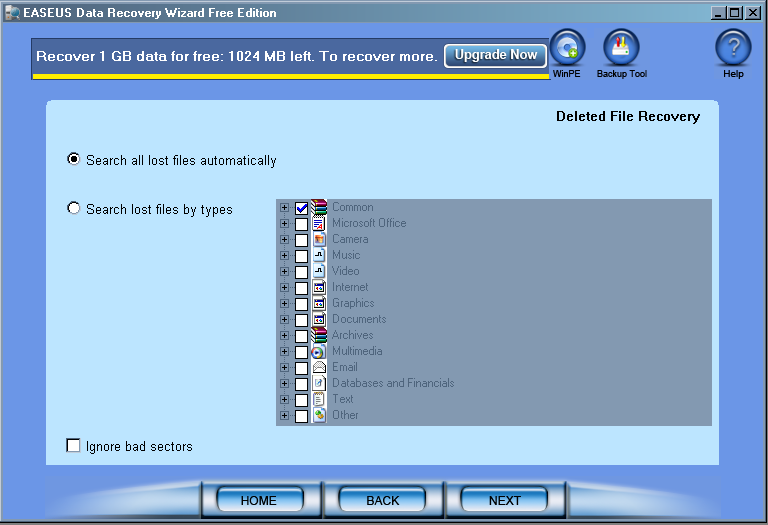
EaseUS Data Recovery Wizard

I then selected ” search for all lost files automatically”. This is what happened.
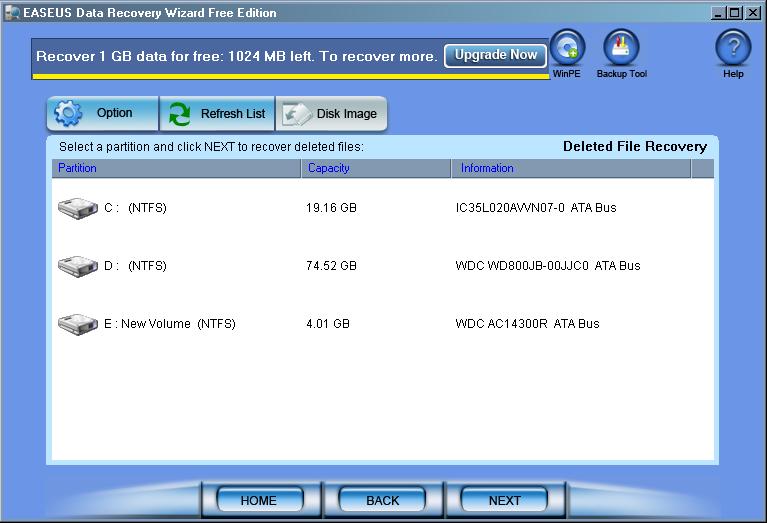
EaseUS Data Recovery Wizard

I then hit “Next” to detect all drives attached to my machine. Then the program asked me which drive I wished to scan for.
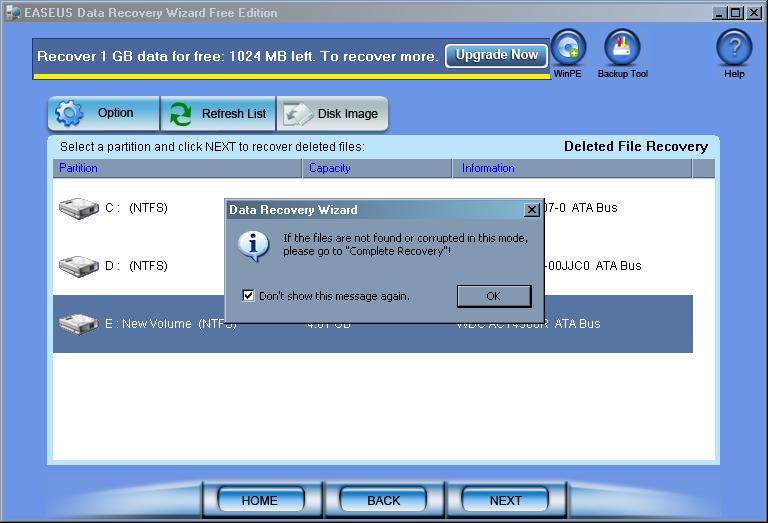
When I selected the appropriate drive, I was warned that if I felt the drive was incomplete or corrupted, that I should opt for a complete recovery.
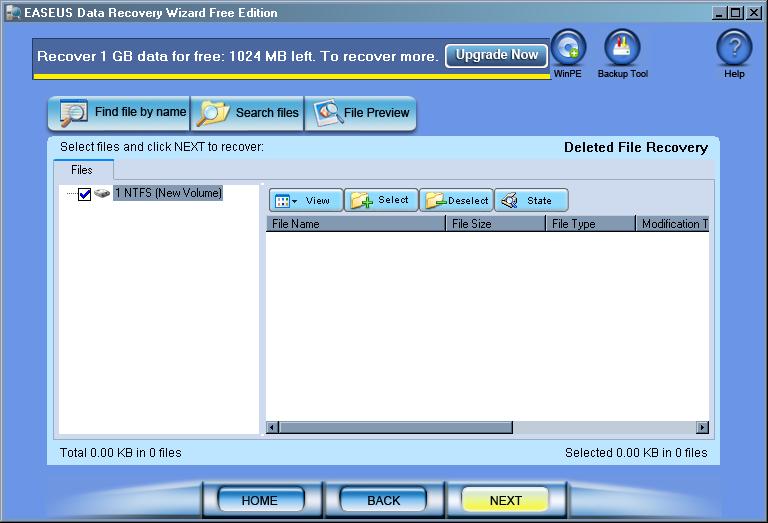
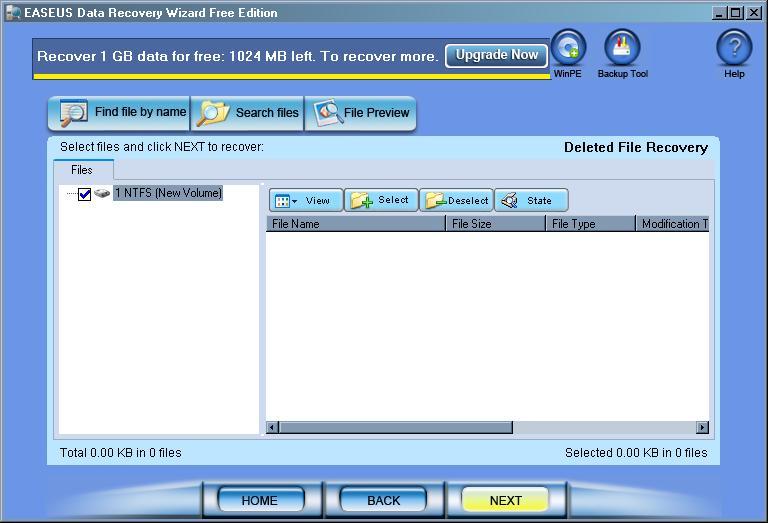
The above screen was shown both before and after the search for the drive with a deleted partition. It meant that I had to perform a complete recovery for this drive.
I was given a choice as to which option I wanted to select for this specific partition scan. I chose the most recent one.
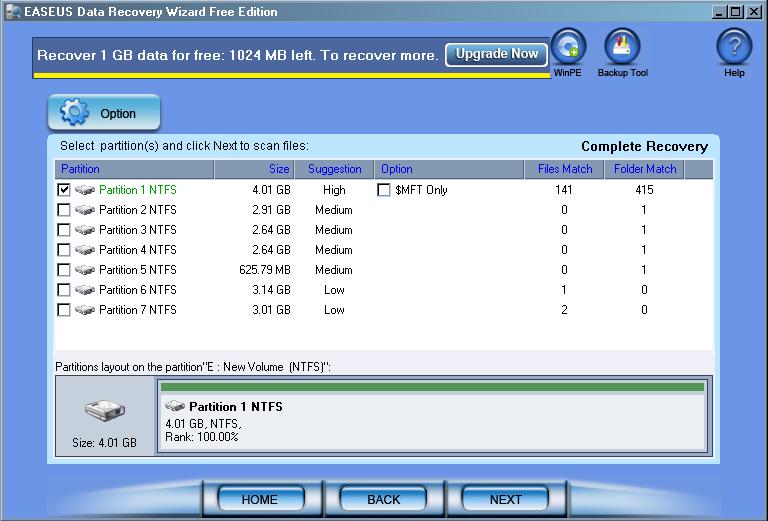
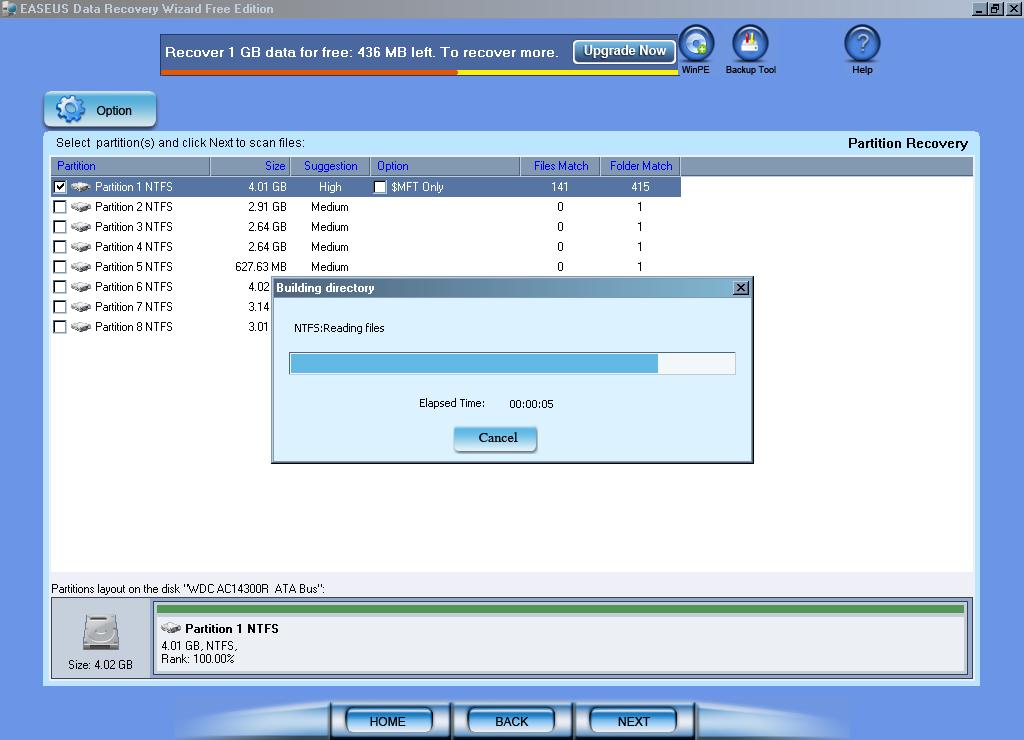
Data Recovery Wizard then attempts to build a raw file tree from the recovered partition information,although it is not written to the drive, and then it started scanning for files to be recovered.
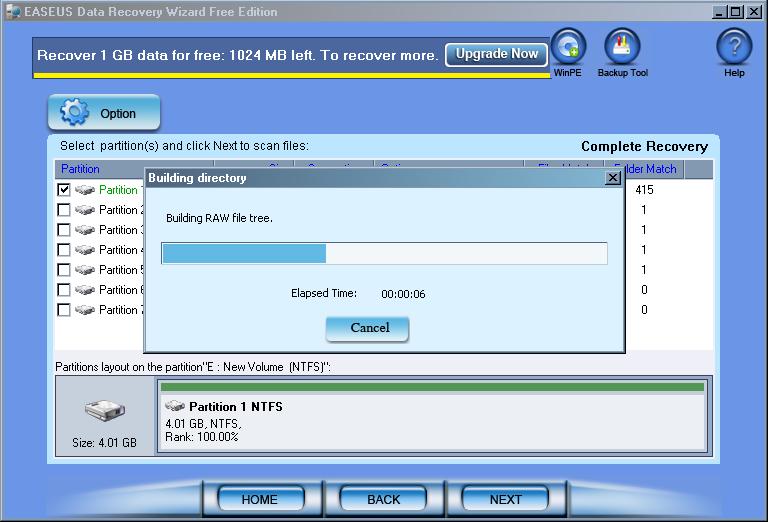
Data Recovery Wizard then attempted to find all possible files on the drive that it could. This can be good, but it can take a lot of time to recover this data. But, as this does offer the best results, it is probably the best way to go.
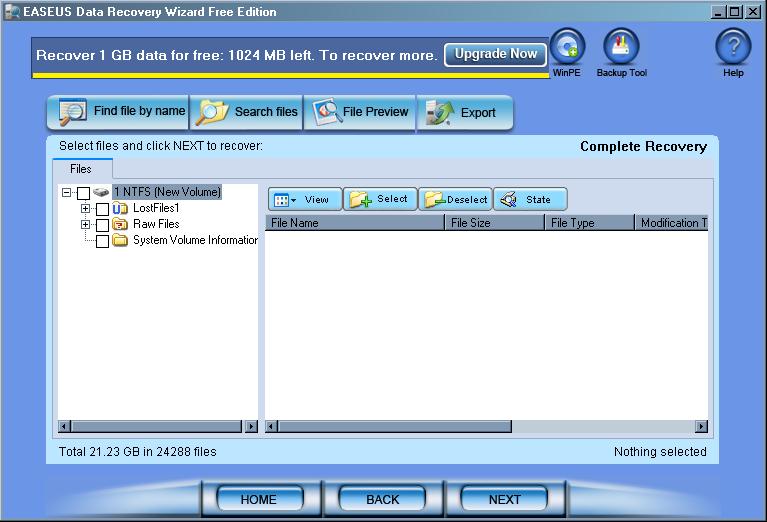
I got tired of waiting, so I cancelled the scan and looked to see what it found so far.
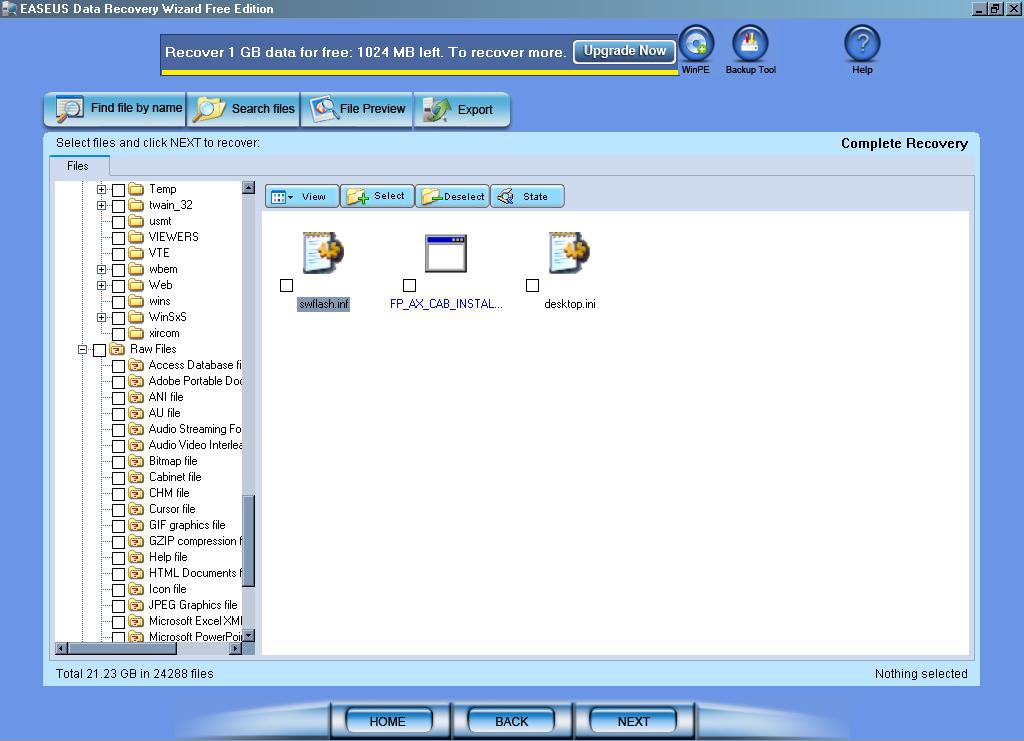
While smaller files are usually easier to check for integrity, there were a few larger archives that also looked pretty easy to check.
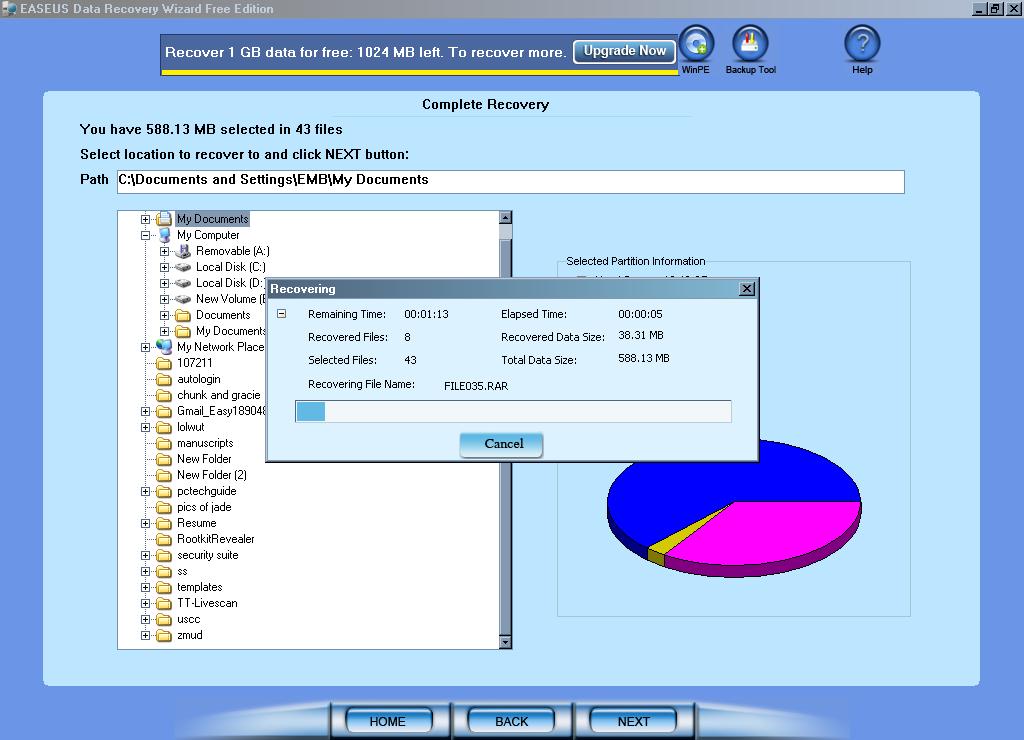
The process took longer than I though it would. Data Recovery Wizard recovered about 588MB of data. When I went to inspect the files found, I discovered many of the large files found were not fully recovered and some were even corrupt.
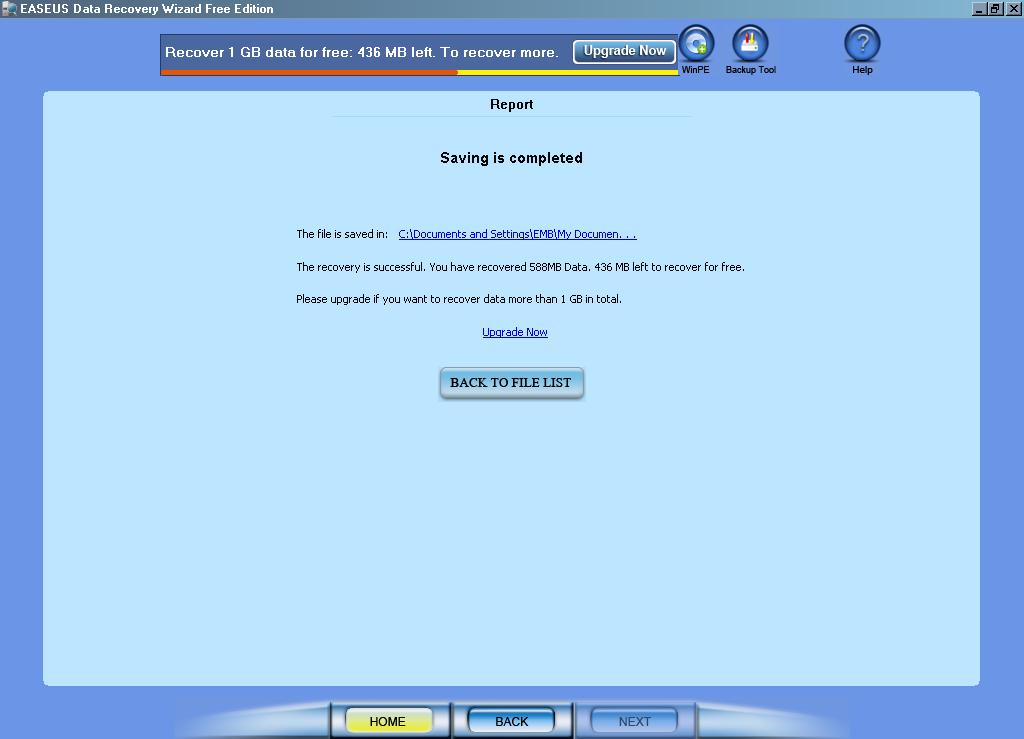
This last option for recovering the partition is very similar to the steps of a complete recovery, but it only searches for partition data. I did manage to restore my partition, but most of the original data didn’t hold, because the drive had been compressed using the NTFS file system. Here are some screenshots you can expect to see. I did do another test case after this and had success in recovering a corrupt partition. Your results may be similar.
Ease Of Use:
EaseUS Data Recovery Wizard is easy to use and overall has an uncomplicated interface.

Summary:
I found EaseUS Data Recovery Wizard’s performance to be a bit lacking. It was quick to install, didn’t take a lot of space on your hard drive, and easy to use, but I really feel there are much better options out there.

PROS:  Fast installation, minimal disk space requirements, easy-to-use interface.

CONS:  It takes awhile for the data recovery scans to actually finish. While this isn’t unusual for data recovery software, this takes exceedingly longer than other programs.

Read More Data Recovery Software Reviews or visitor the data recovery home page.

Filed Under: Data Recovery Tagged With: EaseUS Data Recovery, EaseUS Data Recovery Review Wizard, EaseUS Data Recovery Wizard Review

Latest Articles

Celeron Netburst Class CPU

It subsequently became apparent that even for the Celeron the Tualatin would be no more than a stopgap, only taking the range to 1.5GHz. At that point it became apparent that the plan was for the Pentium 4 Willamette core to move to the value … [Read More...]

Convenient Excel Shortcuts for Quick Formatting

The first version of Microsoft Excel was launched in 1985. The world’s most popular spreadsheeting software has evolved significantly over the past 35 years. Earlier versions of Microsoft Excel were not very user-friendly. New keyboard shortcuts have been introduced over the past few versions, which … [Read More...]

8 Steps To Streamline Your Business Operations with Virtual Data Rooms

With the increased reliance on networking and cloud computing, businesses generate and store an ever-increasing amount of sensitive information. As a result, securely managing and sharing data has become a crucial aspect of efficient business operations. One powerful tool that can significantly … [Read More...]

Comments

  1. Ronal Dimaro says

    July 25, 2014 at 11:22 am

    Use kernel data recovery software to fast and instantly data recovery

Why Internet Bundles Are the Next Battleground for Gamers

A weak internet connection can turn seamless gaming sessions into frustrating experiences filled with lag, buffering or sudden disconnects. For … [Read More...]

Importance of Inbound Marketing in the Digital Age

A couple of months ago, Zacks reported that Hubspot was starting to make some major changes to its inbound marketing strategy. They talk a lot about … [Read More...]

Damage Control Strategies for Resolving Online PR Crises

Last July, Astrologer faced a major crisis after its CEO went viral at a ColdPlay concert when having an affair. This was just one of the many times a … [Read More...]

AI is Not Killing Computer Jobs Like Doomers Projected

There is no denying the reality that AI technology has played a massive role in disrupting our lives. A growing number of people claim that AI … [Read More...]

Everything You Need to Know About Sourcing Circuit Boards From U.S. Suppliers

In This Article This article includes: Why Source PCBs From the United States?How to Get a Quote From a U.S.-Based PCB ManufacturerThe Top U.S. … [Read More...]

Top Taplio Alternatives in 2025 : Why MagicPost Leads for LinkedIn Posting ?

LinkedIn has become a strong platform for professionals, creators, and businesses to establish authority, grow networks, and elicit engagement. Simple … [Read More...]

Guides

  • Computer Communications
  • Mobile Computing
  • PC Components
  • PC Data Storage
  • PC Input-Output
  • PC Multimedia
  • Processors (CPUs)

Recent Posts

A Description and Explanation of Satellite Broadband and How It Works

Whilst the advent of its RADSL variant may have increased the range of ADSL from 3.5km to 5.5km, the fact is that the … [Read More...]

A Quick Overview of the Technology Behind Big Data

The information technologies have led to the development of Big Data and helped it grow at a large scale. Big data offers a number of promising … [Read More...]

Mobile Intel Pentium MMX technology guide

In January 1997 the first mobile Pentiums with MMX technology appeared, clocked at 150MHz and 166MHz. Initially these were … [Read More...]

[footer_backtotop]

Copyright © 2026 About | Privacy | Contact Information | Wrtie For Us | Disclaimer | Copyright License | Authors