pctechguide.com

  • Home
  • Guides
  • Tutorials
  • Articles
  • Reviews
  • Glossary
  • Contact

The Beta of the El Capitan OS is Here

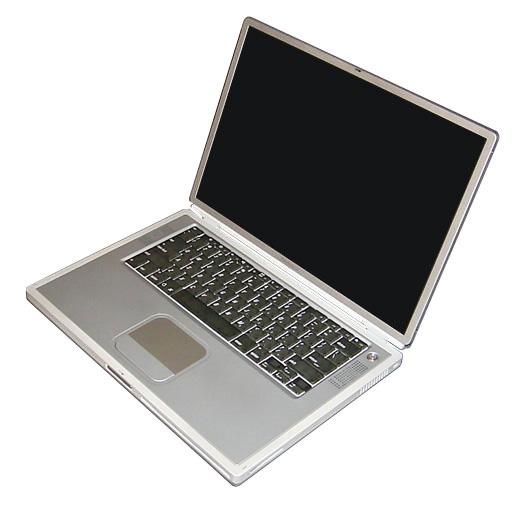
Mac El Capitan OSThe new El Capitan OS by Apple will be release this fall for the Mac. There is a beta option for you to try out if you can’t wait to check it out To do so, simply head to Apple’s website and sign up for the Apple Beta Software Program. However, for those who’d rather learn a bit more about El Capitan’s features first, here are four that people are getting excited about.

The Cursor is Easy to Find

While not the most difficult of problems computer users face, many of us have all probably ran into the situation where we lose the cursor and have to carefully scan the screen and wiggle the mouse to find it. El Capitan resolves this minor annoyance in a fun way. Now if you lose your cursor, you can wiggle your finger on the trackpad and the cursor will blow up to a larger size which makes it easier to spot instantly.

Enhanced Spotlight Feature

El Capitan’s new version of Spotlight now allows you to search news and information from the Internet. For example, you can use it to find the weather forecast, sports scores, stock market information and even videos from Vimeo and YouTube.

Another useful feature of the updated Spotlight is the ability to use natural language to find files on your Mac. That means you can search for locally stored files with phrases such as “video I edited last week”, which will then bring up results for any videos you edited in that time period.

Run Apps Side By Side

Deciding how to best handle multiple windows on your display can be a daily annoyance. If you have too many open, your screen can become a disorganized mess that leaves you less productive and perhaps even with a headache. Split view aims to bring order to your display by allowing you to go full screen with a pair of apps running side by side. Similar to the Windows 8 split-screen app, you can also resize each window to your liking.

Awesome Notes App

With El Capitan, the Notes application has also gotten a makeover and now allows you to add a variety of types of content. For instance, you can drop in videos, pictures, PDFs and other file types directly into the application. Even better, you can sync Safari with Notes. This means that with a simple click of your trackpad, you can send content from a web page directly to the app.

Last but not least, Notes now gives users the ability to create checklists easily. With a single click, you can turn a bulleted list into an interactive checklist. So whether you’re looking to create a to-do list, grocery list or wish list, Notes has you covered.

There are sure to be a great deal more features that users will find useful when the OS is released. Hopefully, this article has covered some of the new features enough to entice you to check out the beta if you are interested.

Filed Under: Articles

Latest Articles

Pentium 4 Memory

Dual-channel memory operation is dependent on a number of conditions being met, Intel specifying that motherboards should default to single-channel mode in the event of any of these being violated: DIMMs must be installed in pairs Both DIMMs must use the same density memory chips Both DIMMs … [Read More...]

Core i5

The efficiency and accuracy of computers lead to the migration of various business processes onto computer systems. As a result, the small and medium sized businesses started using computers to manage their business operations. This type of workload could only be handled by computers with certain … [Read More...]

Write Techology Articles For This Site

Are you a keen technology author with words just bursting out of your keyboard? If you'd like to have your work published on the world's number one ranked PC technology site, then we're interested to hear from you. Here's some details on what to submit, and how. Content Matter The possible … [Read More...]

Why Internet Bundles Are the Next Battleground for Gamers

A weak internet connection can turn seamless gaming sessions into frustrating experiences filled with lag, buffering or sudden disconnects. For … [Read More...]

Importance of Inbound Marketing in the Digital Age

A couple of months ago, Zacks reported that Hubspot was starting to make some major changes to its inbound marketing strategy. They talk a lot about … [Read More...]

Damage Control Strategies for Resolving Online PR Crises

Last July, Astrologer faced a major crisis after its CEO went viral at a ColdPlay concert when having an affair. This was just one of the many times a … [Read More...]

AI is Not Killing Computer Jobs Like Doomers Projected

There is no denying the reality that AI technology has played a massive role in disrupting our lives. A growing number of people claim that AI … [Read More...]

Everything You Need to Know About Sourcing Circuit Boards From U.S. Suppliers

In This Article This article includes: Why Source PCBs From the United States?How to Get a Quote From a U.S.-Based PCB ManufacturerThe Top U.S. … [Read More...]

Top Taplio Alternatives in 2025 : Why MagicPost Leads for LinkedIn Posting ?

LinkedIn has become a strong platform for professionals, creators, and businesses to establish authority, grow networks, and elicit engagement. Simple … [Read More...]

Guides

  • Computer Communications
  • Mobile Computing
  • PC Components
  • PC Data Storage
  • PC Input-Output
  • PC Multimedia
  • Processors (CPUs)

Recent Posts

Skip the Windows 8 Password Screen

When you first login to Windows 8, it is standard to have to login. However, it is possible to skip the password screen. I would say this Is not a … [Read More...]

Blu-ray Disks (BD) – blue laser optical disk technology

Optical disc technologies such as DVD, DVD-R, DVD-RW, and DVD-RAM employ a 650 nm red laser, bond 0.6mm-thick discs and use lenses with a … [Read More...]

Installing new Windows XP graphics card drivers

Power up the PC and the Add New Hardware Wizard should be launched. Make sure you've no other programs running and click Next. If both … [Read More...]

[footer_backtotop]

Copyright © 2026 About | Privacy | Contact Information | Wrtie For Us | Disclaimer | Copyright License | Authors