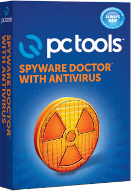
 PROS: Active anti-virus and anti-spyware protection as well as e-mail protection and protection against malware, rootkits and the like.
CONS: It’s hard to think of one. Post us a comment if you can find something wrong with Spyware Doctor with Antivirus.
OVERVIEW: Spyware Doctor with Anti-virus is what pctechguide.com recommends in most of our virus removal guides because it’s simply one of the best clients at not only removing existing viruses but also at keeping a PC protected. The easy of use and many custom features gives the average user more control over how the client works then any other anti-virus software out there.


Full Review
 Spyware Doctor with Antivirus Review
Version: 8.0.0.624
Release Date 08/31/10
6 OperatingSystems: Windows 7(32/64), Vista (SP1/2), XP (32) SP1+ Price: $39.95
Spyware Doctor with Antivirus Video Review
What It Does
Protection from spyware, adware,key loggerss, high jackers, phishing, infections and bad websites
Product Details
The Internet is full of potentially thousands if not millions of websites, and files that hold time bombs of destruction. Newer phishing scams(impersonation to obtain bank account or credit card number), files delivered through instant messaging and web browsing give malware creators a plethora of avenues to infect a system.
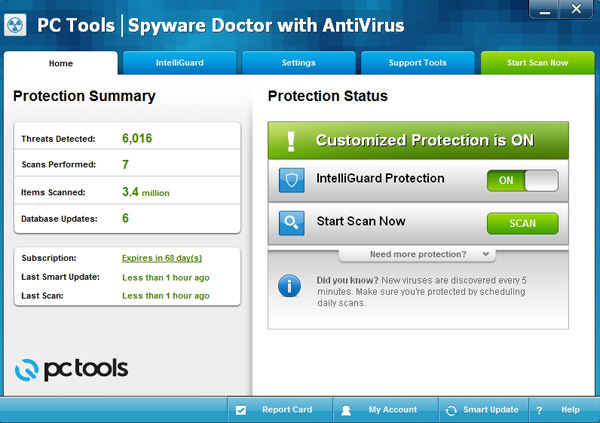
The initial screen presents the user with their computer’s current protection status. This information is useful displays if the scan system is ON , the last scan date, product version and signatures.
Even after running ENOD 32 and Kapersky, neither found the number of spyware and adware that Spyware Doctor detected. The scan performance was incredibly fast, and checked an entire 280GB drive within a few minutes. This was when using the Light scan and not the full in-depth scan.

During the process, several scan types were executed:
Browser scan, known files scan, registry scan, process scanner, and a startup checkpoints scan. Although the longest scan process was while the software checked the registry, all scans were completed in under 5 minutes.
System settings allow the user to set the level of protection, scheduling of updates and scan sessions, view auarntined files, history and a few other features. The video above goes very in-depth on all the options.. There are many options the user can set. What set’s Spyware Doctor with Antivirus apart from other clients is the layout and ease of use to understand what each setting is. If you hover over a topic it actually tells you more information about what that setting does.
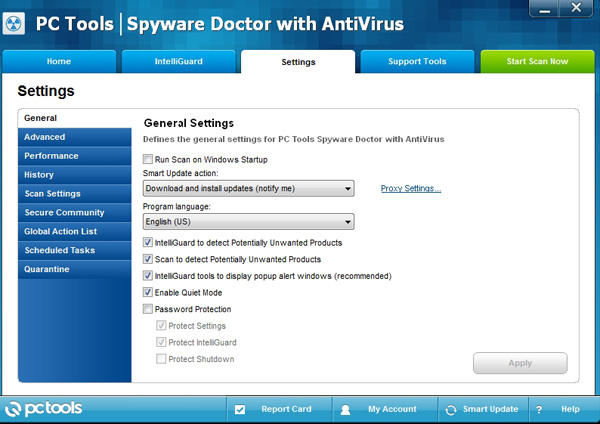
Most anti virus companies belong to a consortium whose focus is to eradicate newly active viruses and spy ware. Select ON to receive notification from PCTOOLS of newly discovered threats and suspicious files. Spyware Doctor’s community link can be toggled on or off if privacy is a concern. However, given the number of destruction malware offers, this is an option that should be enabled.
Using IntelliGuard’s real time protection, monitor mail, files, network shares and rootkits, where hackers plant code for undetectable operations as well as network guard, file guiard and e-mail guard.. This feature will block malware and prevent unwanted installation on your system as soon as it’s detected.
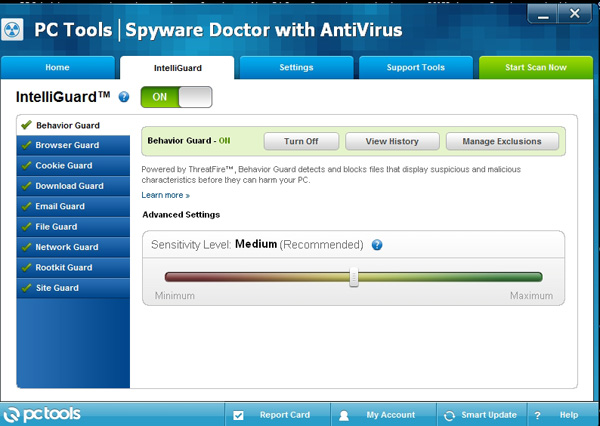
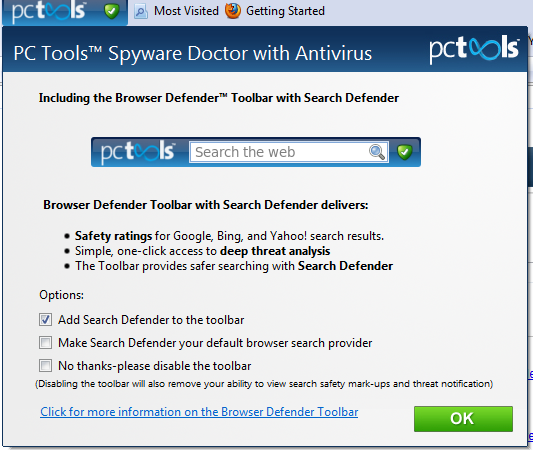
Browser Guard can be loaded into your browser’s toolbar for immediate access but because it checks each website visited, it slows browsing down. There is a benefit in thwarting browser hijacking, stopping it cold while using this addin. Many malicious programs appear to be “helpful” stating that your system is infected and to take action and download a program. This is really a ploy to install a program that may harm your system, rope you into making an unwanted purchase, or obtain your credit card information.
Security
When you register the software you must log a user name and password. This is so you can gain access to your account online and get support for the product.
Installation
No special install process is required as the standard executable is used(sdassetup.exe).
Configuration is simple for any computer literate operator
Technical Support
Support can be acquired from the PCTOOLS website using an online knowledge base, online community, online user guides, online community forums, email, live chat and telephone support.
License Model
SpywareDoctor with Antivirus price tage of 39.95 fee covers the use of the program on up to 3 computers.
Extras
Add-ons: Optional plug-ins Site Guard, Behavior Guard
Conclusion
With lightning fast protection, real time watch guarding, and scanning thoroughly, Spyware Doctor With Antivirus should be included in your search when you need solid protection from unwelcome malware. This is pctechguides.com top recommended anti-virus client.
What to Do Next:
If you want to take Spyware Doctor with Antivirus fro a test drive you can Download It Here.
If your ready to make a purchase just click the button below to be taken to the Makers website to make the purchase.
Read more Antivirus Reviews