
PROS: Simple Menu options and settings
CONS: Too much power in the hands of a novice could cause more damage than good
OVERVIEW: TuneUp2011 is a very comprehensive registry cleaning software product that covers all the bases in keeping your pc ship-shape. The menus are straight forward and guide the end user to making choices that could prevent horrific situations when regular maintenance is neglected. Having the extra file recovery tool and an option to customize Window’s look, feel and easy management modes, an investment in this product definitely end up with the best tune up of your pc.
Click the download button below to start your download

Tune Up Utilities 2015 Review
Verision: 10.0.4000.17
Release Date: October 2010
Operating Systems: Windows XP (SP2), Vista(32/64), Windows 7(32/64)
Pros:
Simple Menu options and settings
Cons:
Too much power in the hands of a novice could cause more damage than good
What It Does
Provides controls to enhance system performance and easy maintenance of the Windows operating system.
Product Details
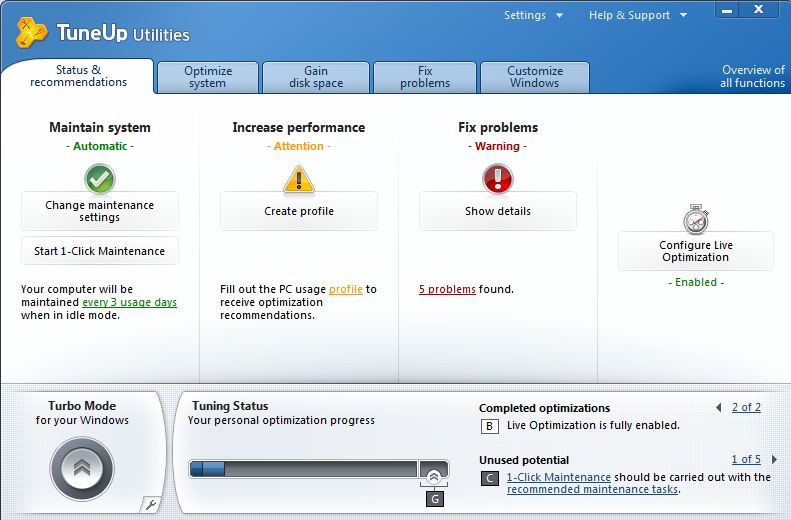
The software immediately conducts a quick glance at the system as soon as you start the program. With the RED notice, you given a warning to system problems, but the software can uncover a smorgasbord of problems with Windows, program files, and system configurations and settings. The first tab, offers a “1 Click” option which will cause the software to review and recommend changes to problems found in critical areas of Windows.
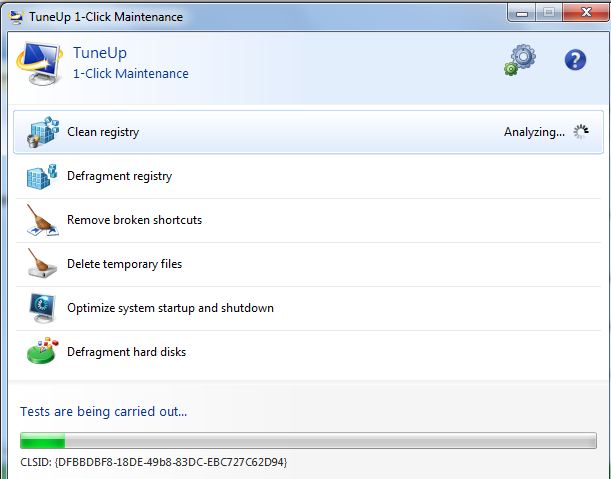
The Run Maintenance button will quickly fix every issue found during the 1 Click process with the message “your system has been successfully optimized upon completion.
Five tabs on the start up screen offers the end user even more fine tuning: Optimize system, Gain disk space, Fix problems and Customize Windows.
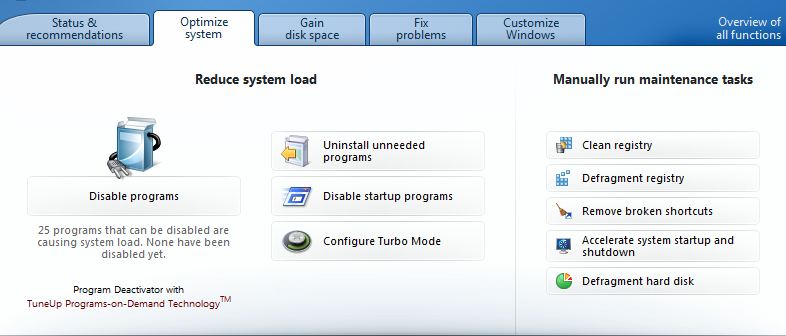
The Optimize tab presents options found in Windows to easily disable or uninstall programs, or maintenance task for the registry, and hard disk defragmentation.
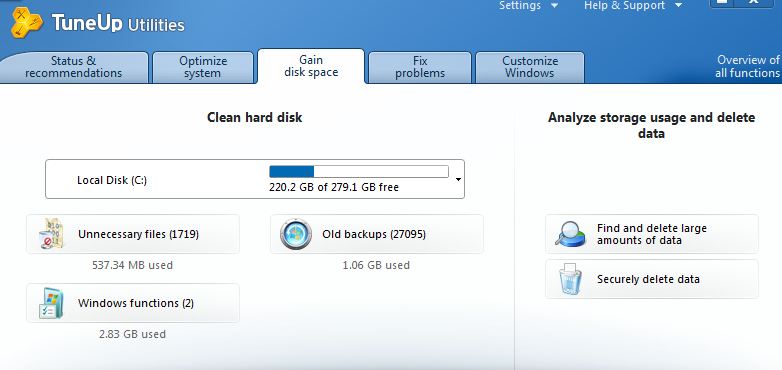
Many novice computer users are unaware the effect of a shortage on hard disk space, except for not having a place to install their last purchase from their local computer retailer or download. What may look like a non needed file to the non techie, could be a critical file in Windows, and to delete it would cause a grown person into tears when messages like non system disk or unable to start Windows. The Gain disk space tab makes it easy and safe for the end user to reclaim storage.
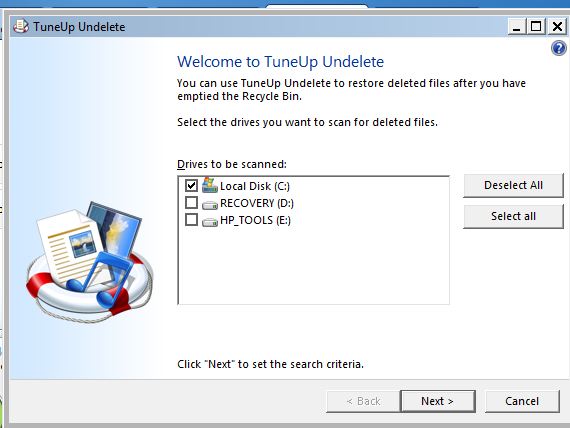
Although TuneUp2011 is not a file recovery product, the Fix Common Problems tab has a nice feature to rescue files that have been deleted AFTER the recycle bin has been emptied. Usually, once dumped, it leaves the end user with no recourse to undo the process – until utilities likeTuneUp2011 and other file recovery programs are used.
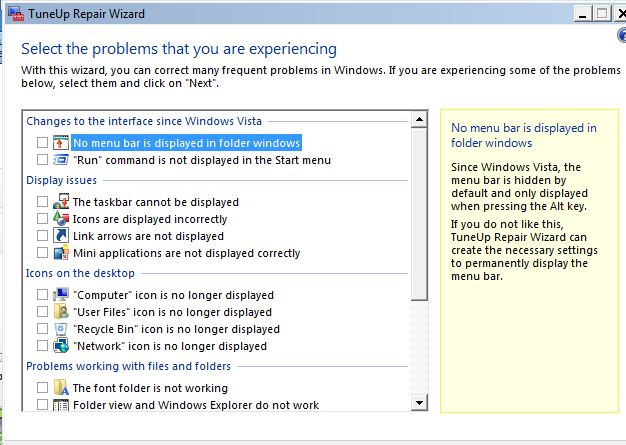
Otherwise, the Fix Common Problems list everyday “oops” that can happen when the wrong option is selected when using Windows with display, task bar repositioning and invisibility, desktop missing icons and challenges with program installations.
Some extra features are Turbo mode and a file deletion standardization used by the federal government(DOD 5022) . This ensures that deleted/erases files cannot be recovered in the event the hard drive is stolen or becomes accessible to unauthorized persons. Turbo mode will disable programs and other system settings to increase the performance of the software and assist the computer with running at peak levels. It can be deactivated at anytime if the changes need a reversal.
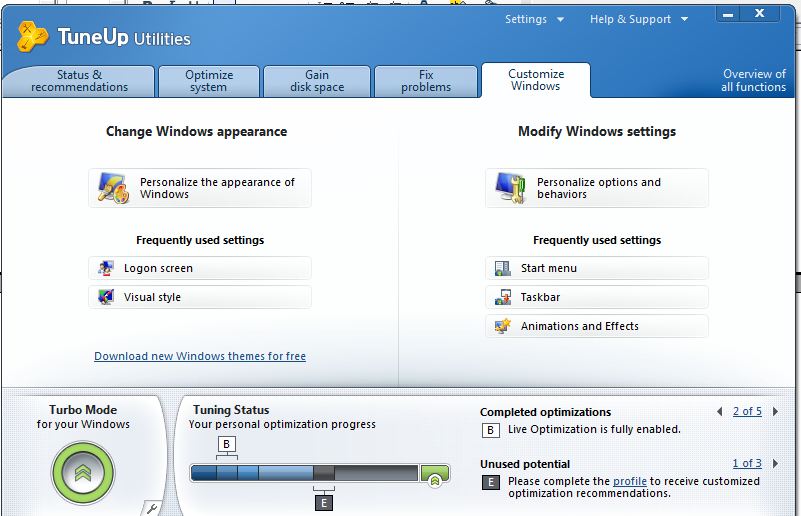
Lastly, the Windows customization tab places in an orderly fashion a way to personalize settings in Windows for it’s appearance or everyday behavior.
Security
Like most programs that make changes to the operation system, the end user is required to be the administrator.
Installation
A standard installation without any special folder or file settings and preparations.
Knowledge Level
Novice = 3 Intermediate = 2 Expert = 1
Technical Support
Web based support is very typical these days. The company list Frequently Asked Questions from others with problems who’ve used the product before with the fixes on each issue. Also, a searchable knowledge base can be used to learn how to fix problems or how to use the program. Additional support is provided via email and there is a phone number with support hours of Monday to Friday between 9:00 AM and 7:00 PM (Central Standard Time US).
License Model
Each pc requires a unique license installed, but there are multi license packs for 5, 10 or a volume license users for business accounts.
Extras
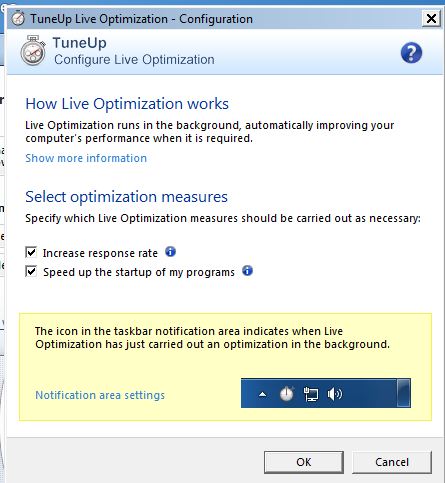
Live Optimization will fine tune the pc as you’re working on it, making adjustments based on file memory needs, running programs and pc owner usage.
Conclusion
TuneUp2015 is a very comprehensive software product that covers all the bases in keeping your pc ship-shape. The menus are straight forward and guide the end user to making choices that could prevent horrific situations when regular maintenance is neglected. Having the extra file recovery tool and an option to customize Window’s look, feel and easy management modes, an investment in this product definitely end up with the best tune up of your pc.

This software sounds interesting…I’ll definitely try it out and share my experience…