 [starreviewmulti id=3 tpl=20]
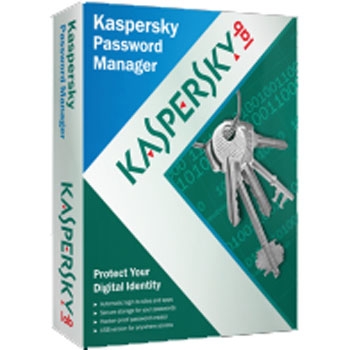
PROS: Kaspersky Password Manager saves all your computer passwords into one database.
CONS: You will still have to know your other passwords if you use computers other than your own.
OVERVIEW: This is a computer utility to assist with organizing and protecting all your passwords in one location. It is really nice to have, especially if you have several accounts. All your passwords: email, banking and any other online passwords you need will be stored here for ease of use.


Kaspersky Password Manager Review
Company: Kaspersky Lab
Version: 4.0.0.133
Operating Systems: Windows 7 Home Premium (32/64), Professional(32/64), Windows 7 Ultimate (32/64), XP Home, XP Professional/Professional(64), Vista (all versions ,32/64)
Price: $29.99
What It Does
This product has a password database with protection for all secured accounts.
Product Details
Maybe, like you, if I counted the number of passwords I have for every website I visit that requires them to know who I am, or every email address I own, I would need a Rolodex. But, using Kapersky’s Password Manager, the need to remember all my passwords is a thing of the past. I forget passwords all the time, and who really writes them all down? I know, some people do take the time to so, but some passwords want a certain number of characters, others want a capital letter and a special symbol and others want all three! Some expire automatically (usually business applications) after a certain period of time and won’t let you use a previous one. Who can remember all those different kinds of passwords?
Just install the Kapersky Password Manager, and run through a quick process to choose a master password, and you’ve saved yourself some true aggravation.
Choose how you want to authenticate: use a password, a usb (too likely to be lost), blue tooth, or none at all- leaving your computer in its original state.
Now, visit a website that has a password associated with your account, and you get a pop up that has recognized the website and filled in your user name and password. Once acknowledged, the information is stored in the database and on your next visit, the website user name and password will be completed without your interaction.

Looking at the interface, you think “is that all?” Simple but powerful is the truth behind the scenes.
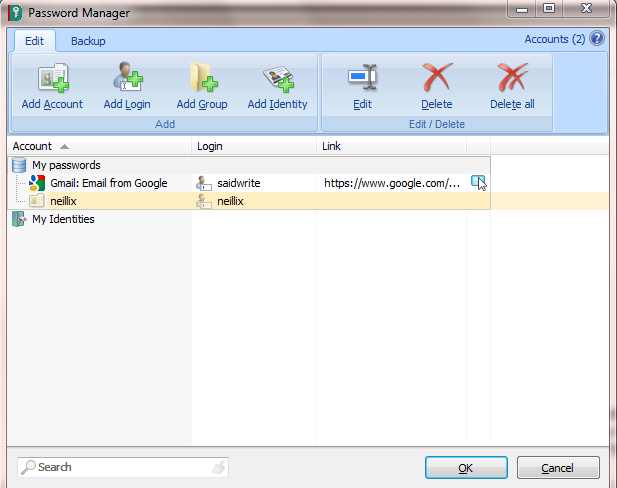
The database is storing every password you have from any website. Most websites where you purchase good or services ask for your identification information(name, date of birth, address, account numbers, etc). These can be tedious and repetitive. Kapersky’s Password Manager has built a feature, “Identities”, that will help you fill in forms automatically, again saving you time and aggravation.
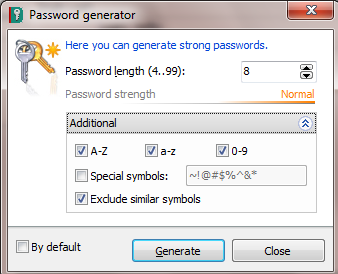
Lastly, a weak password can give hackers the keys to any information stored on your computer. The password strength function will help you create a password that is bullet proof, using certain schemes that further strengthen your passwords and enhance security. If you need a certain number of characters, just select the needed number of digits.
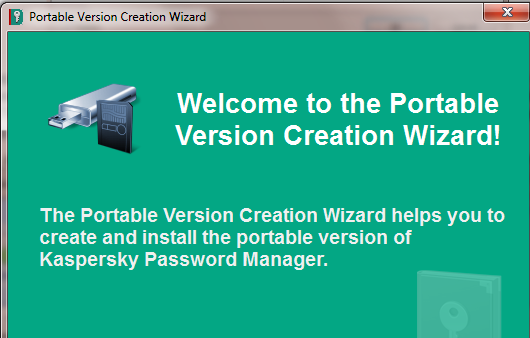
If you need to use the password manager on another computer, use their portable version feature, which is bundled in the main product.
Security
One password locks the software.
Installation
Simple
Knowledge Level
Novice = 3 Intermediate = 2 Expert = 1
Technical Support
Online knowledgebase, chat, online forum, web based help desk ticket system
License Model
$24.95 covers installation on one computer.
$29.95 covers installation on two computers.
Extras
Support for porting Password manager on other systems.
Conclusion
Forget forgetting the numerous passwords you use daily. Kapersky’s Password Manager is simple, and useful. With one click, the master password will keep the ever growing list of passwords to a much more manageable number- just one.