pctechguide.com

  • Home
  • Guides
  • Tutorials
  • Articles
  • Reviews
  • Glossary
  • Contact

Stellar Phoenix Photo Recovery Review

Photo recoveryStellar Photo Recovery

Stellar Photo Recovery basically covers it all, for photos and media options, that is. This product, like the title says, is for photo recovery and media recovery only. While it is cheaper than the Stellar Phoenix Windows Data Recovery, it is only cheaper by about $10, so if you have anything else that you have had accidentally deleted or lost on your computer, liked files and reports, you may just want to spend the extra few bucks and get the whole package. The Stellar Photo Recovery does its job, however, and I would definitely recommend it to someone just looking to recover photos.

Download Stellar Photo Recovery Here

Program: Stellar Phoenix Photo Recovery

Company: Stellar Data Recovery

Supported OS: Windows NT, 2000, XP, Vista, 7

Price: $39 USD

Overall Rating: 8 out of 10

What It Does:
Stellar Phoenix Photo Recover works on recovering deleted, lost or corrupted media. If you are looking for something to recover pics, music or videos, this is the product for you.

Installation:
Installation time is about 30 seconds and the product takes up about 20MB of disk space.

Details:
You will see the following three tabs after installing this product and starting it up. Let’s start with the first tab.
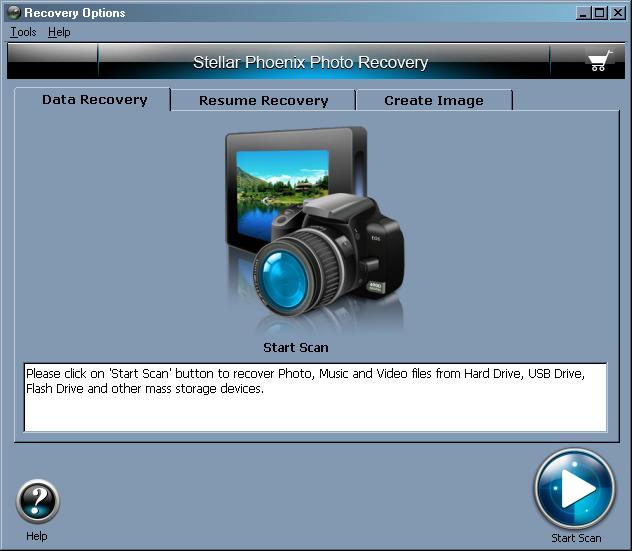
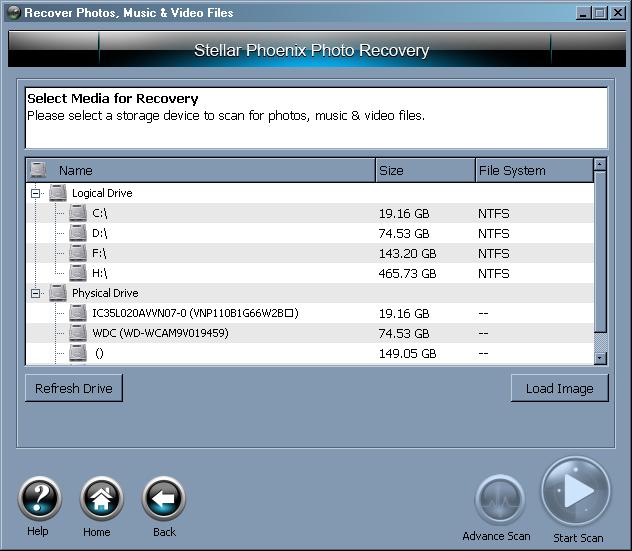
While you can load a disk image for scanning, I chose to use my primary drive, just to see what happens.
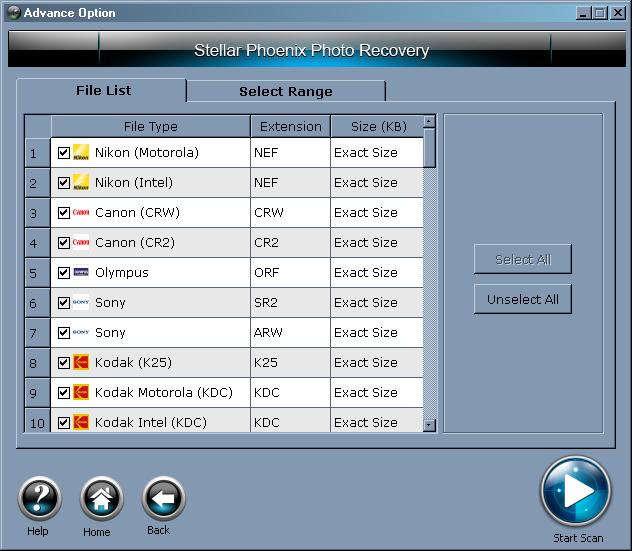
I chose the advanced scan. You can also look under the “Select Range” tab to scan a certain sector range if you so choose. I just opted to select all file types.
While the scan is progressing, below shows how my screen looked.
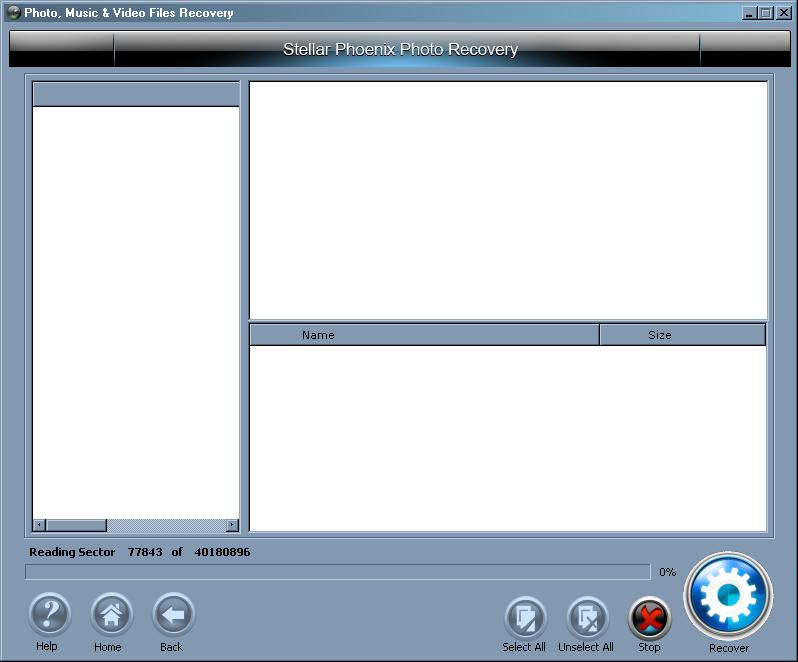
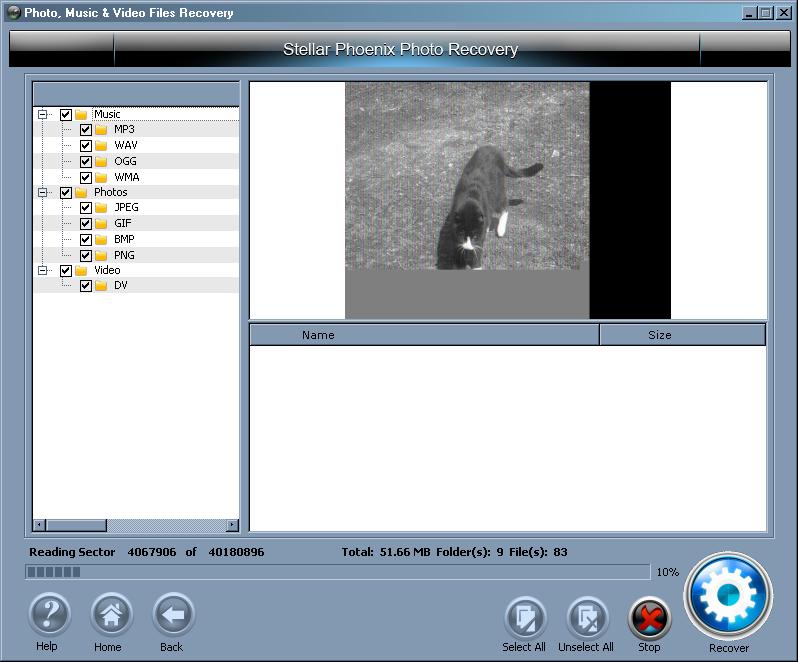
Images are displayed as the data is restored.
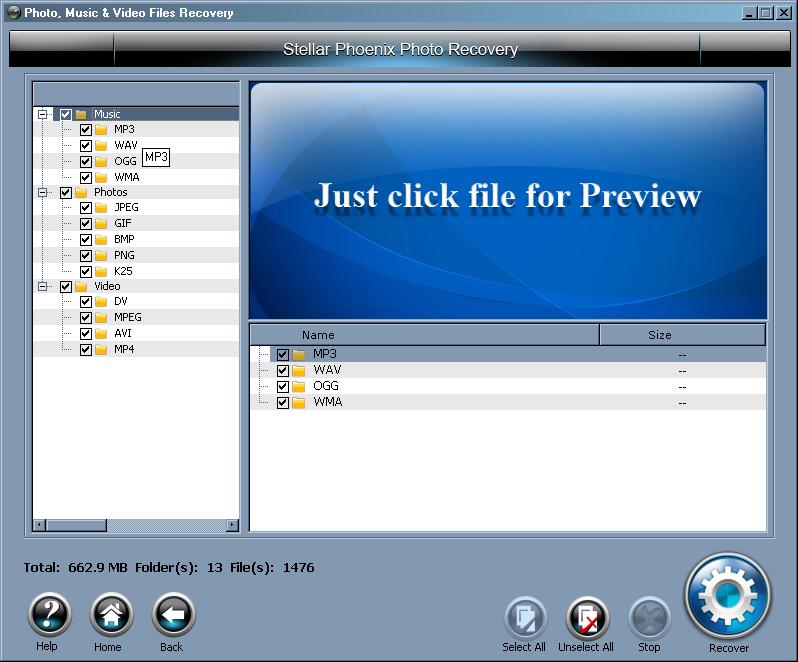
Once complete, you can browse away and see what was found.
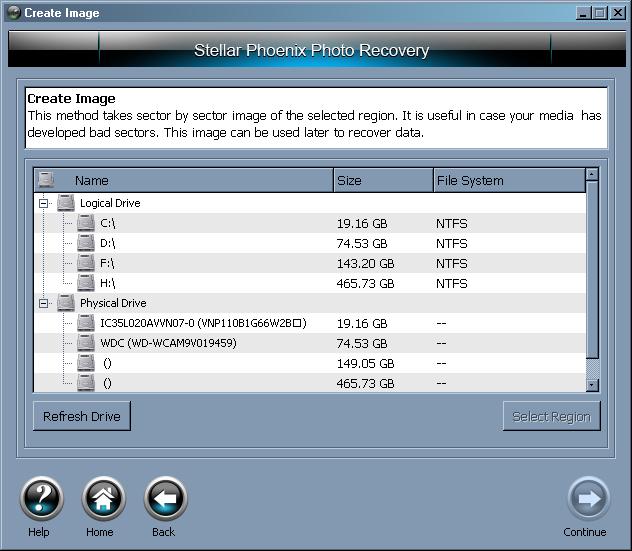
There is also a “Create Image” tab in the first screenshot I show. You can use this section to create images of recovered media and store them in another spot.
Ease Of Use:
Stellar Phoenix Photo Recovery’s interface was made for a more intermediate to advanced user, but I am confident that even a novice user would be able to figure the navigation with just a little bit of patience.

Summary:
Stellar Phoenix Photo Recover installs quickly and does a great job of recovering photos, music and videos. If you are looking for something just to recover media data, then this would be a good choice for you.

PROS: Recovers media data well and is priced reasonably.

CONS: While I couldn’t find a con for the product in itself, I just want to reming you that this product is for media data ONLY.


Filed Under: Data Recovery Tagged With: Stellar Phoenix Photo, Stellar Phoenix Photo Recovery, Stellar Phoenix Photo Recovery Review

Latest Articles

Features and Parts of a Digital Camera

A colour LCD panel is a feature that is present on virtually all modern digital cameras. It acts as a mini GUI, allowing the user to adjust the full range of settings offered by the camera and is an invaluable aid to … [Read More...]

xDSL Digital Subscriber Line technologies – ADSL, HDSL, VDSL

xDSL is a catchall name for a variety of DSL (Digital Subscriber Line) technologies developed to offer phone companies a way into the cable TV business. It isn't a new idea; Bell Communications Research Inc. developed the first DSL back in 1987 to deliver video on demand and interactive TV … [Read More...]

7 Great Microsoft Word Hacks to Bolster Productivity

Today we are going to show you 24 Word tricks to get the most out of this text editor. Although there are many alternatives, Word is still the tool that millions of people use to create documents on Windows and Mac. This time, we will not seek to go in depth into the most basic options and … [Read More...]

Why Internet Bundles Are the Next Battleground for Gamers

A weak internet connection can turn seamless gaming sessions into frustrating experiences filled with lag, buffering or sudden disconnects. For … [Read More...]

Importance of Inbound Marketing in the Digital Age

A couple of months ago, Zacks reported that Hubspot was starting to make some major changes to its inbound marketing strategy. They talk a lot about … [Read More...]

Damage Control Strategies for Resolving Online PR Crises

Last July, Astrologer faced a major crisis after its CEO went viral at a ColdPlay concert when having an affair. This was just one of the many times a … [Read More...]

AI is Not Killing Computer Jobs Like Doomers Projected

There is no denying the reality that AI technology has played a massive role in disrupting our lives. A growing number of people claim that AI … [Read More...]

Everything You Need to Know About Sourcing Circuit Boards From U.S. Suppliers

In This Article This article includes: Why Source PCBs From the United States?How to Get a Quote From a U.S.-Based PCB ManufacturerThe Top U.S. … [Read More...]

Top Taplio Alternatives in 2025 : Why MagicPost Leads for LinkedIn Posting ?

LinkedIn has become a strong platform for professionals, creators, and businesses to establish authority, grow networks, and elicit engagement. Simple … [Read More...]

Guides

  • Computer Communications
  • Mobile Computing
  • PC Components
  • PC Data Storage
  • PC Input-Output
  • PC Multimedia
  • Processors (CPUs)

Recent Posts

MyStart Incredibar Removal

MyStart Incedibar is a browser highjack.  It normally comes bundled with other free programs.  Once installed on a computer it highjacks your home … [Read More...]

How to Remove Live Security Platinum

Live Security Platinum is a fake antivirus program.  It's the exact same as several other malware viruses.  We already have a guide on Smart Fortress … [Read More...]

Remote Utilities for Computer Remote Access

Staying connected to your PC while you are travelling or away from it is an extremely useful feature in today’s computer landscape. Remote access … [Read More...]

[footer_backtotop]

Copyright © 2026 About | Privacy | Contact Information | Wrtie For Us | Disclaimer | Copyright License | Authors