pctechguide.com

  • Home
  • Guides
  • Tutorials
  • Articles
  • Reviews
  • Glossary
  • Contact

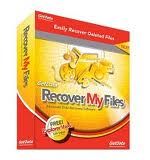
Recover My Files Review


This is PC Tech’s number one choice for data recovery!

As far as all around data recovery software goes, Recover My Files would have to be my absolute favorite. This product is great and I highly recommend it to anyone having any data issues. It has a very high success rate for data retrieval and is also very easy to use.



Program: Recover My Files

Company: GetData

Supported OS: Windows 98, ME, 2000, 2003, XP, Vista, 7

Price: $69.95 USD

Overall Rating: 10 out of 10

What It Does:

Recover My Files is a great data recovery tool that will help you recover files from loss, corruption, formatting, infection and incidental deleting.

Installation:

QUICK! 15 seconds for the install and about 15MB more on your computer and it is a finished deal.

Details:

You will have to accept the user agreement to start using Recover My Files.
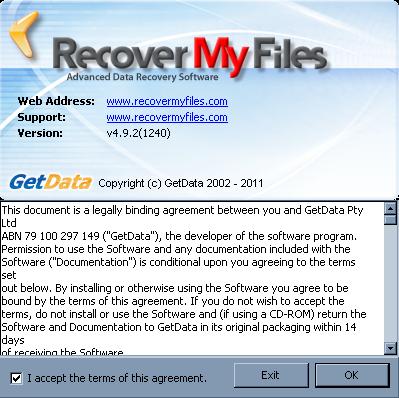
After doing so, you will see two options come up on the screen:
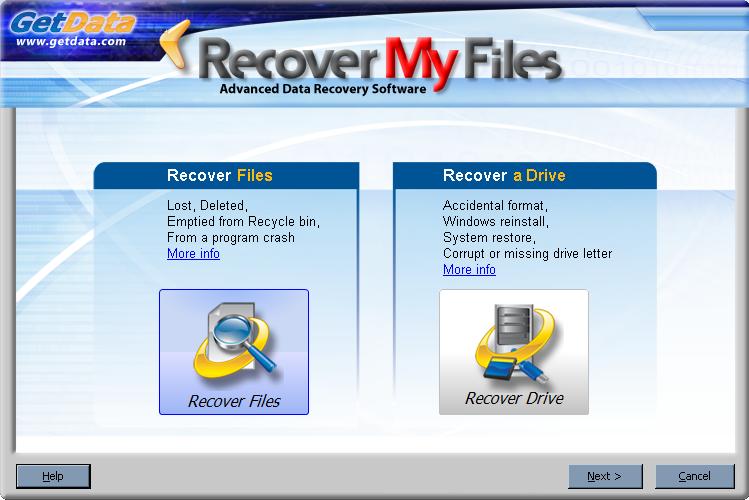
Since I had already purposefully deleted or formatted files earlier for this occasion, I chose to “Recover Files”.
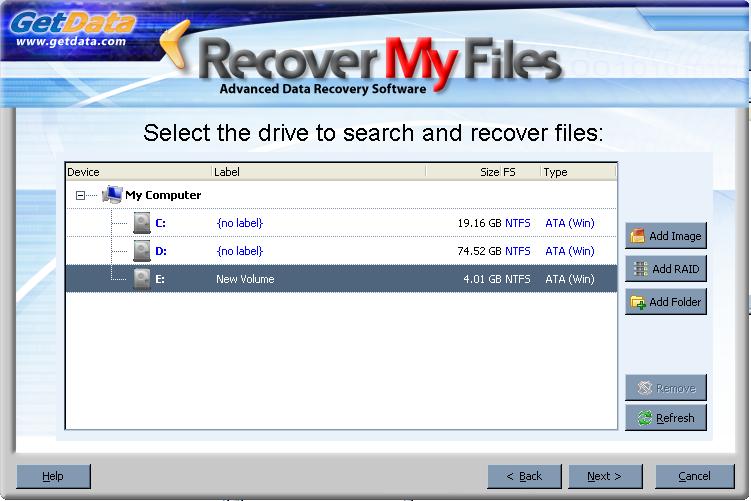
While I was using a newly formatted drive, I did still choose the option of finding deleted files.
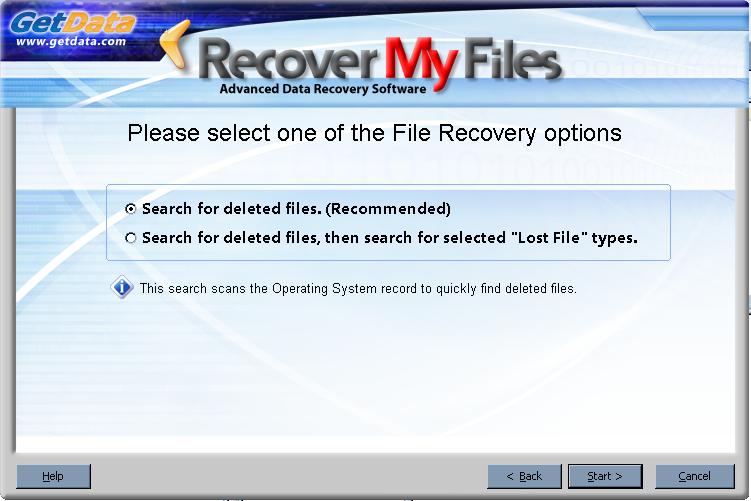
Obviously I didn’t have anything deleted in that drive, and the test results came up empty. I next tried it on another drive that I hadn’t messed around with, and recovered about 97% of the data from that drive. Awesome!
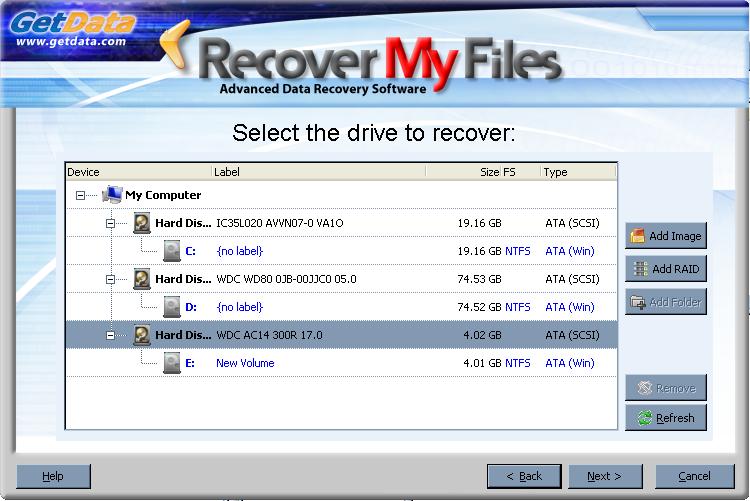
I went back to my first drive and selected the option “Recover A Drive”.
I went ahead and used the automatice option for the scanning process.
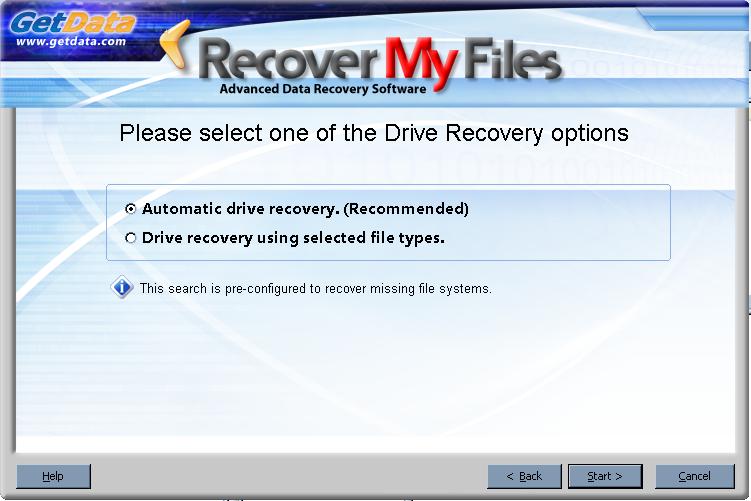
At first, I thought I was going to be in for a big disappointment, but I thought I would wait awhile and see what turned up.
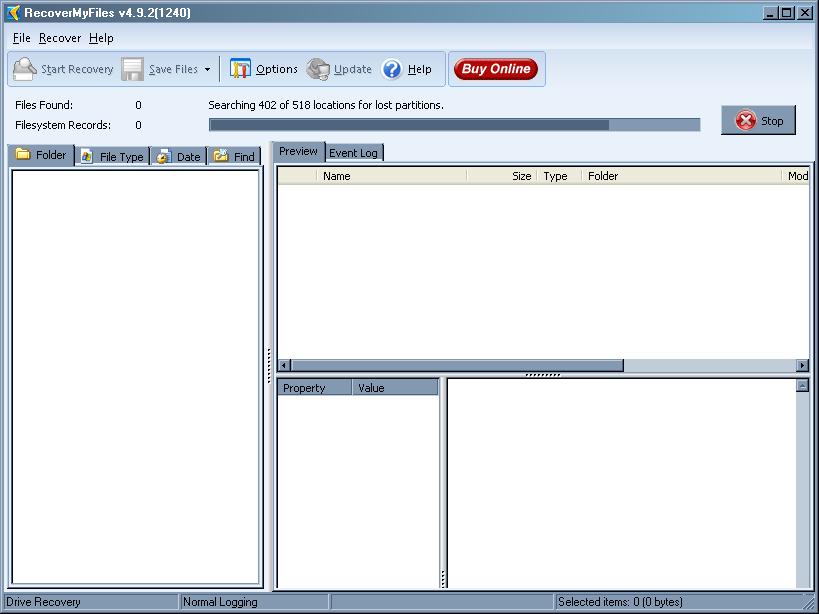
It hadn’t restored the partition, but Recover My Files was still searching for lost data.
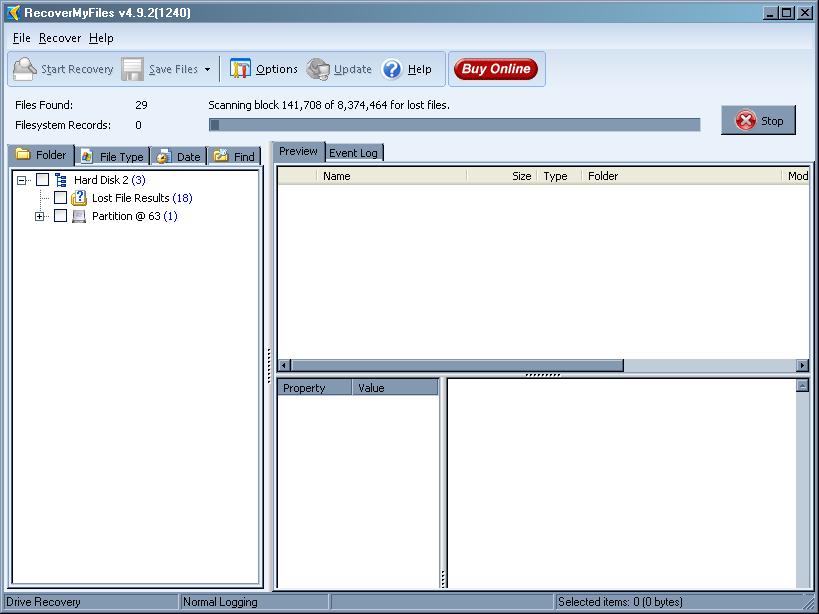
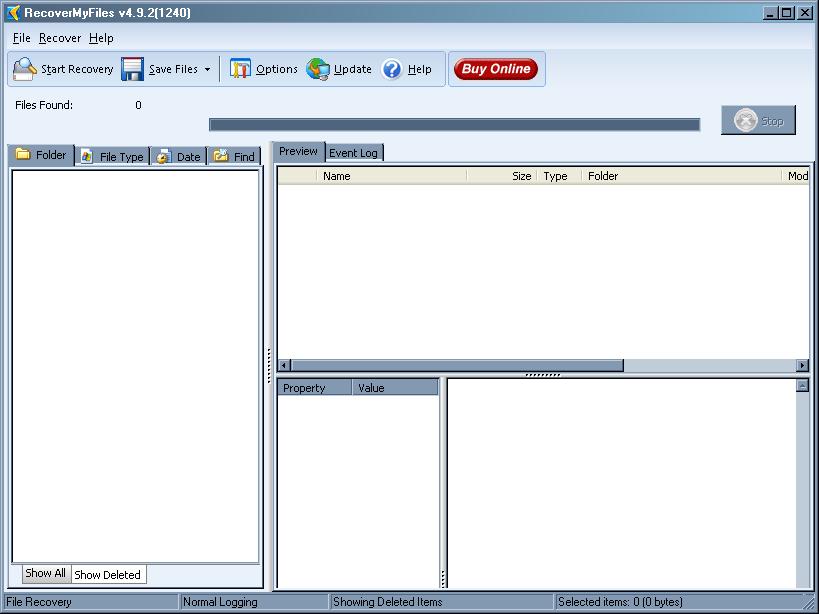
When the scan was finished, I browsed through all of the data Recover My Files found and recovered.
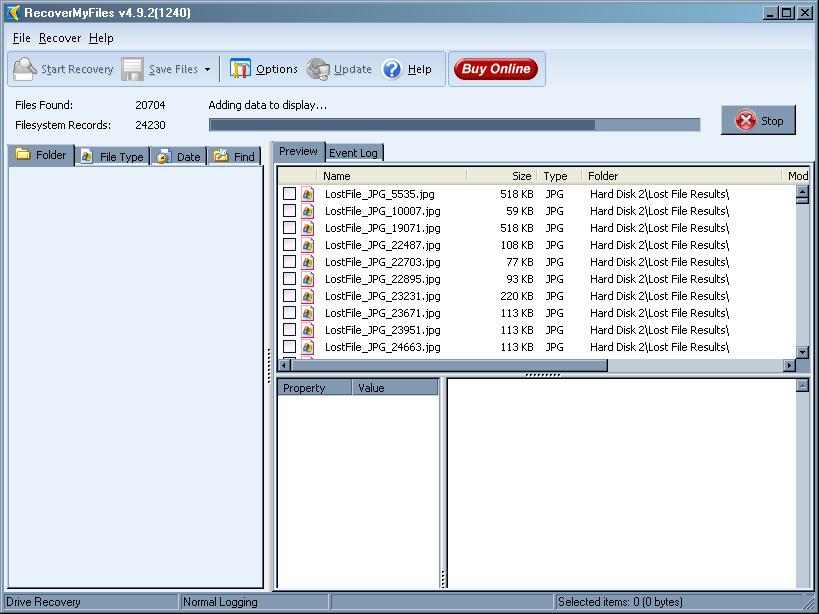
I could then use tabs to sort results out. I could also search for specific phrases and keywords.
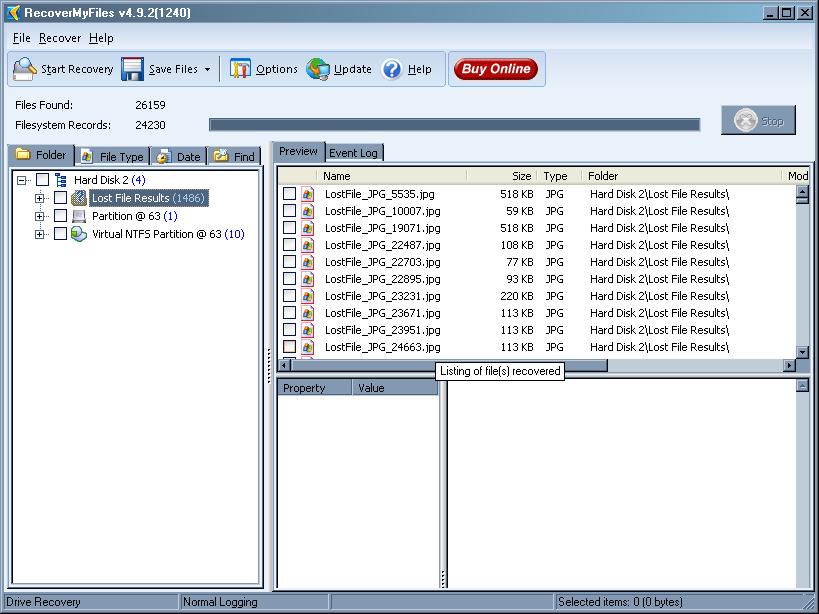
In the “Options” section, you can define better what you want to search for. While it will take more time to search with more options used, sometimes that is how you recover the most information.
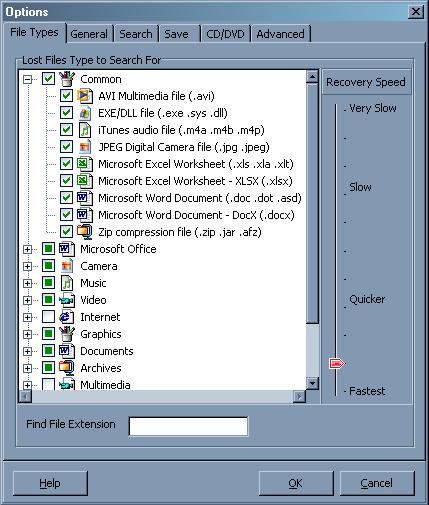
ant

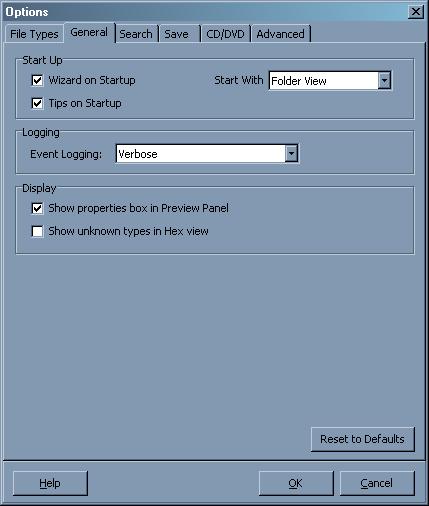
The “General” tab gives you choices on how to make the program function.
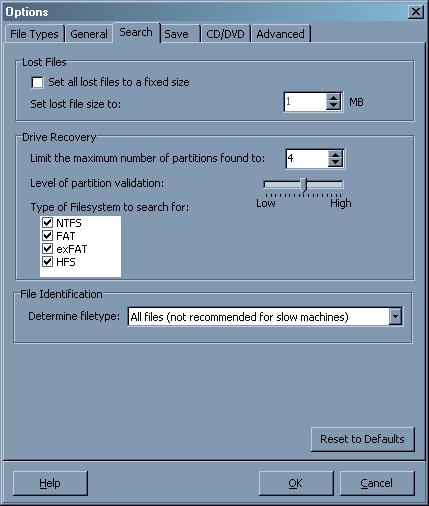
The “Search” button lets you choose how Recover My Files will handle the searches and recoveries on your computer.
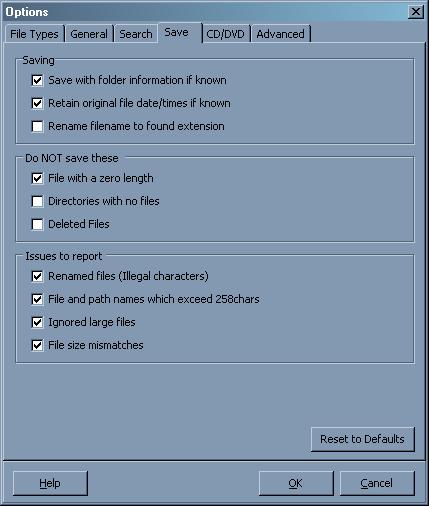
There are several options available in the “Save” tab area. Below, you will see all the different choices you have.
The “CD/DVD” tab will allow you to burn your recovered data to be stored on a hard copy.
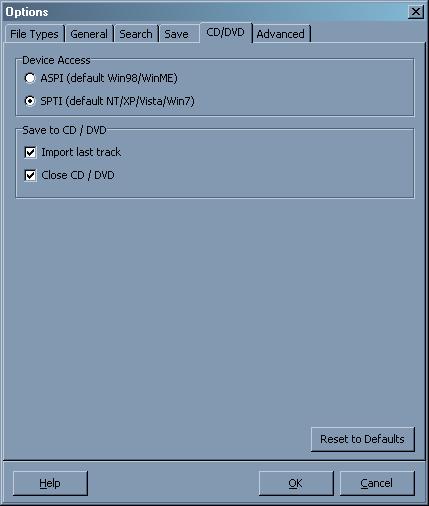
The “Advanced” tab gives you a little more control over your scanning aspects.
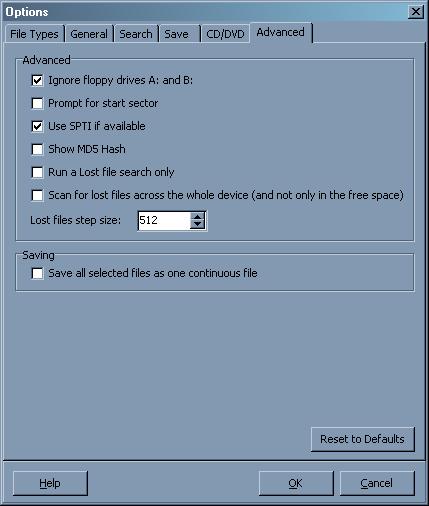
Below you will see more recovered files.
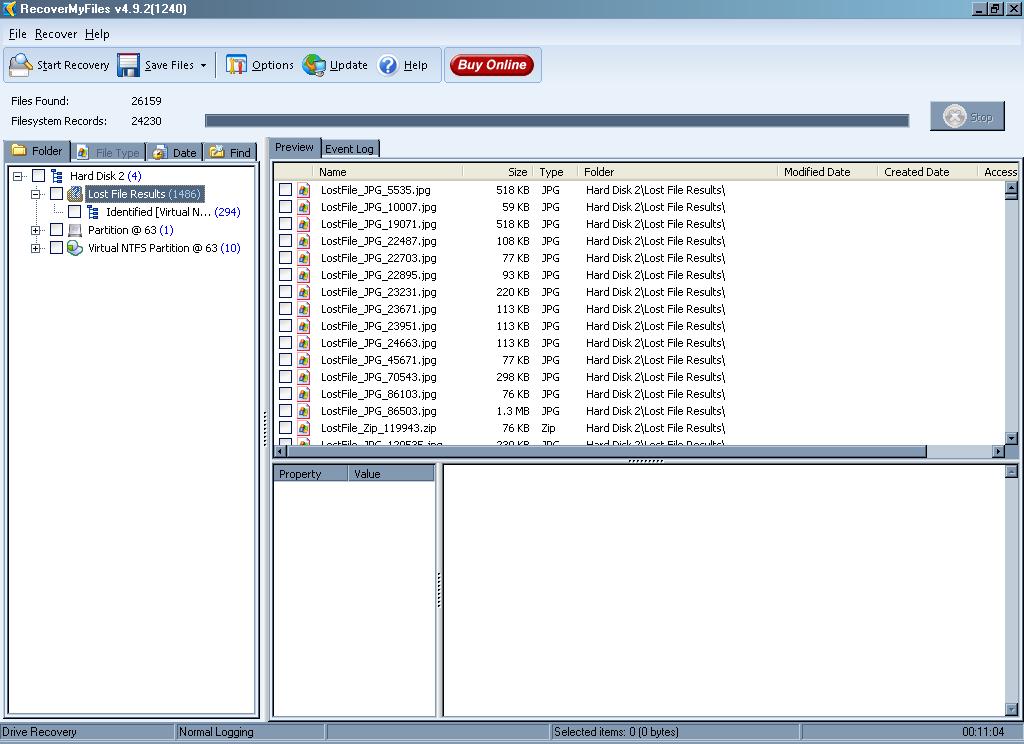
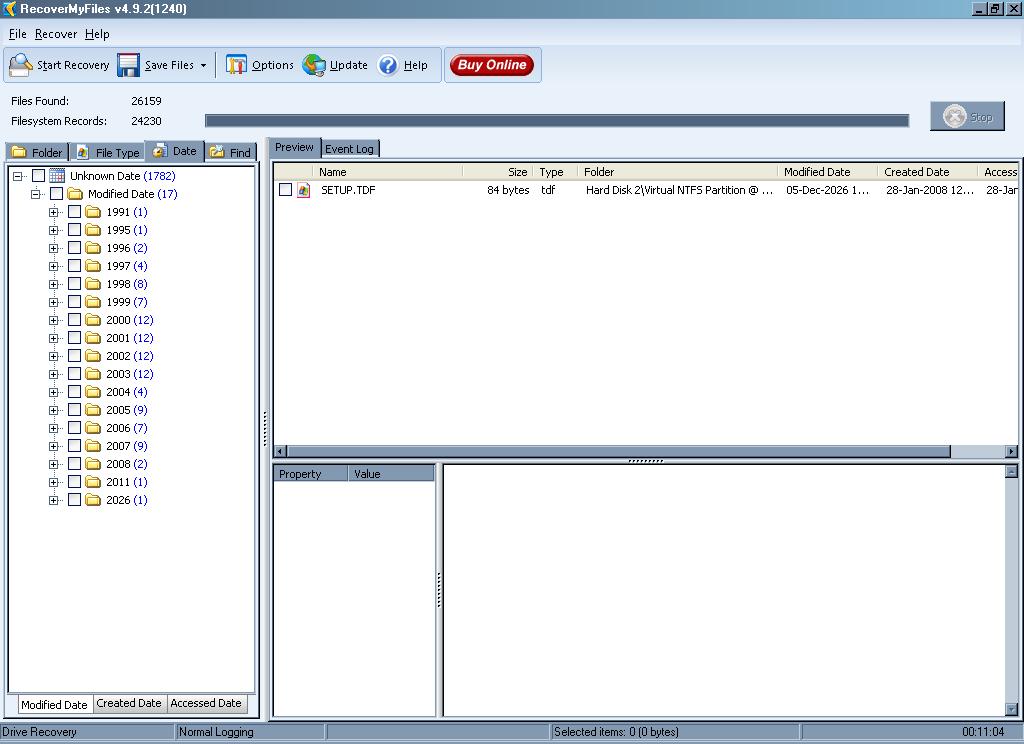
From here, I can filter the files.
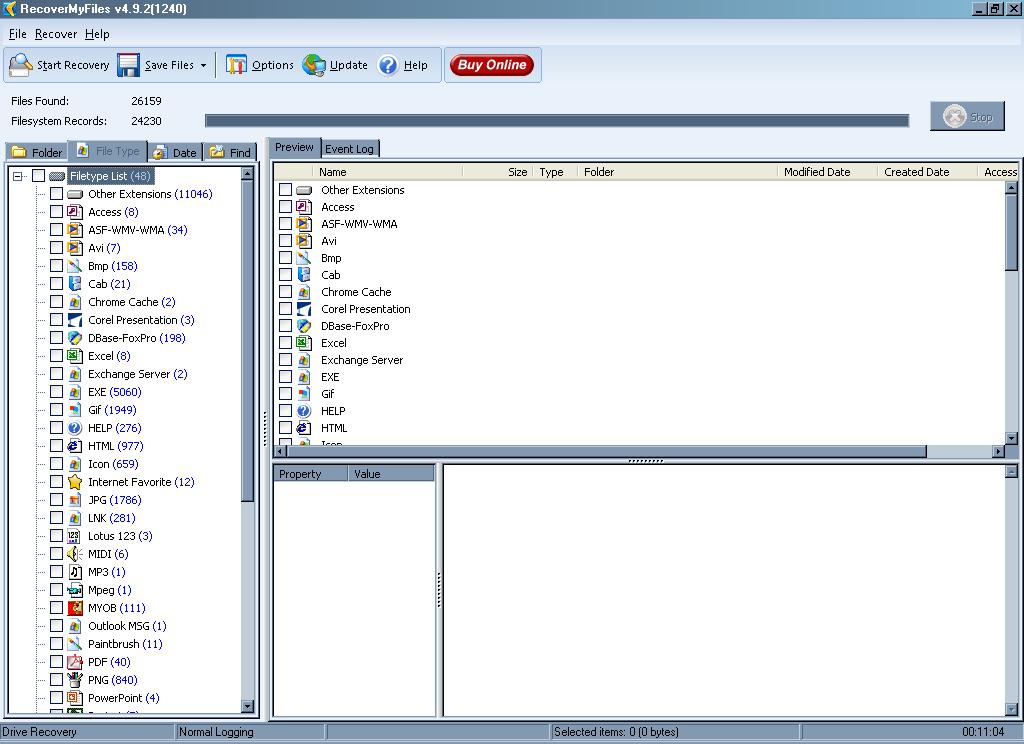
The third tab allows you to filter by modified dates.
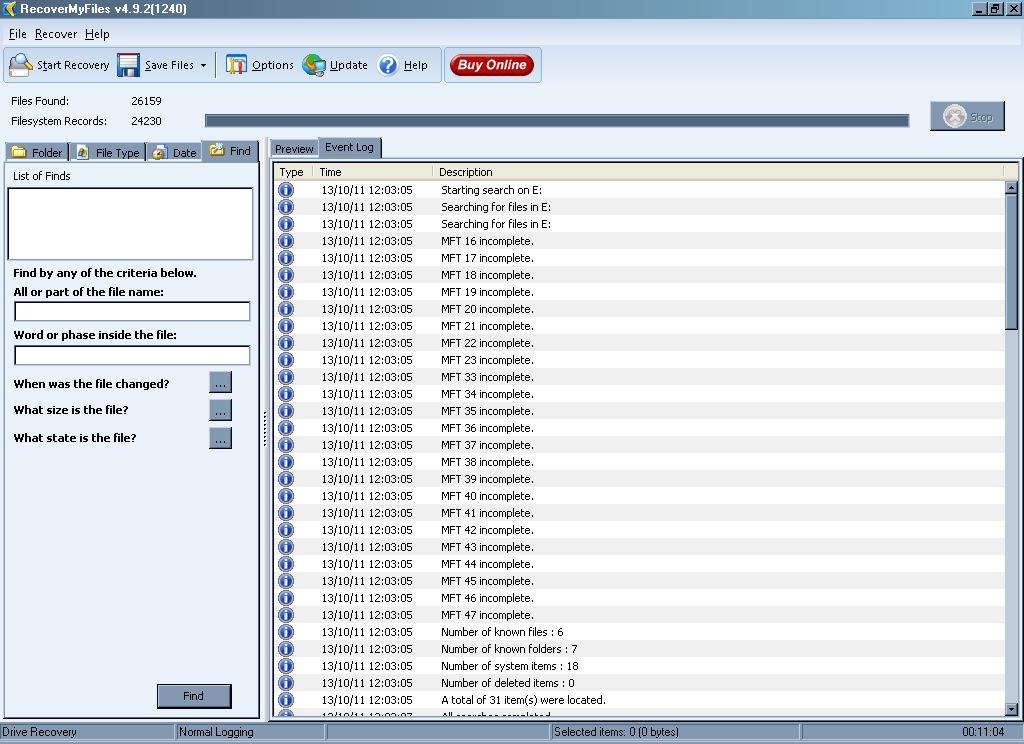
The fourth tab allows a more direct search of files.
Ease Of Use:
Recover My Files might look a little imposing to a novice user, but it is easy to use.

Summary:
I absolutely loved using Recover My Files. I think this is the best recovery product out there. The recovery rate is about 95% and I was very happy with that. It was a fast install process and I was able to start using Recover My Files immediately.

PROS:
Recover My Files is an excellent product that recovers data and doesn’t take forever doing so.

CONS:
A little pricey, but definitely worth it.

Filed Under: Data Recovery Tagged With: data recovery, data recovery programs, data recovery reviews, data recovery software, recover my files, recover my files review

Latest Articles

Creating, Moving, Renaming and Copying Files and Directories in Linux

Most basic Linux file and directory management - creating, renaming, moving and copying - can be achieved with the use of just three Linux commands. Their use is fairly straightforward, though it's probably a good idea to be reasonably familiar with the Linux directory structure before getting … [Read More...]

DIMM Memory – Computer Memory – Definition

By the end of the millennium, as memory subsystems standardised around an 8-byte data interface, the Dual In-line Memory Module (DIMM) had replaced the SIMM as the module standard for the PC industry. DIMMs have 168 … [Read More...]

How to Start a Business in Computer Engineering

Did you know that there are 66,200 computer engineers in the United States? This can be a very lucrative career path. However, you may have an easier time starting your own business. For many engineers, creating a computer engineering business is the best way for them to maximize their career … [Read More...]

Why Internet Bundles Are the Next Battleground for Gamers

A weak internet connection can turn seamless gaming sessions into frustrating experiences filled with lag, buffering or sudden disconnects. For … [Read More...]

Importance of Inbound Marketing in the Digital Age

A couple of months ago, Zacks reported that Hubspot was starting to make some major changes to its inbound marketing strategy. They talk a lot about … [Read More...]

Damage Control Strategies for Resolving Online PR Crises

Last July, Astrologer faced a major crisis after its CEO went viral at a ColdPlay concert when having an affair. This was just one of the many times a … [Read More...]

AI is Not Killing Computer Jobs Like Doomers Projected

There is no denying the reality that AI technology has played a massive role in disrupting our lives. A growing number of people claim that AI … [Read More...]

Everything You Need to Know About Sourcing Circuit Boards From U.S. Suppliers

In This Article This article includes: Why Source PCBs From the United States?How to Get a Quote From a U.S.-Based PCB ManufacturerThe Top U.S. … [Read More...]

Top Taplio Alternatives in 2025 : Why MagicPost Leads for LinkedIn Posting ?

LinkedIn has become a strong platform for professionals, creators, and businesses to establish authority, grow networks, and elicit engagement. Simple … [Read More...]

Guides

  • Computer Communications
  • Mobile Computing
  • PC Components
  • PC Data Storage
  • PC Input-Output
  • PC Multimedia
  • Processors (CPUs)

Recent Posts

The Role of Responsive Design in Modern Web Development

Responsive web design is becoming more essential with each passing day. Seventy-one percent of web developers believe the biggest reason users leave a … [Read More...]

Pentium Pro (P6) 6th generation x86 History

The P6 microarchitecture is the sixth generation of Intel's x86 processor architecture, first implemented in the design of the Pentium Pro CPU, … [Read More...]

How to publicise your website

Sometimes, a website can explode from nowhere with absolutely no publicity, but it will catch a mood and suddenly be pulling millions of visitors. The … [Read More...]

[footer_backtotop]

Copyright © 2026 About | Privacy | Contact Information | Wrtie For Us | Disclaimer | Copyright License | Authors