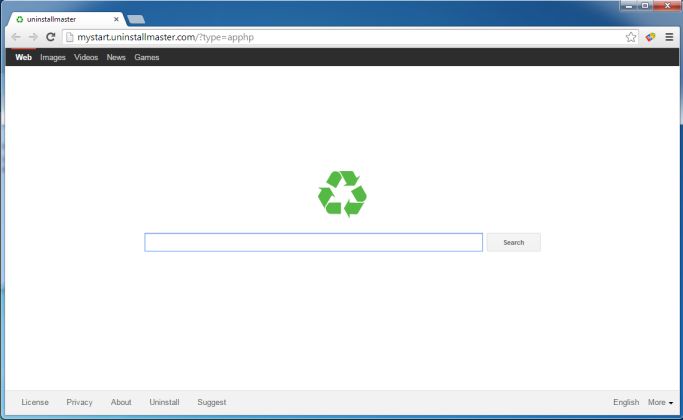
 Mystart.uninstallmaster.com is basically a browser hijacker. For the ordinary computer user, a browser hijacker can be a malware, an adware, a virus or any type of software that was intentionally programmed to change a lot of your DNS settings causing your default browser useless while making the Mystart.uninstallmaster.com your new browser.
Browser hijackers have the goals of sponsoring websites so that its creators can earn money mostly from pay-per-click (PPC) sites or from affiliate marketing sites. It will constantly redirect you to other marketing sites or worse to other potentially hazardous sites.
The Mystart.uninstallmaster.com can get into your system unnoticed just like what other malwares do. If ever you have downloaded a free software like a video streaming software or maybe a free game application that are usually loaded with extensions and plug-ins, you never know that the malware’s undetectable executable file is right there among the bundle. Once you execute your downloaded program, the executable file of the malware will also spring to action.
There are no tough browsers that can’t be defeated by the Mystart.uninstallmaster.com because once it’s there in your system and quickly done its job, your anti-virus program or firewall cannot do anything about it. Firefox, Google Chrome, Safari, Internet Explorer, Opera or any browser you can think of can be overwhelmed by this powerful malware starting off in altering your DNS settings.
Here are the worst case scenarios once your browser is taken over by Mystart.uninstallmaster.com:
1. It will redirect you to so many sponsored links and ads even to unknown online shopping sites, gambling sites or even to adult sites which are known to be full of scammers’ software programs.
2. Your browsing histories including your most visited sites, your IP address, online account transactions, email address, search queries and even your own sites will be recorded and may be sent to third parties that are usually scammers themselves thus your credentials even your financial account could be in peril.
3. You will constantly receive spam messages or suspicious emails on your email server.
4. There will be a lot of pop-ups that won’t stop once you open your browser. This can really irritate you while your computer keeps slowing down because of so many cookies, extensions and plug-ins that are being unloaded in your system.
5. Since this malware allows everything it is programmed to allow, in spite of using an antivirus program, your computer will continually be bombarded with adware, malware, Trojans and other harmful programs thru the Mystart.uninstallmaster.com’s open highway.
6. With too many issues your computer can’t handle as it gets filled up with so many malware and adware, your computer system can eventually crash. It will slow down at first, will constantly hangs up and eventually bogs down until you can’t open it anymore. Specifically, the Trojan viruses are best in taking down computers’ bootable system.
So essentially, it is unimaginable what the Mystart.uninstallmaster.com can do. It will literally hamper your job as it slows down your computer thus your productivity can be greatly affected.
Actually, there are ways in stopping the malware in doing its bad things on your computer. One, try the System Restore and two, rely on SpyHunter.
System Restore lets you return to the previous state of your computer when it was still uninfected. For example, you have downloaded a free game on Monday and activate it the same day and suddenly have the Mystart.uninstallmaster.com as your browser and your search engine. So what you should do is restore your computer’s state before the Monday. On the other hand, better choose a restore date few days before your supposedly game installation.
You can do System Restore simply by clicking the Start button and typing “System Restore”. A prompt will ask you if you allow the program to run. Click “yes”. Another prompt appears telling you that you are in restore file settings. Click “Next”. The next window will show you the date you may want to restore. Reboot your computer after full restoration.
The next better thing you can do is installing SpyHunter. This program is best in running full system scan on your computer and detects even the tiniest bits of malware that are hiding in file extensions including adware, worms, Trojans, viruses or any malicious part of a potential harmful program. Once you click the “Delete All” after anti-malware program finds the threats, you can be ensured of a clean computer state. This is actually the next big thing in overall computer protection especially now that malwares are becoming too covert but more destructive.