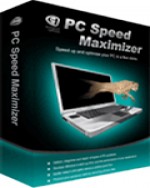
 PROS: As a stand alone registry cleaner, PC Speed Maximizer is easy to you and gives accurate registry repairs that can be counted on.
CONS: PC Speed Maximizer is easy to use and results are easily viewed and read. Auto-start features makes this program easy to run for all levels of computer users.
OVERVIEW: As just a registry cleaner this does the job well. It identifies files that cause system congestion to speed up computer functions all across the board.


PC Speed Maximizer Review
Program: PC Speed Maximizer
Supported OS: Windows 98, ME, 2000, XP, Server 2003, Vista
Price: $39.99 per license
Overall Rating: 6 out of 10
What It Does:
PC Speed Maximizer finds invalid registry entries, system settings and old, unused, and obsolete files on your system and deletes them, enabling your system to run more efficiently.
Installation:
The installation of PC Speed Maximizer took less than 15 seconds. After the install, the user is asked if they would like to start PC Speed Maximizer.
Details:
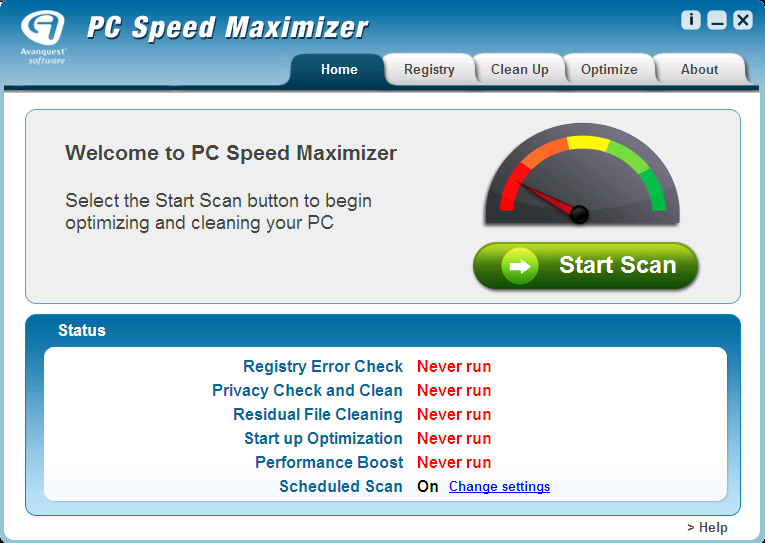
From the main screen, the user can choose to start a full scan, or choose only parts of the scan from the tabs at the top. The “About” tab shows the user basic program information such as the program version, company name, and the developer’s web site. It also allows the user to put in registration codes and to undo previous actions that were performed with PC Speed Maximizer. At the bottom, it shows statistics detailing when each type of scan or optimization was last performed.
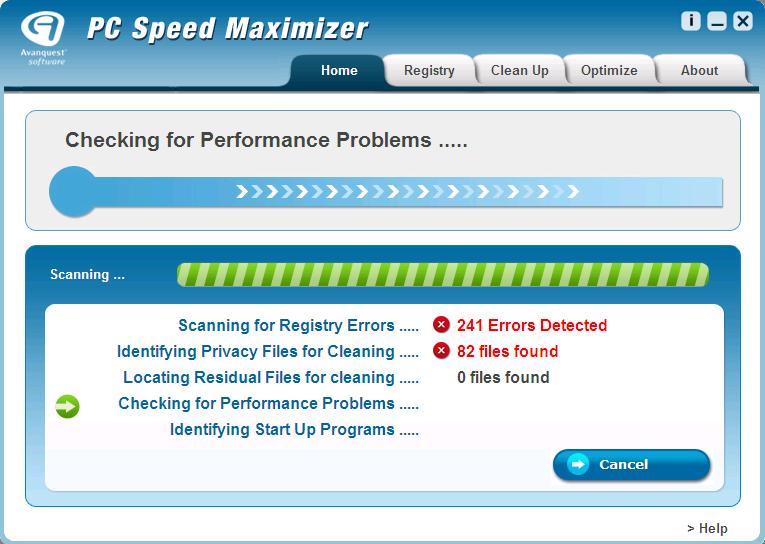
The full system scan took less than 3 minutes to perform, which is what I’ve experienced with most system optimizers that are available online. I’ve also seen far worse scan times in the range of 5-10 minutes, if not longer, so PC Speed Maximizer faired quite well in this category. So far, it found 241 errors and 82 files.
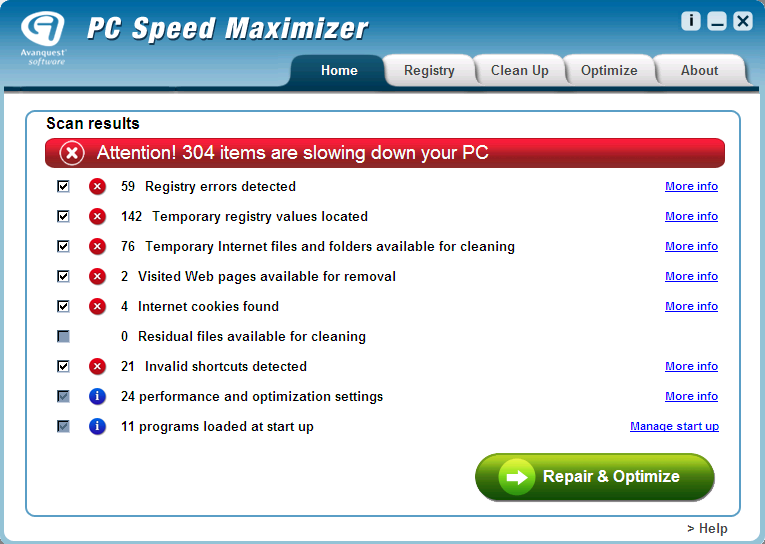
After the scan was done, the results showed that there were a total of 304 items that needed to be fixed. Although I was running an unregistered version of PC Speed Maximizer, it allowed me to view what the problems were (which were confirmed on close inspection), but would not let me remove them via the application until I entered a license number. PC Speed Maximizer presented with no false positives or scare tactics, and the results it produced were accurate. I was able to verify this by manually deleting some of the registry entries and files, although I don’t recommend that novice users try this technique.
Ease Of Use:
PC Speed Maximizer has a great interface, sleek design and detects what it’s supposed to.
Summary:
The installation was quick, the interface was easy on the eyes, everything you need to know is only a mouseclick away, the scan times were decent and the results were accurate. However, there was one thing that about PC Speed Maximizer that failed to truly dazzle and wow me: The price tag of $39.95. This is not to say that PC Speed Maximizer wasn’t effective at what it did. In fact, it passed that grade with flying colors. There are several other registry and file optimizers available online for free that do just as good of a job (although not quite as thorough in some cases), if not better.
After I ran some of these other applications to clear out the registry and junk files from previous installations, PC Speed Maximizer only came back with a handful of results afterwards. It should also be noted that the system optimization tab only included the most common tweaks for Windows. However, if PC Speed Maximizer came with a full-fledged system tweaking section, that would justify the price tag, and I would definitely give it a much higher grade.